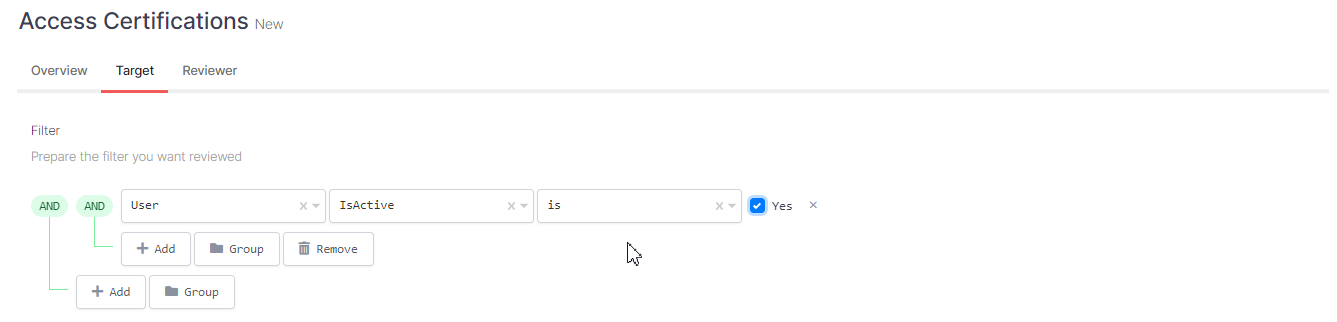
Target
You can specify which users will be added to the Access Certificate from the rule structure here.
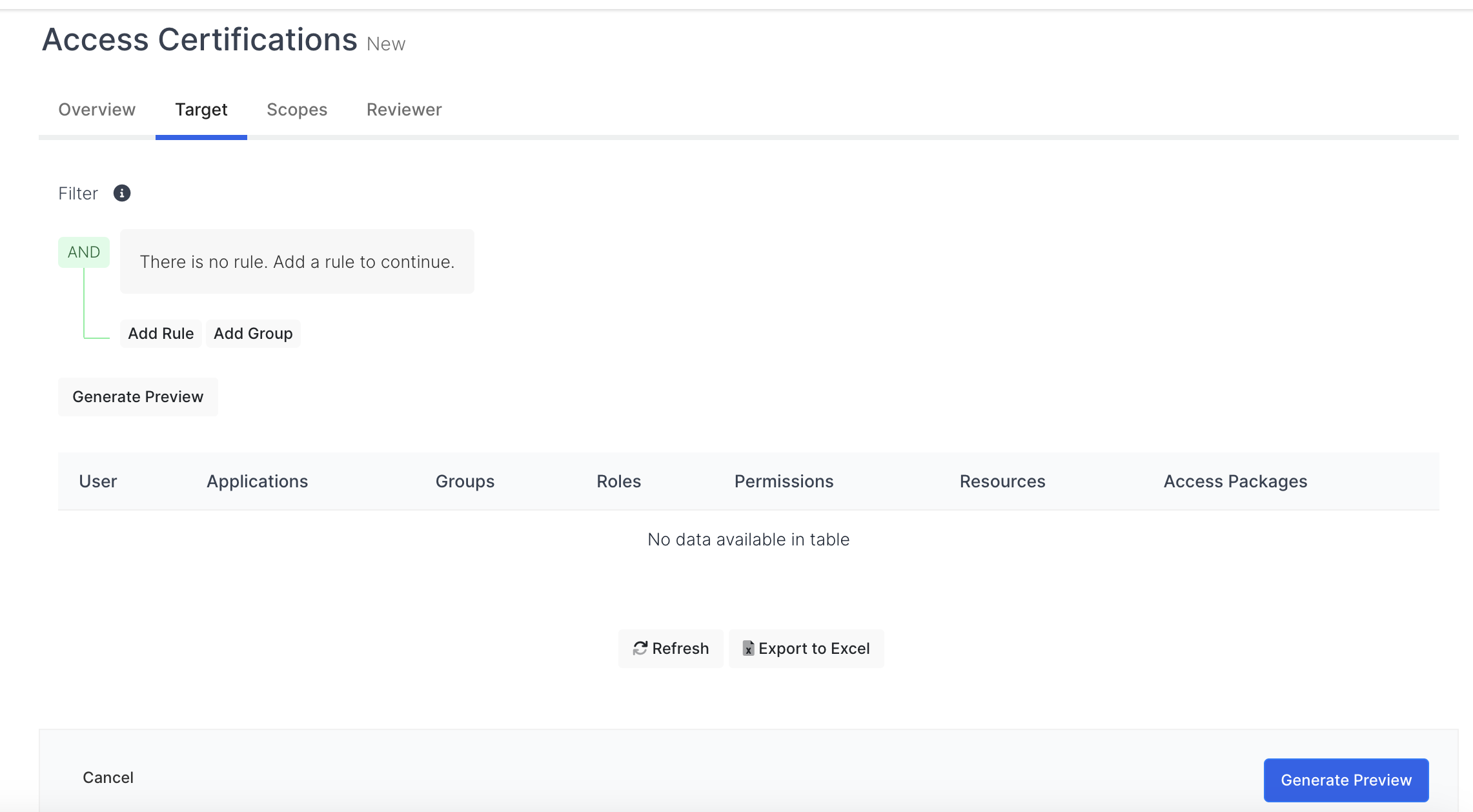
To add a person to the Access Certificate within certain rules, you can follow these steps;
-
You can define "single" rule by clicking the Add button, or you can define multiple rules by clicking the "group" button.
Single Rule Definition
You can define a "single" rule to add the "target" person to the Access Certificate.
These processes are done in order;
Object type is selected.
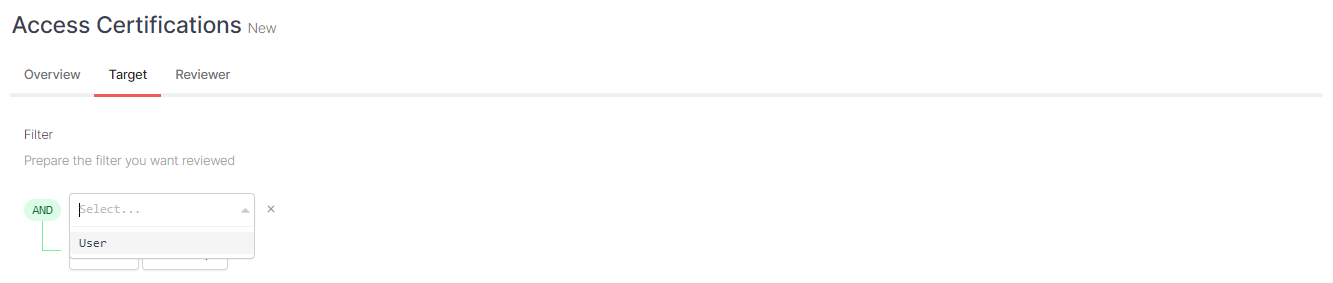
-User feature is selected
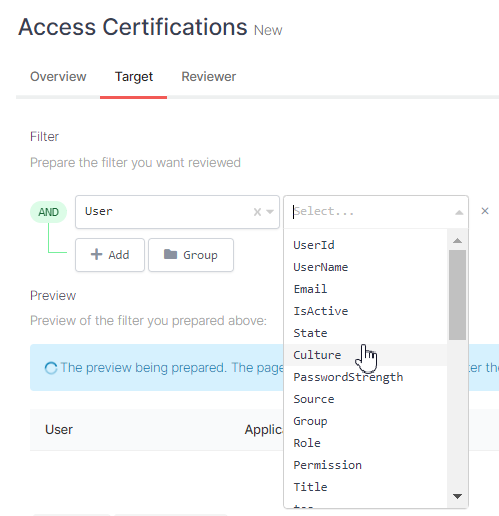
-Filter box is selected.
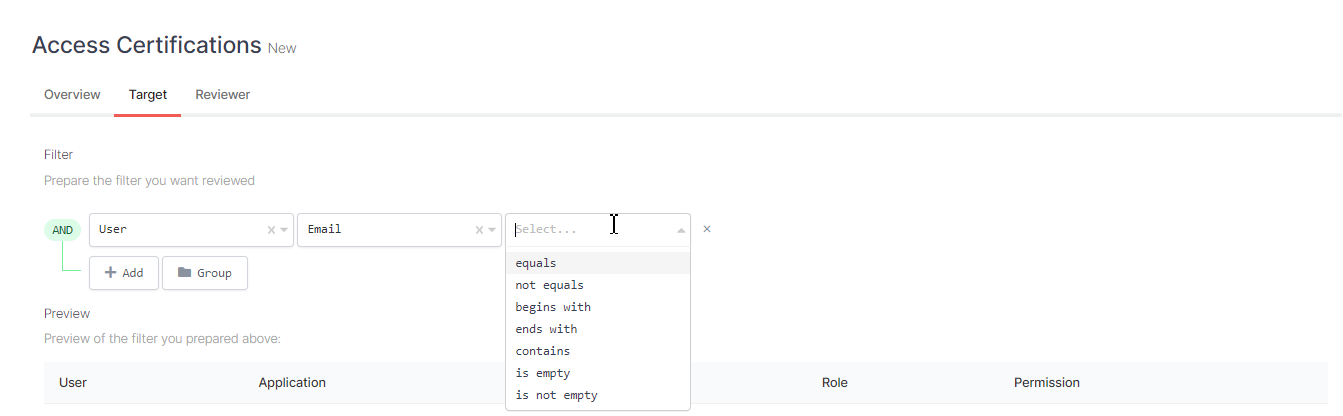
-The box opens according to the filter we selected.
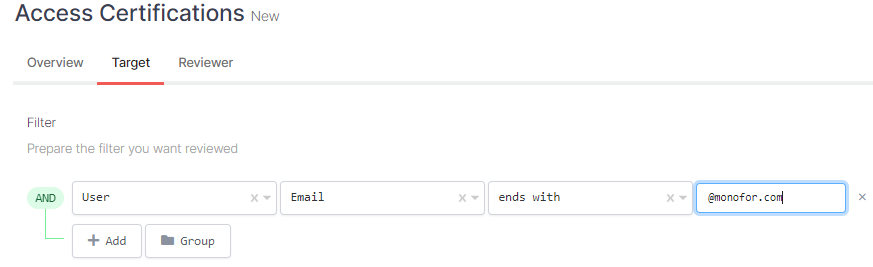
Targets users whose email ends with "@monofor.com".
Group Rule Definition
You can use the "group" rule definition to define more than one filter in the Access Certificate.
Its usage is the same as "Single Group Definition".
The same operations are performed sequentially.
-Object type is selected.
-Users' feature is selected.
-Filter box is selected.
-The box opens according to the filter we selected.