This document contains information about system audits.
What is Audits?
Audits are essentially a record of events and changes such as Login Attempt, Credential Error, Login Success, App Permission Success, Governance - Create Access Catalog etc.
To see the Audits, Navigate to Security > Audits page as shown.
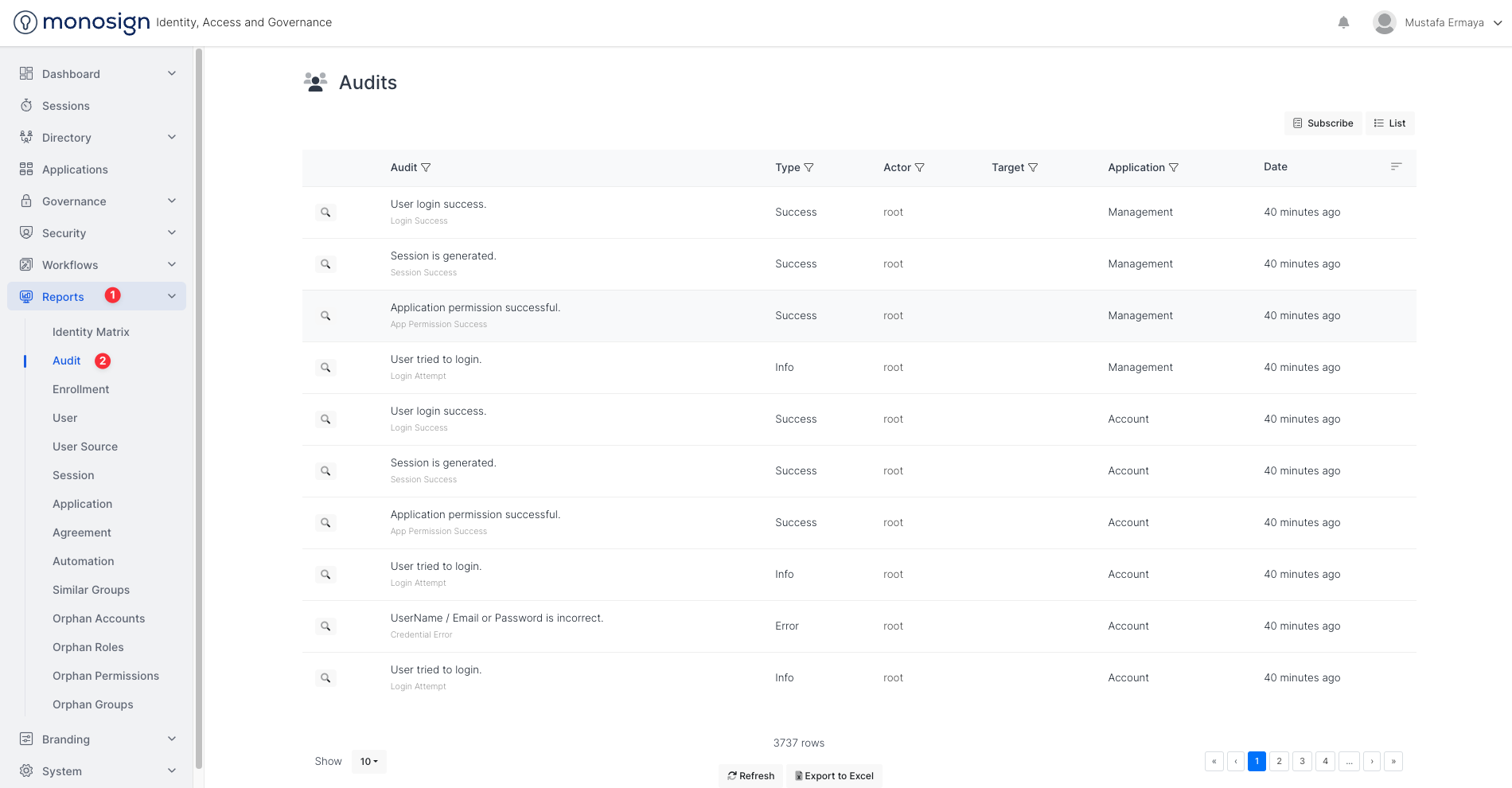
Fields | Description |
|---|---|
Details | Audit Details. For Example: Let’s assume Login Success audit definition wants to be detailed such as which user logged into which application from which browser. Admin user should click the detail button as shown. 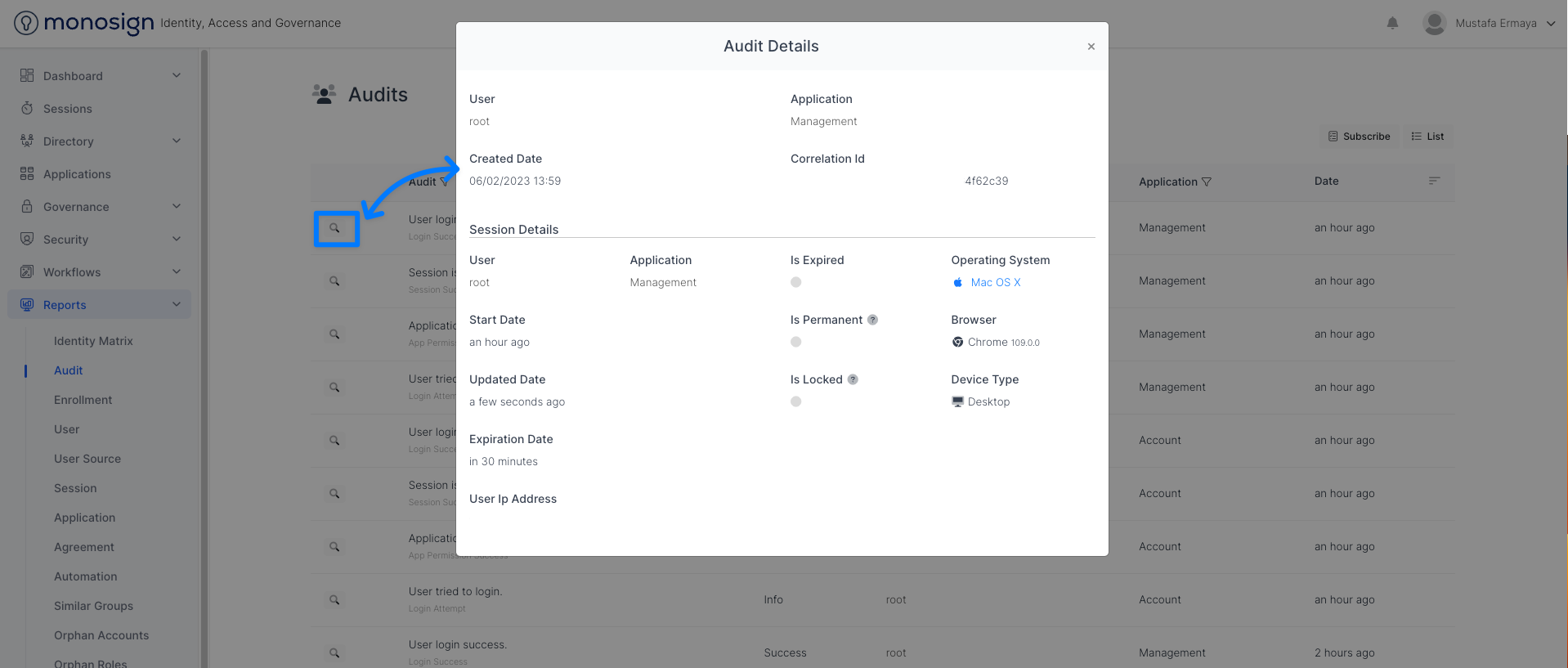 |
Audit | Audit definition such as Login Attempt,Credential Error/Credential Error (Provider), Login Success, Session Success, App Permission Success, Governance - Create Access Catalog. In this column, admin user can filter Audit definition as shown. 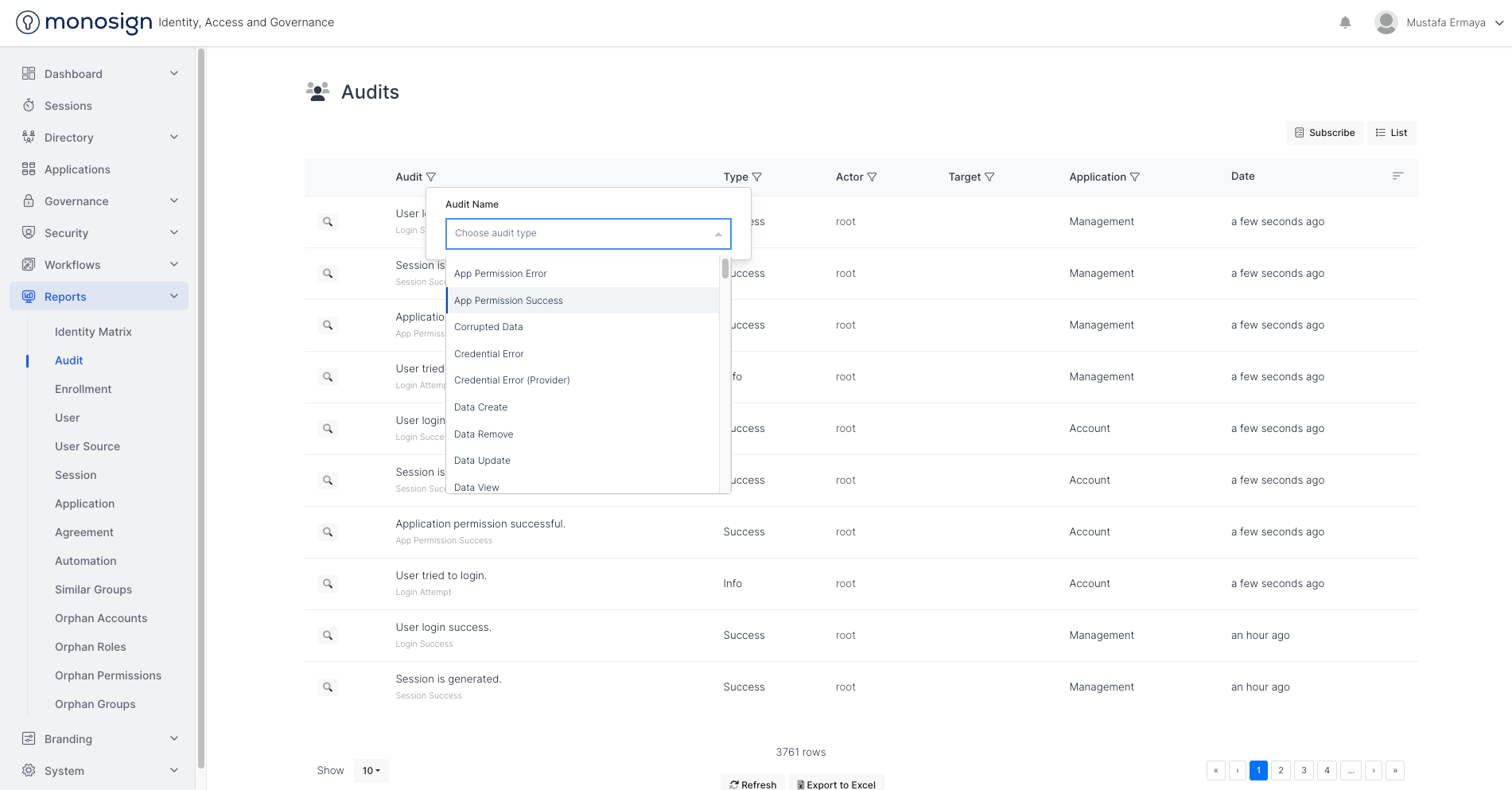 |
Type | Audit Type such as Info, Success, Warning and Error. In this column, admin user can filter type as shown. 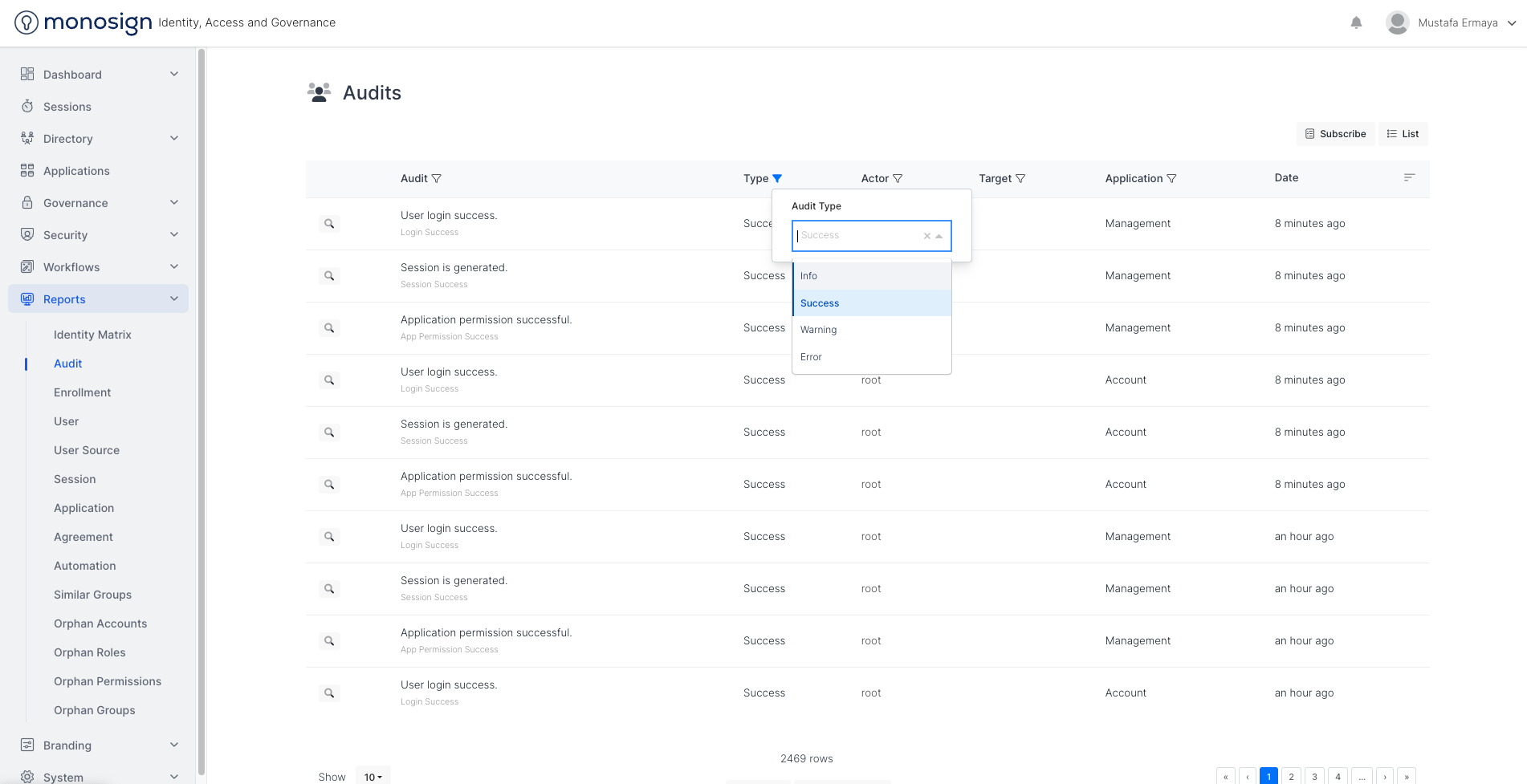 |
Actor | Actor of the audit. For example: Let’s assume Password Change audit definition wants to be filtered for user named “mermaya.m“. Admin user should filter by Actor as shown. 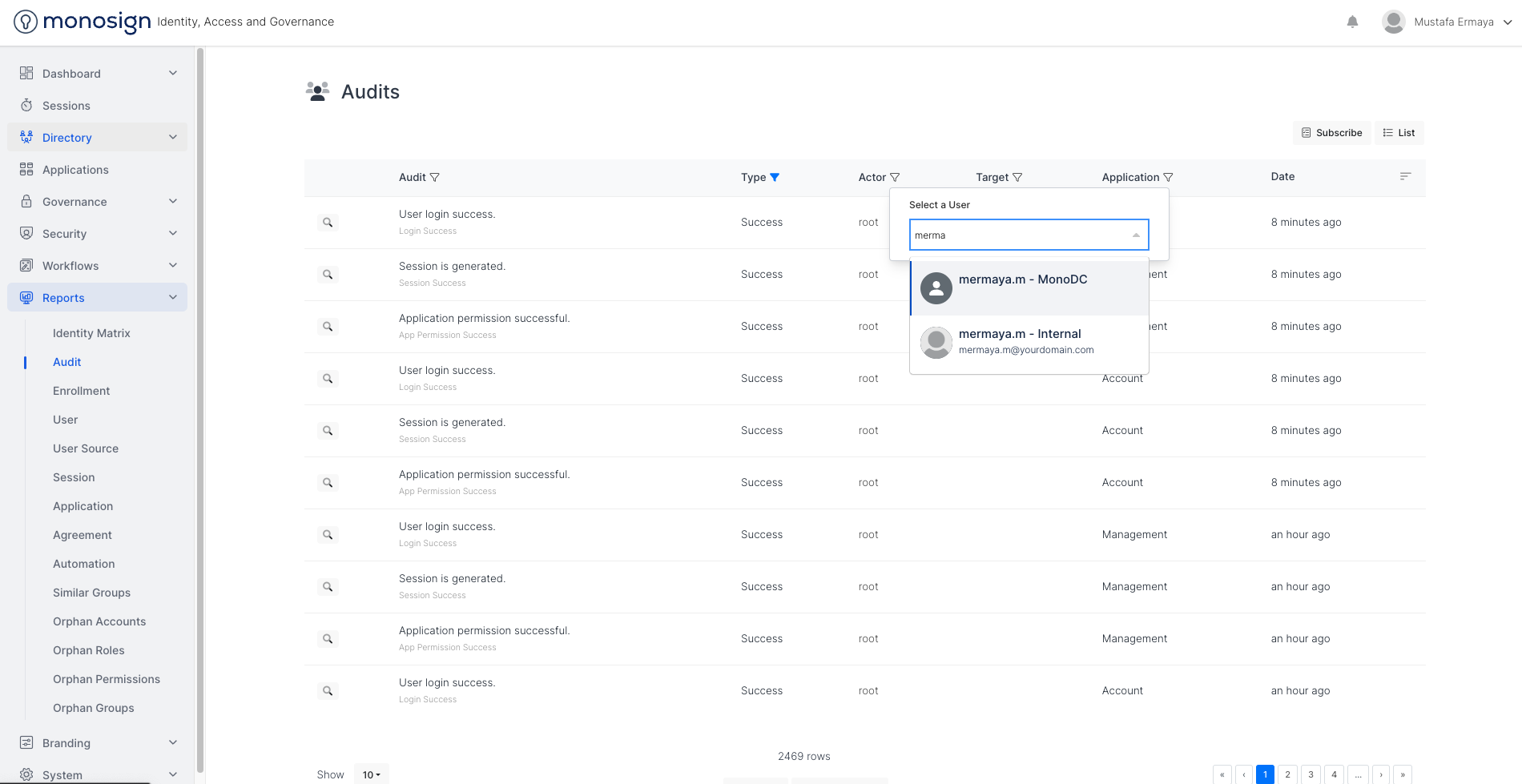 |
Target | Target of the audit. For example: Let’s assume Data Update audit definition wants to be filtered for which user is the target user for the data update. Admin user should filter by Target as shown. 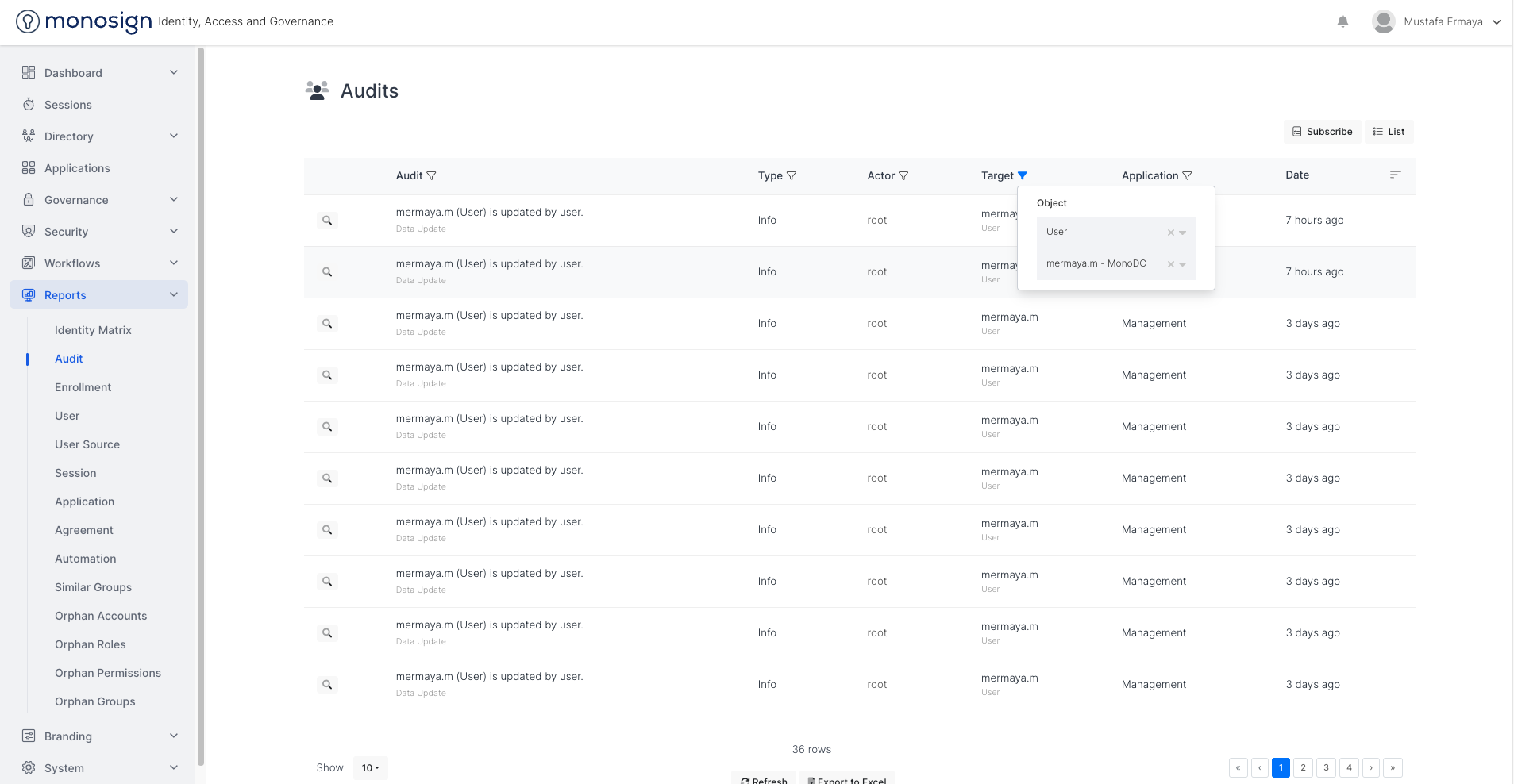 |
Application | Application of the audit. For example: Let’s assume Login Success audit definition wants to be filtered for which user is logged into which Application successfully. Admin user should filter by Application as shown. 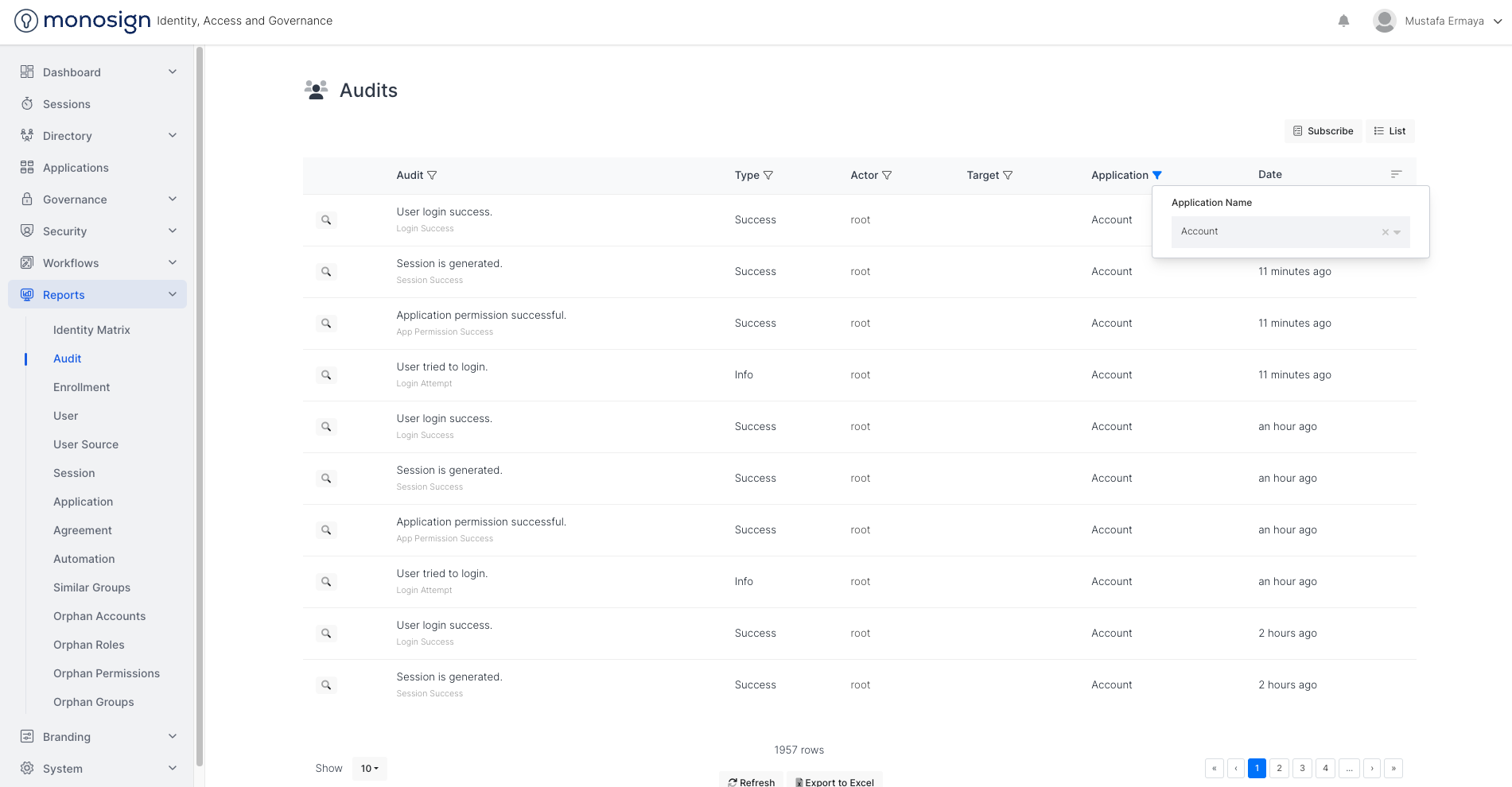 |
Date | Audit Creation Date |
On MonoSign, you can subscribe to all or filtered Audits. You can list and edit subscriptions by clicking “List“ button.
To subscribe to audits, please follow the instructions.
Instructions
There are some definitions needed to create an Subscribe.