A 30 to 45 minute demo in the order that tells the story best: see everything, connect without passwords, control what happens, prove it afterwards. Prepare a test server, a test database and one pending request before the meeting.
1. The dashboard (3 minutes)
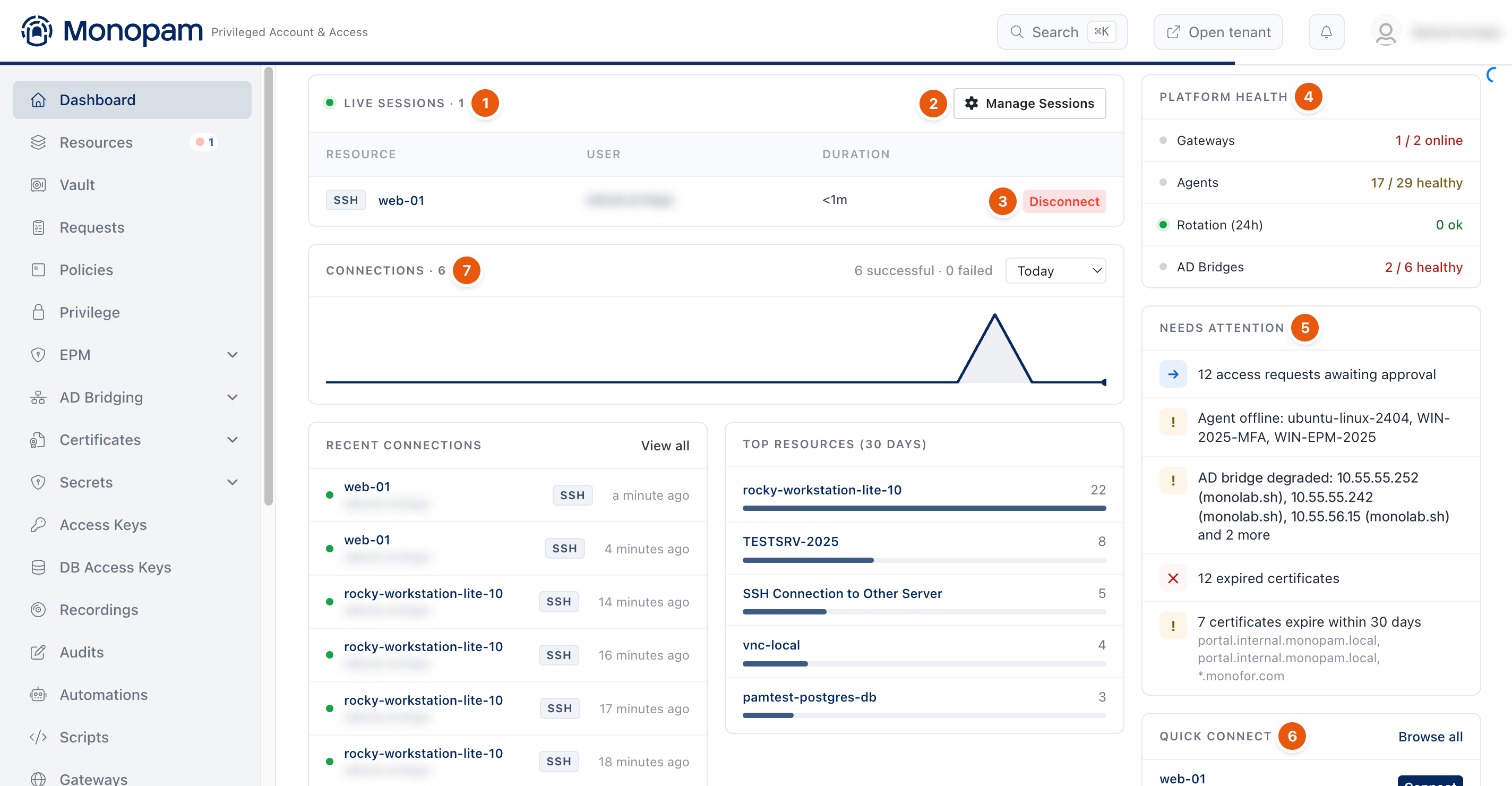
Figure 1. Live sessions, platform health and what needs attention.
Start where an administrator starts the day: live sessions, gateway and agent health, approvals waiting, expiring certificates.
2. Connect without a password (5 minutes)
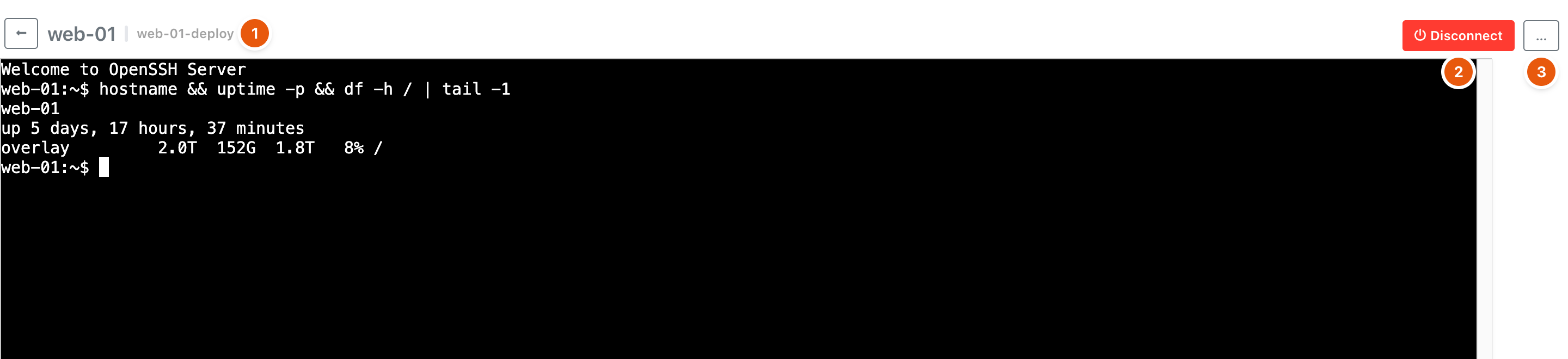
Figure 2. A browser session to a server. The user never sees the password.
Connect to the test server from the browser. Point out that the credential is injected on the gateway and the session is recorded.
3. Control what happens (8 minutes)
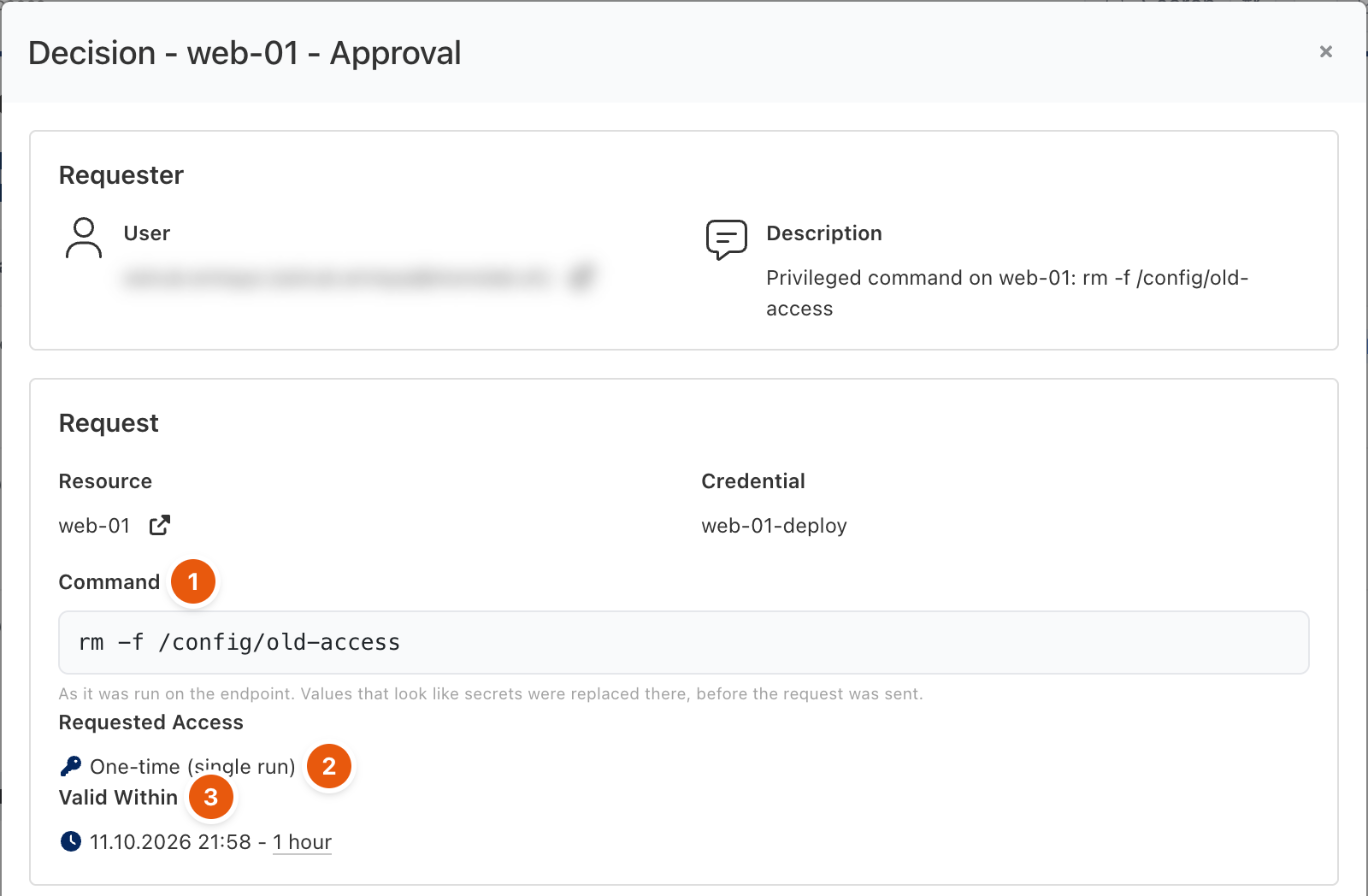
Figure 3. A risky command waits for approval.
Run a command covered by a Privileged Command rule. Show the approval request with the exact command, approve it, and run it once.
4. Databases (8 minutes)
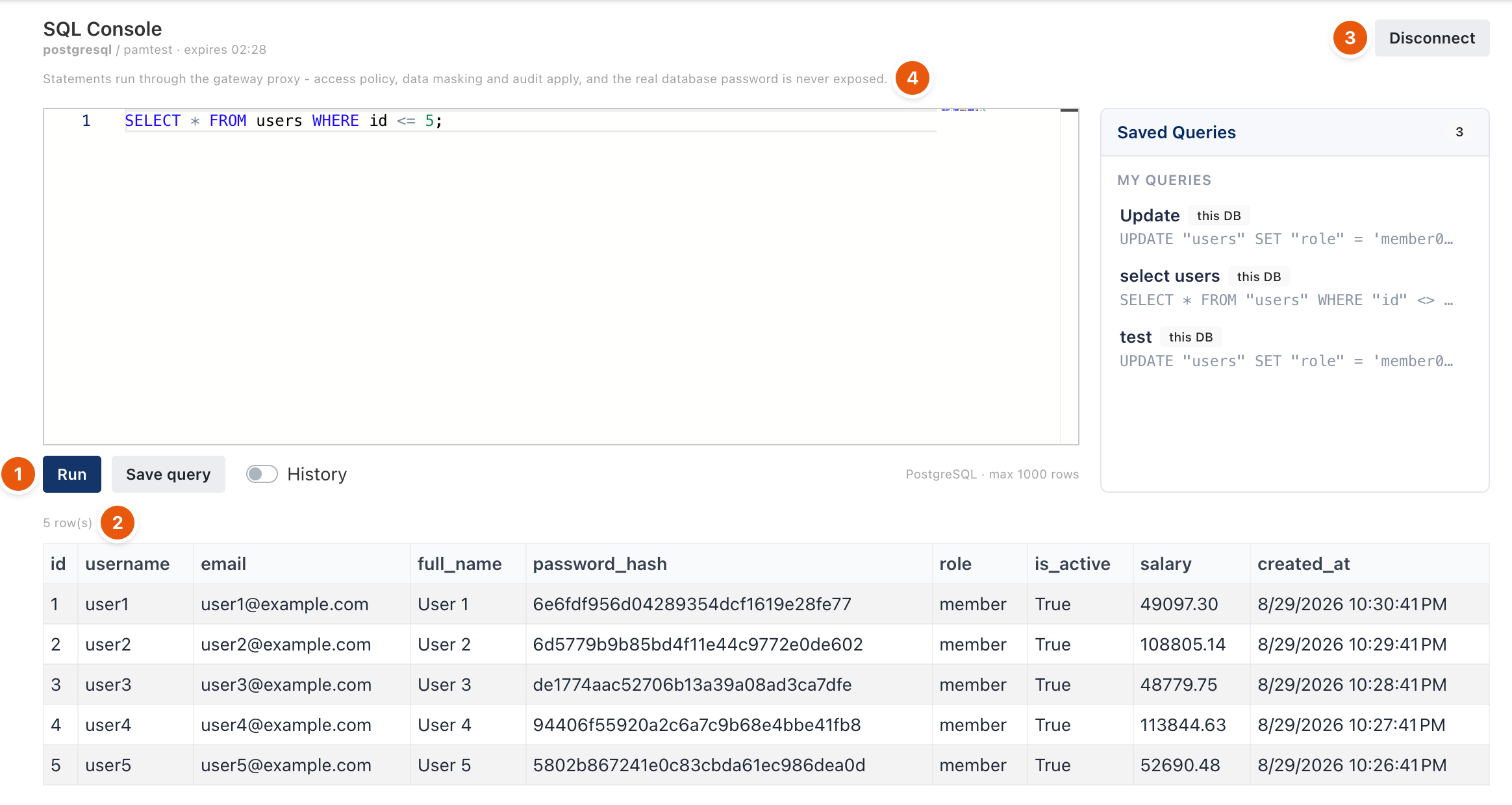
Figure 4. The SQL console through the Database Proxy.
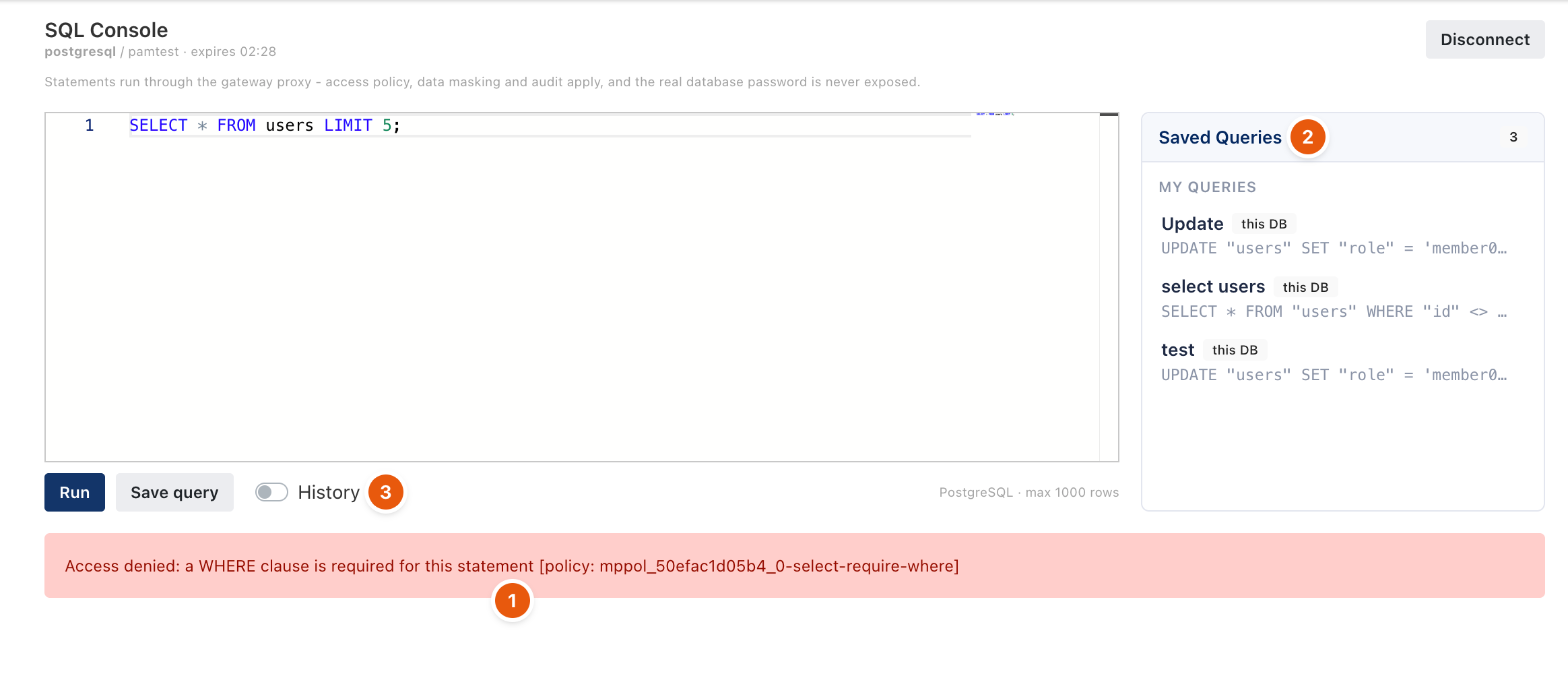
Figure 5. An unsafe statement is blocked by a rule.
Run a SELECT in the SQL console, then an UPDATE without WHERE: the rule blocks it. Mention native clients and masking.
5. Approvals (4 minutes)
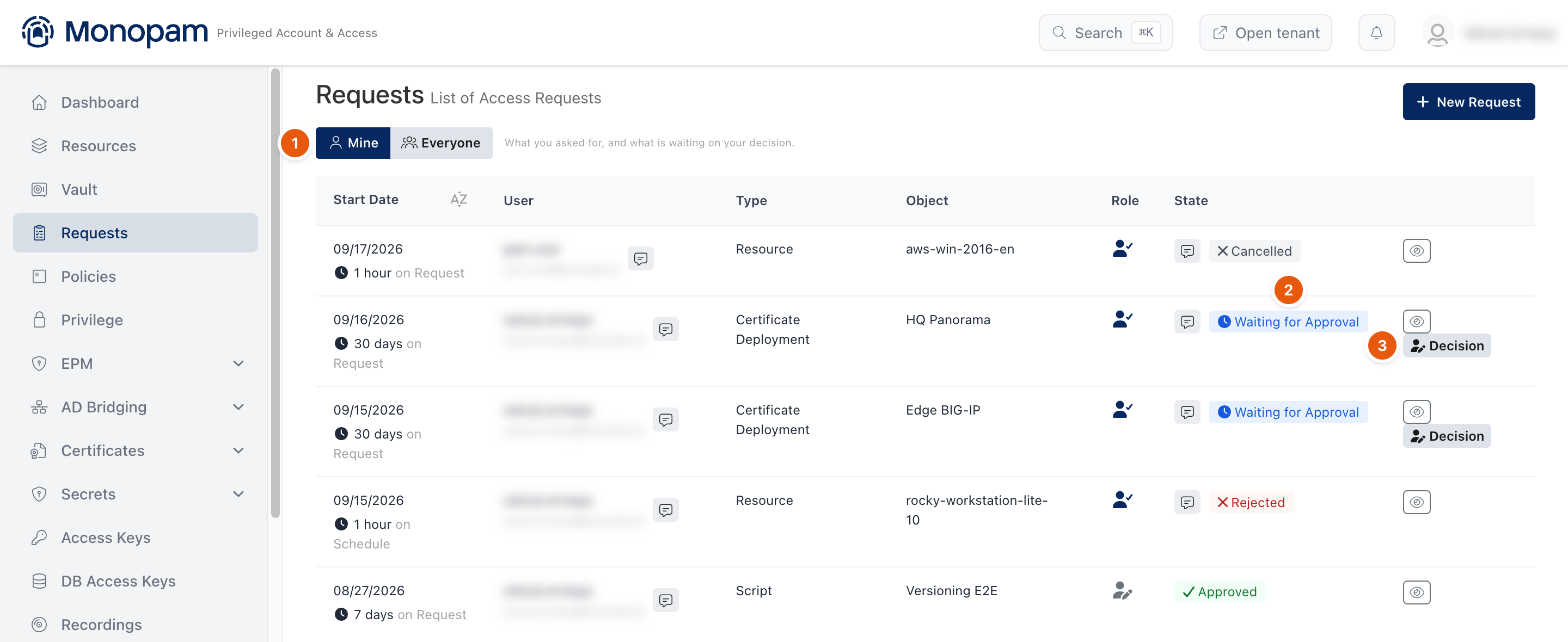
Figure 6. Requests waiting for a decision.
Show the requests queue, approve one, and revoke an active grant.
6. Prove it (5 minutes)
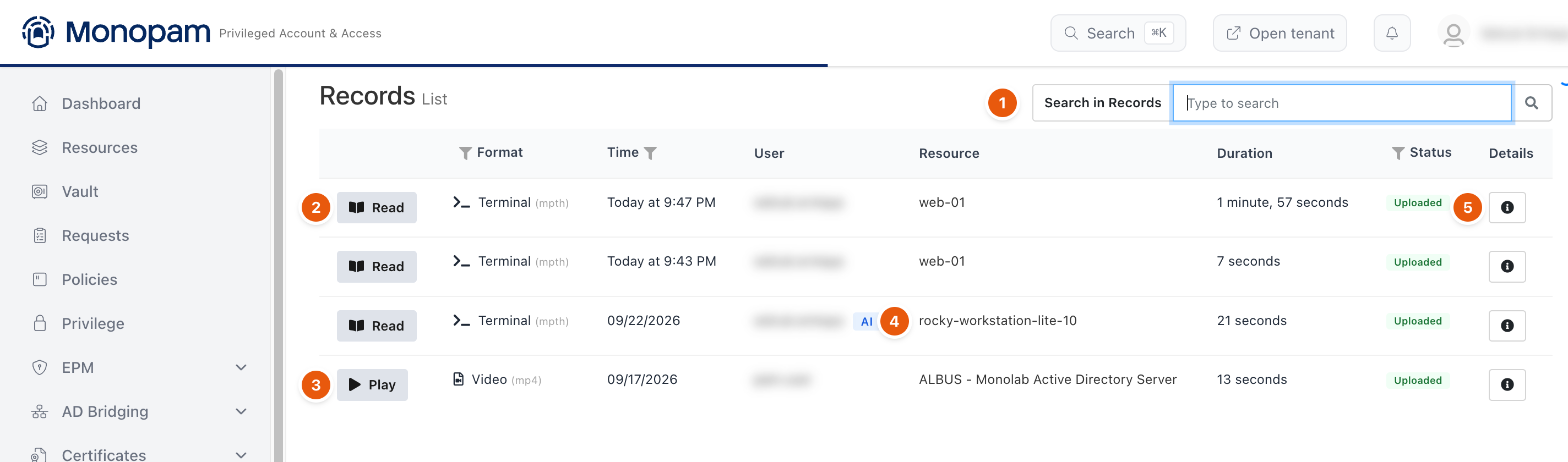
Figure 7. Recordings with playback and transcript search.
Play back the session from step 2 and search its transcript. Open the audit log for the same session.
7. Beyond sessions (5 minutes)
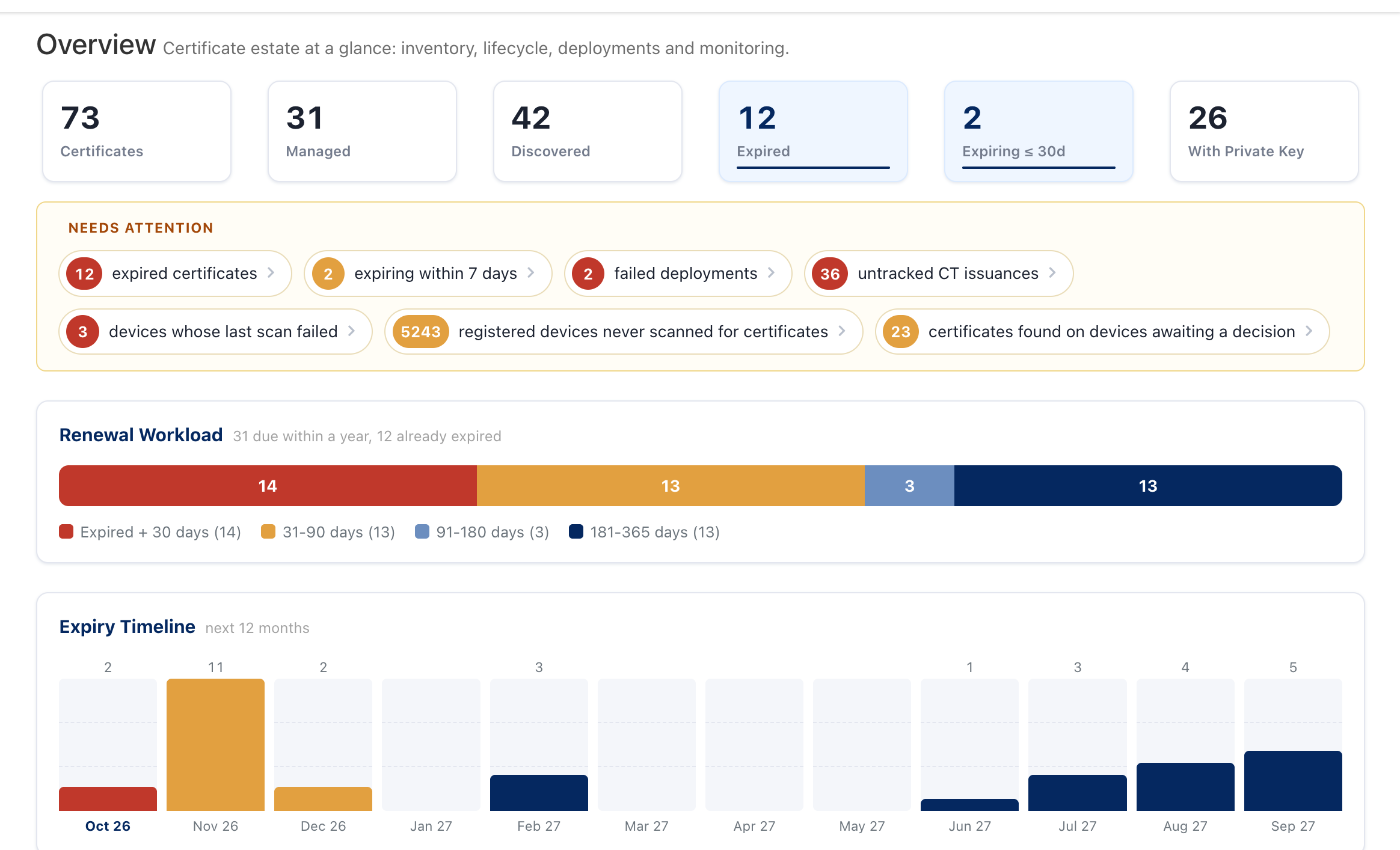
Figure 8. Certificate lifecycle in the same product.
Close with the rest of the platform as it fits the customer: certificates, application secrets, discovery, vendor access, endpoint privilege management and AI agent access through the MCP Server.