The gateway sits next to the target systems: it opens sessions, injects credentials, records sessions and runs the Database Proxy, SSH bastion and Kubernetes listener. A PoC needs one gateway that can reach the test targets and the Monopam address.
Windows gateway (guided installation)
- In Monopam, open Gateways → Add New, name the gateway and save.
- Open its Setup tab and copy the Guided Installation script. It contains the gateway's key; do not share it.
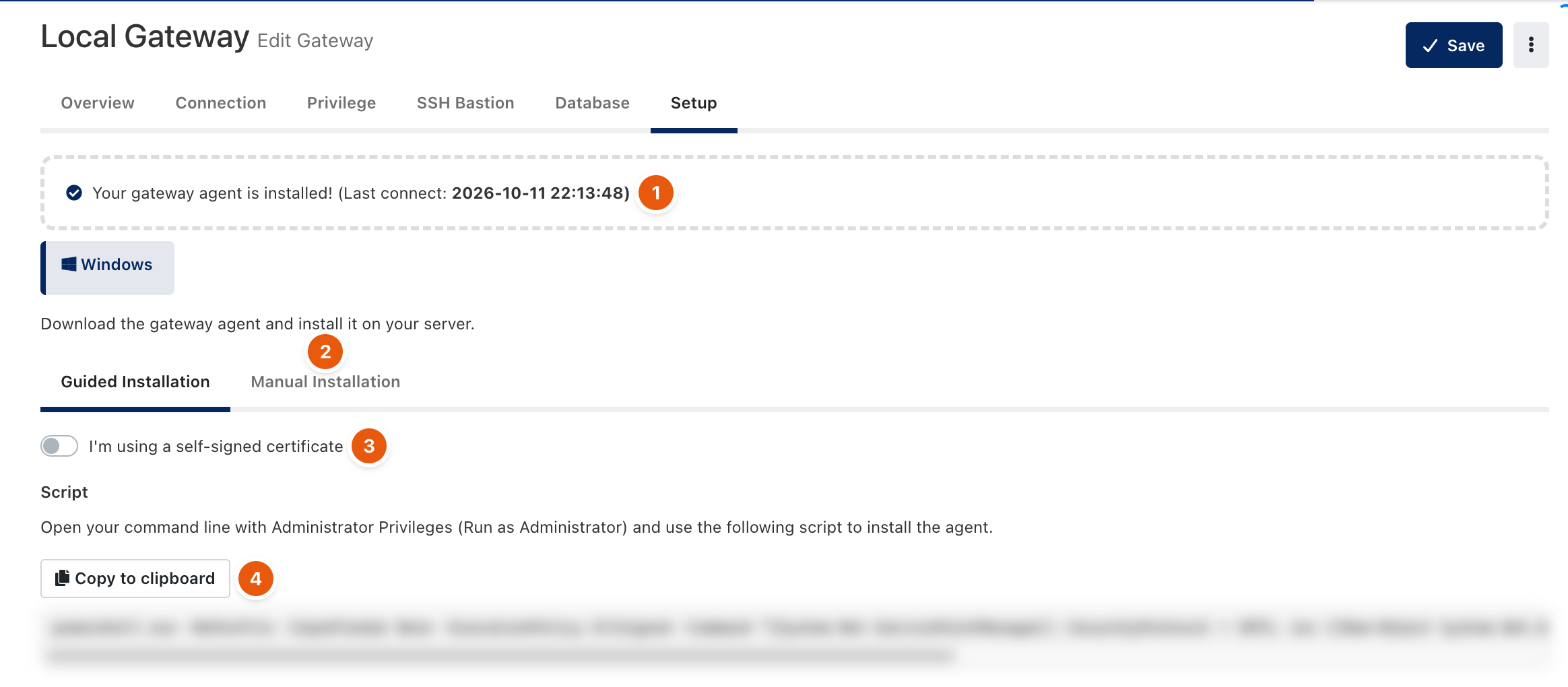
Figure 1. The guided installation script (blurred: it contains the gateway key).
- Run the script on the gateway server in a command prompt opened as Administrator.
- When the gateway connects, the Setup tab shows Your gateway agent is installed!.
Container gateway
A container gateway is configured only through environment variables. Use the gateway image of the same release as the application.
Variable | Value |
|---|---|
| The Monopam address the gateway calls. |
| The gateway's key from its record in Monopam. |
| The address and port the gateway listens on. The gateway's URL in Monopam must point to it. |
| Recording folders. Put them on a mounted volume; without them sessions open but are not recorded. |
If you set a vault encryption key (MONOPAM_VAULT_KEY) on the application, set the same key and version on the gateway.
Network
- Monopam must reach the gateway's main endpoint, and the gateway must reach the Monopam address on 443.
- The gateway must reach the targets: 22 for SSH, 3389 for RDP, the database ports, the Kubernetes API.
- For native clients, users must reach the gateway on the SSH bastion port (4422), the Database Proxy ports (for example 15432 for PostgreSQL) and the Kubernetes port (6443).
- The full list is in the Monopam Operations guide, Network ports and firewall rules.
Check
Gateways lists the gateway as online. Open a browser SSH session to a test server; if it opens and appears in Recordings after you disconnect, the gateway is ready.