Everything Monopam can do with a NetScaler ADC: upload a certificate and key, update the certKey object in place, bind it to an SSL virtual server, list what the appliance already holds, and undo any of it. All over the NITRO REST API. No agent, no SSH, nothing installed on the appliance.
| How it connects | NITRO REST over HTTPS to the management address |
|---|---|
| What it writes | A timestamped .crt/.key pair in the appliance's SSL directory, and one sslcertkey object |
| What it binds | One SSL virtual server, optionally creating a minimal one first |
| Undo | Binds the virtual server back to the certKey it had, and removes the certKey this deployment created |
- Before you start
- 1. Get the certificate into Monopam
- 2. Add the NetScaler as a deployment target
- 3. Deploy it
- 4. When a policy asks for approval
- 5. Undoing a deployment
- 6. Renewals
- Read what is already on the appliance
- One certificate across several appliances
- When somebody changes it outside Monopam
- Pushing to every target at once
- When something goes wrong
Before you start
You need a NetScaler account that can upload system files and manage SSL objects. Monopam reaches the management address directly over HTTPS on port 443.
Decide the certKey name, which is what the appliance will carry, and the SSL virtual server to bind it to. Leave the vServer empty and Monopam installs the pair without changing what any service presents.
If you want Monopam to create the virtual server, enable the features first. A NetScaler ships with LB and SSL disabled. The appliance accepts add lb vserver with a warning and then reports the object as SSL feature disabled, which is not an error Monopam can see. Run enable ns feature LB SSL once on the appliance before you rely on Create virtual server if missing.
1. Get the certificate into Monopam
A certificate can only be deployed if Monopam holds its private key. Go to Certificates → Inventory → Import and upload a PFX, or a PEM certificate together with its key file, entering the file's password in the same dialog. Monopam reads the file there and then, and refuses it immediately if it cannot, rather than failing later on the appliance.
A certificate that was only discovered by a scan has no key and cannot be deployed: its row shows TRACKING ONLY instead of PRIVATE KEY.
A NetScaler scan will not fill the inventory the way an F5 or FortiManager scan does. NITRO reports that a certKey exists, and what it contains, but never returns the certificate itself, so findings from this appliance stay Unavailable until you import the material by hand. That is the appliance's behaviour, not a gap in the scan. The scan section explains what it is still good for.
2. Add the NetScaler as a deployment target
Open the certificate, go to its Deployment tab and choose Add Target. Set Server Type to Citrix ADC (NetScaler) and the rest of the form changes to the fields below.
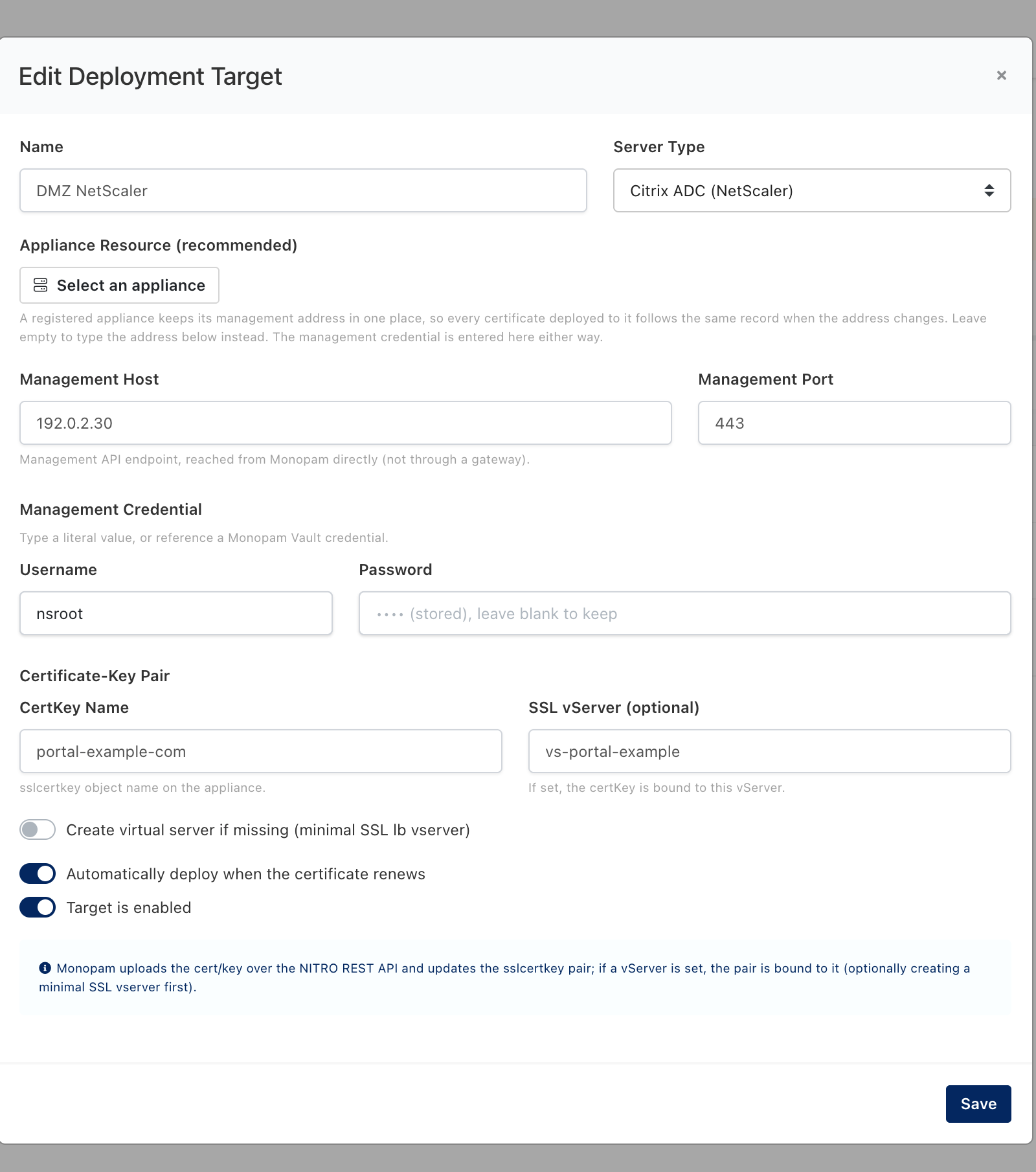
The NetScaler target. Values shown are examples.
| Field | What it means | Required |
|---|---|---|
| Name | What this target is called in Monopam. Use the appliance's role rather than its address, so the name survives a change of IP. | |
| Appliance Resource | A registered appliance keeps its management address in one place, so every certificate deployed to it follows the same record when the address changes. It is also what lets a scan finding and a deployment target recognise each other as the same box. | Recommended |
| Management Host / Port | The NITRO endpoint, reached from Monopam directly and not through a gateway. | Required unless an appliance is selected |
| Username / Password | The management credential. A literal value, or a Monopam Vault reference such as {{Vault.<name>.Password}} so the appliance password lives in the vault and rotates with it. | Required |
| CertKey Name | The sslcertkey object name on the appliance. The same name is reused on every later deployment, so a renewal updates the object in place instead of adding one. | Required |
| SSL vServer | If set, the certKey is bound to this virtual server once it is installed. Leave empty to install without changing what the appliance presents. | Optional |
| Create virtual server if missing | Creates a minimal SSL load-balancing vServer when the named one does not exist, and reveals a Virtual Server IP and Virtual Server Port to place it on. Off by default: a certificate deployment inventing a listener is rarely what you want. | |
| Automatically deploy when the certificate renews | On by default. A renewed certificate is pushed to this target without anyone clicking. | |
| Target is enabled | Turn off to keep the configuration but stop all deployments and retries, for example while the appliance is out of service. |
3. Deploy it
Press Deploy on the target's row. Monopam confirms first, because this changes what the appliance is serving right now.
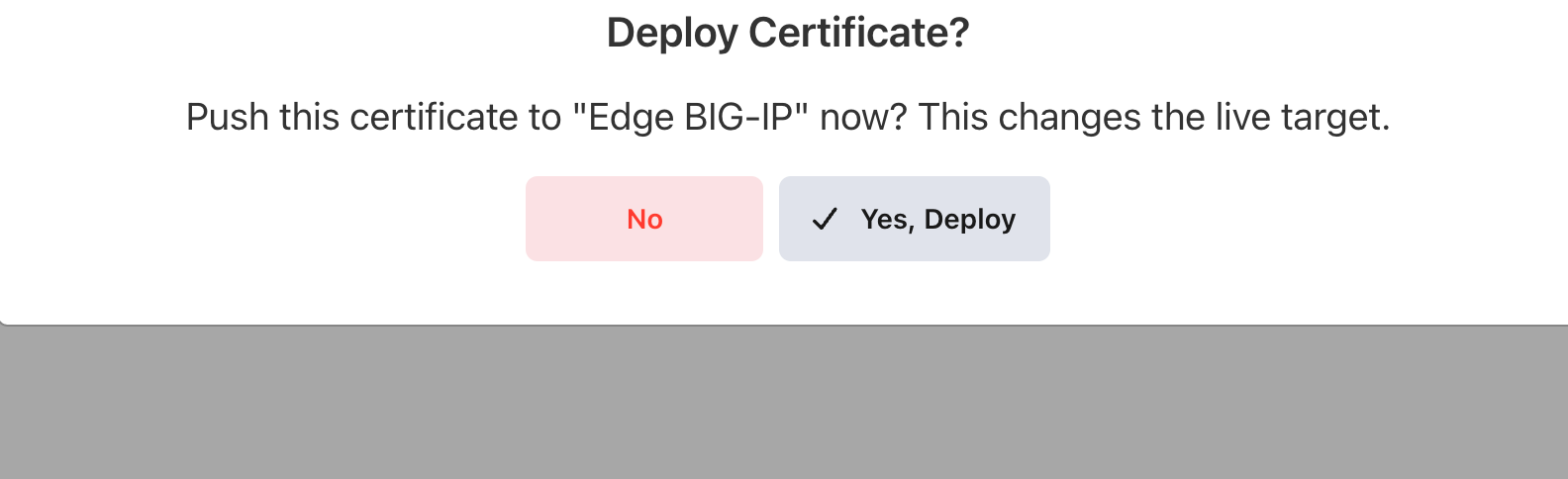
Every deployment is confirmed before it runs.
The run happens in the background and the result lands on the target's row and in Certificates → Deployments → History.

What a finished deployment looks like.
Installed on NetScaler as 'portal-example-com'.
The pair is on the appliance and, if a vServer was named, bound to it.
Why the files carry a timestamp
NITRO refuses to overwrite a file that already exists, so writing to a fixed <certkey>.crt would work once and fail on every renewal afterwards. Each deployment therefore writes its own <certkey>-yyyyMMddHHmmss.crt and .key, points the certKey at them, and only then deletes the previous pair. The order matters: deleting first would leave the certKey pointing at a file that no longer exists if the upload failed, and the appliance would not load the certificate after a reboot. Files an operator placed by hand are never touched.
4. When a policy asks for approval
If a Certificate Approval Policy covers this operation, the deployment does not run on the click. Monopam raises a request, tells you so, and carries the deployment out itself the moment somebody approves it. You do not come back and press the button again.
The approver sees which certificate is going where, on the request itself:
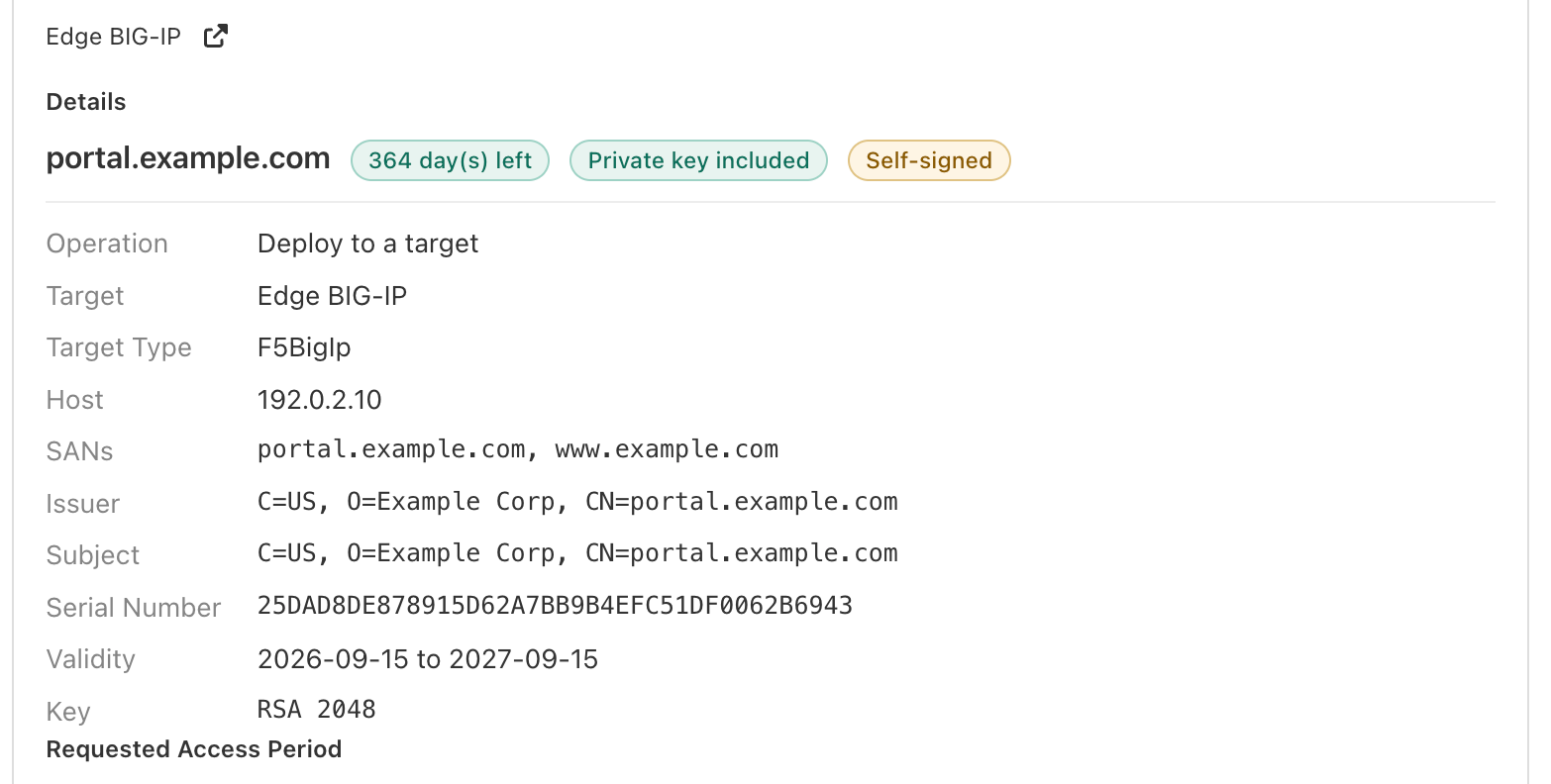
The request names the certificate, how long it has left, whether its private key came with it, and the appliance it is bound for.
If the policy is set to refuse rather than to ask, the deployment stops immediately with the policy's own wording, and no request is raised. Either outcome is written to Audits against the certificate.
5. Undoing a deployment
Every deployment records which certKey the virtual server was bound to and whether the certKey it wrote already existed. In Certificates → Deployments → History, tick a run and the undo actions appear above the list.

Both are usually available on a NetScaler run, because the binding it replaced was captured.
A button that cannot work on the runs you selected is disabled and says why when you hover it, rather than failing after the fact.
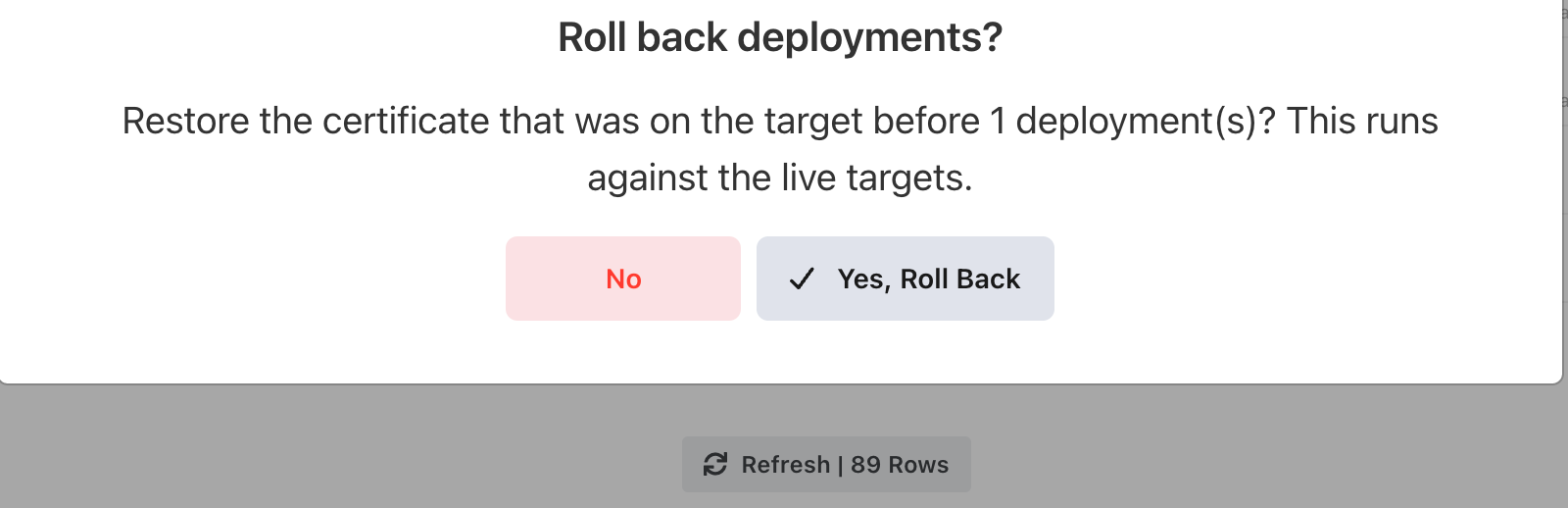
Undo is confirmed too, and states that it runs against the live appliance.
'vs-portal-example' bound back to 'example-baseline'; certkey 'portal-example-com' removed.
The virtual server serves the certKey it served before, and the one this deployment created is gone.
Objects that existed before the deployment were left in place.
The certKey was already on the appliance before this run, so this run is not what created it. Roll back the earlier run instead.
6. Renewals
With Automatically deploy when the certificate renews left on, a renewed certificate is uploaded as a fresh timestamped pair, the certKey is updated in place, and the previous pair is removed. A bound virtual server follows the certKey without any further action.
A deployment that fails is retried on a widening schedule; the row shows the attempt count and when the next one is due. A target that is switched off is skipped entirely, and says so.
Read what is already on the appliance
Deployment answers "put this certificate there". A resource scan answers the opposite question: what is on that box already, including the certKeys no virtual server serves and nobody remembers creating.
Register the appliance as a resource first, then go to Certificates → Resource Scan → Scan a resource and set Device Type to Citrix NetScaler ADC.
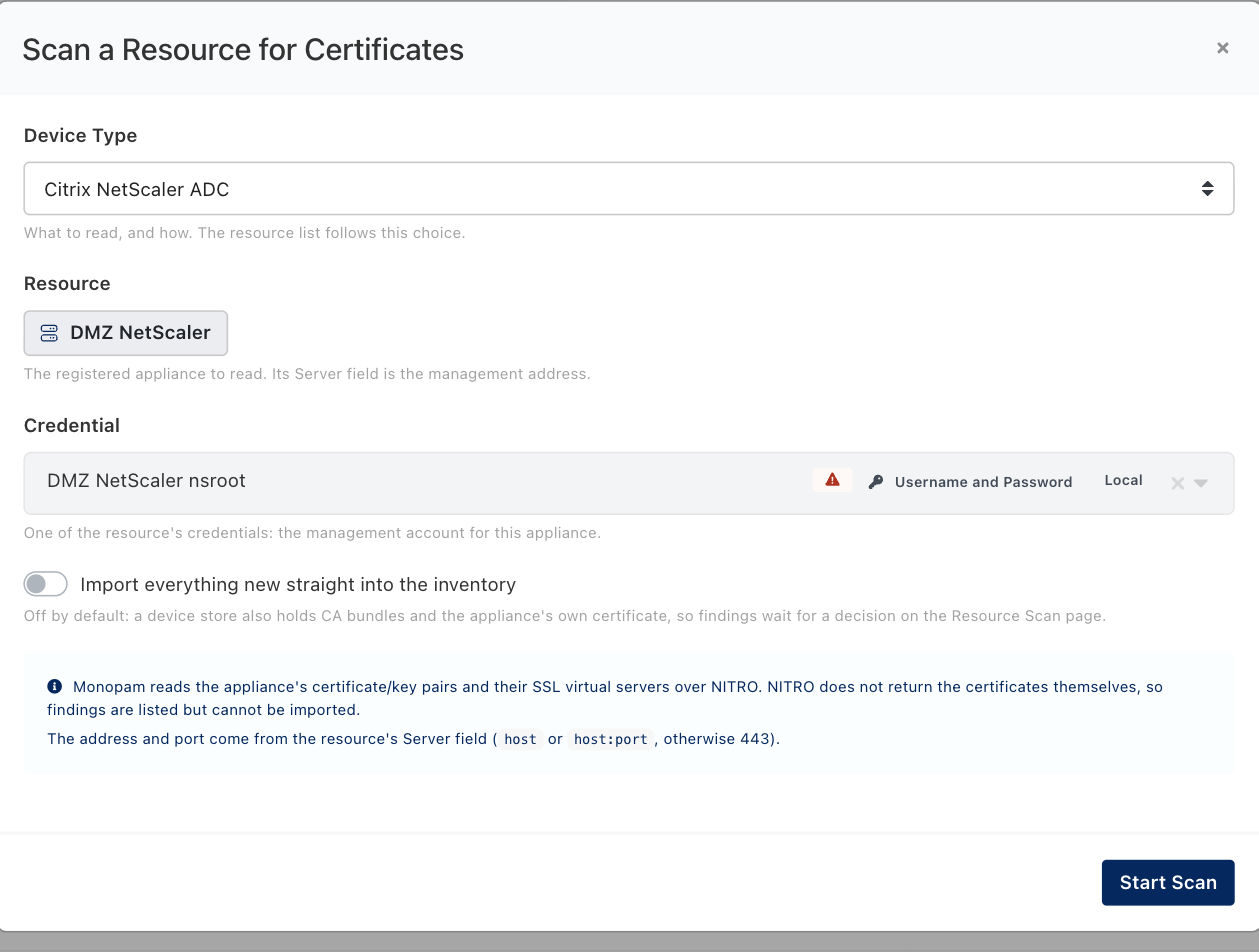
The dialog says up front what this appliance will and will not hand back. A scan is read-only either way.
The scan walks every sslcertkey and the SSL virtual servers each one is bound to. What comes back is an accurate map of the appliance and its expiry dates, and nothing more:

The same certificate on three appliances. Only the NetScaler rows are Unavailable, and each row says exactly why.
The appliance's NITRO API reports the certificate's details but does not return the certificate itself, so it cannot be imported from here.
Every NetScaler finding carries this note. It is a statement about the appliance, not about the account you scanned with.
So what is a NetScaler scan for?
- Finding the backlog. The list names every certKey on the appliance, its subject, issuer, key size and expiry, and the virtual server it serves. That is enough to know what is out there and what is about to expire.
- Deciding what to bring under management. Take the material from wherever it was issued, import it in Inventory → Import with its key, then add this appliance as a deployment target using the certKey name the scan showed you. From then on the certificate renews and redeploys like any other.
- Finding the orphans. A certKey whose Used by reads nothing bound is installed but serving no traffic.
Leave Import everything new straight into the inventory off. On this appliance it has nothing to import anyway, and on every appliance it is the safer default, because a device store also holds CA bundles and the appliance's own certificate.
One certificate across several appliances
A deployment target is one appliance. When a service is only correct if the load balancer, the firewall management plane and the inspection appliance all carry the same certificate, you want those changes to succeed or fail together. That is a building template: an ordered plan that runs as one transaction.
Go to Certificates → Building Templates → New Template, add a step, and set Device to Citrix ADC (NetScaler). The step is then configured by exactly the fields the deployment target uses.
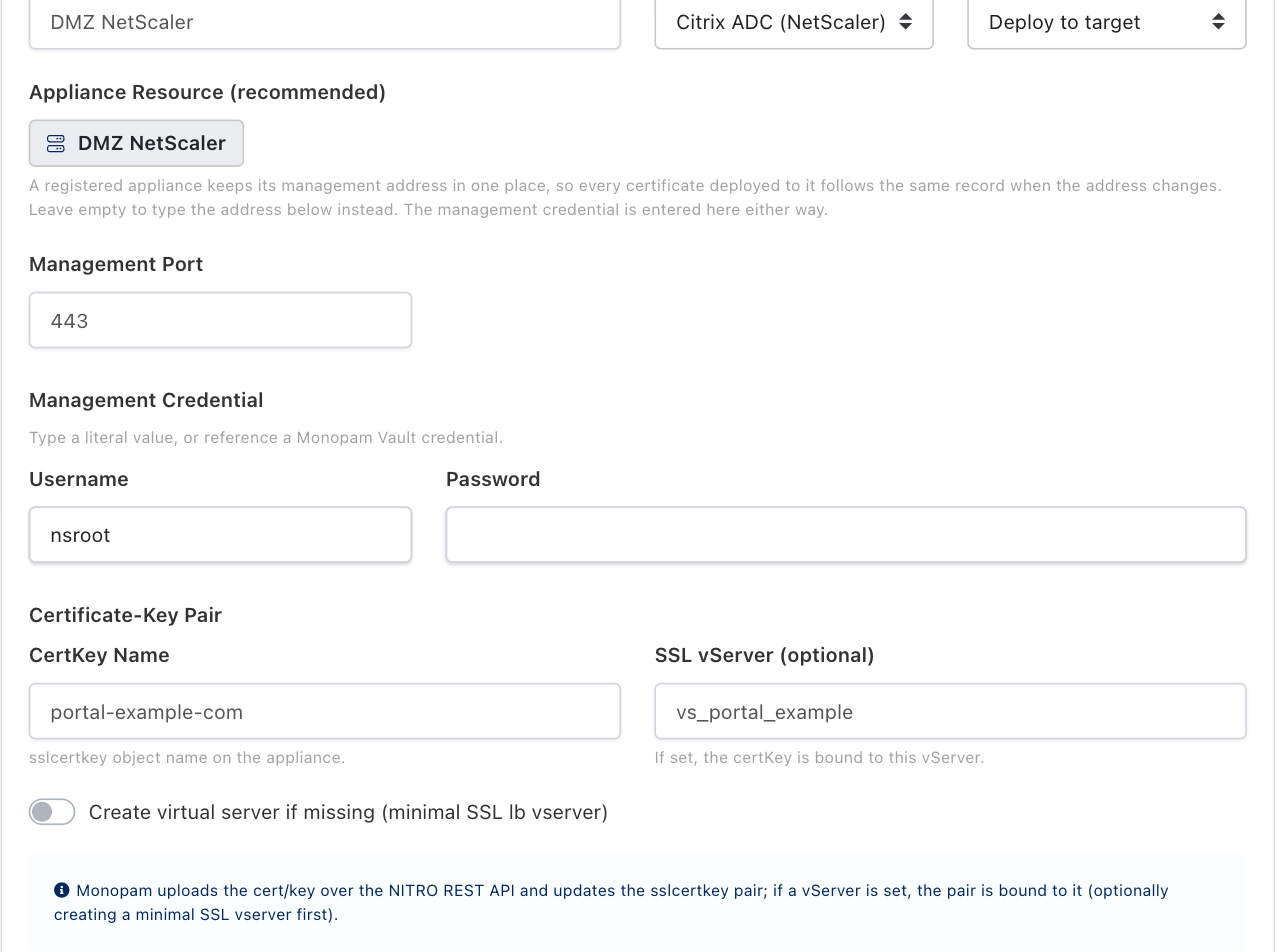
A NetScaler step. Deploy to target is the only operation this device offers; the clone primitive in the F5 guide is specific to a BIG-IP.

A template is a plan, not a property of a certificate: you choose the certificate when you run it.
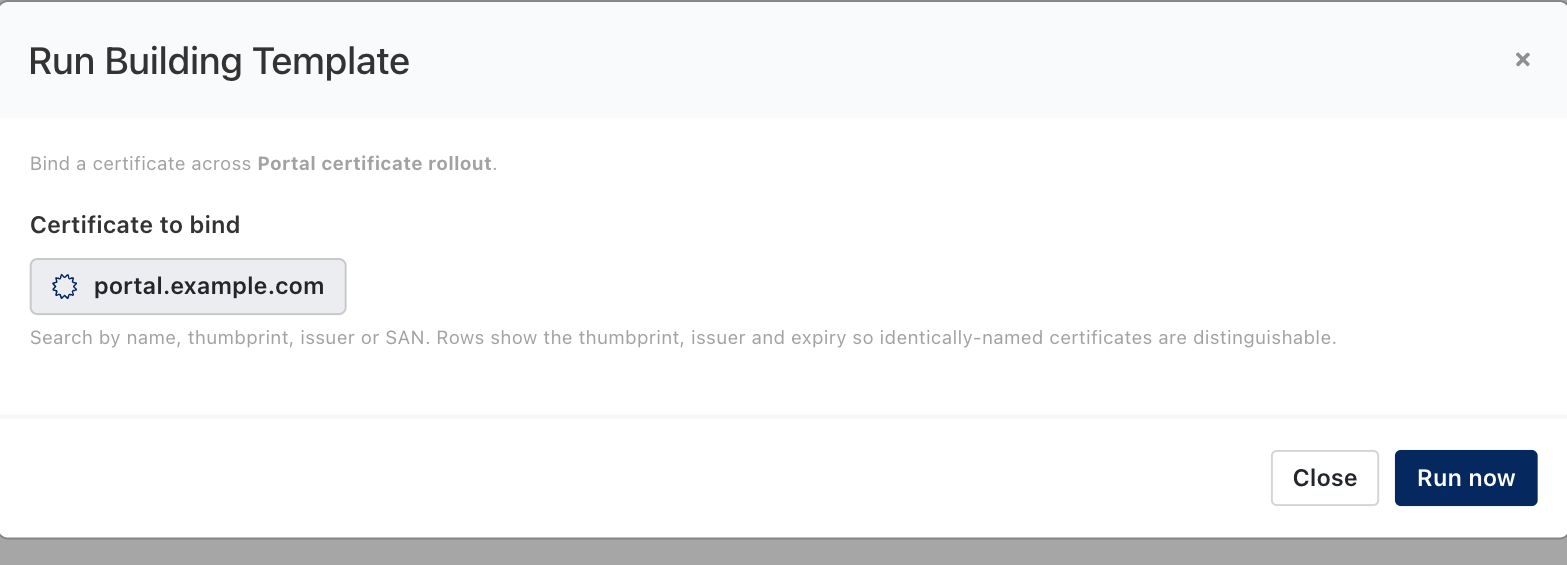
Running a template against a certificate.
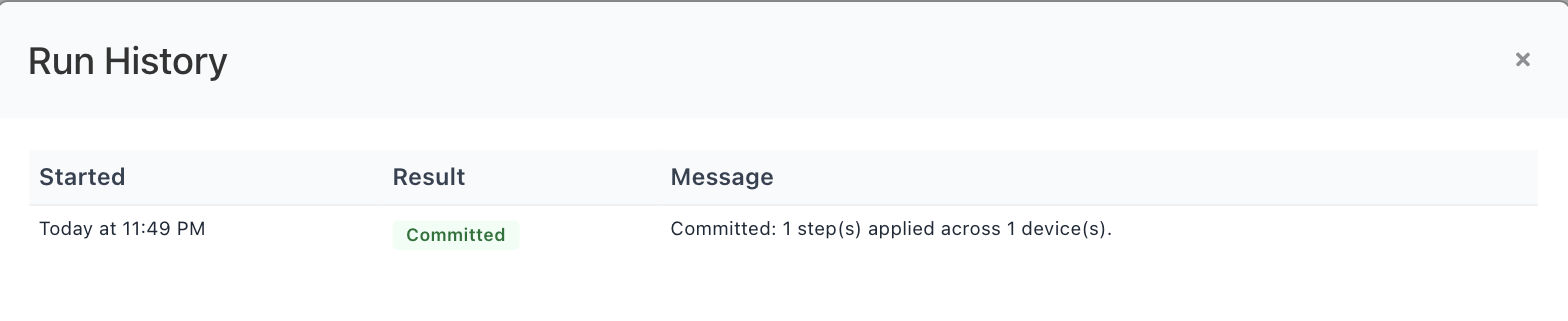
The run's own history. Committed means every step succeeded.
All or nothing. Steps run in order, and the first failure undoes every step that already succeeded, in reverse, from what that step captured off its own device. A run ends as Committed or RolledBack; there is no half-applied state to clean up by hand. The flip side: a template that has already committed cannot be rolled back, neither from here nor from the deployment history, where its steps appear as step of template … with no restore offered. Undo a committed change by running the template again with the earlier certificate. Every run stays on record under Building template runs, on the certificate's Deployment tab and below Deployments → History.
When somebody changes it outside Monopam
On appliances that hand their certificates back, Monopam compares what a scan finds against what it put there and raises a replacement when they differ. A NetScaler cannot take part in that. NITRO reports the certKey's subject, issuer, serial and dates but never the certificate itself, so there is nothing to compare byte for byte, and a NetScaler finding never becomes a changed finding.
What you get instead is the metadata. If someone replaces the material behind a certKey, the next scan shows the new serial number, the new issuer and the new expiry on that row. That is worth reading, and worth scheduling at the same cadence as the appliances that do support drift detection.
For comparison, this is the banner on an appliance that does return its certificates, such as the FortiManager in the sibling guide:

The drift banner, shown here on a FortiManager. A NetScaler finding never reaches this state.
The practical answer on a NetScaler is to make the appliance's state uninteresting: give every certKey a deployment target, leave Automatically deploy when the certificate renews on, and let Monopam's own deployment history be the record of what should be there.
Pushing to every target at once
A certificate with several targets has a Deploy to all targets button on its Deployment tab. It is all-or-nothing: targets are done in order, and the first failure puts back every target already done, in reverse. Use it when a service is only correct if all of its devices carry the same certificate; use the per-target button when getting three of four devices done is better than none.
It is offered only when the certificate has more than one enabled target, and refused outright when deployment history is turned off, because the captured state is what an undo restores from.
When something goes wrong
| What you see | What it means |
|---|---|
| The vServer was created but presents nothing | LB or SSL is disabled on the appliance, so the object exists as SSL feature disabled. Run enable ns feature LB SSL and deploy again. |
| Every scan finding says Unavailable | Expected on this appliance. NITRO does not return certificate content, so findings are listed and never imported. Import the material from its source instead. |
HTTP 406 … Possible encoding values in Content-Type can be xml or json only | Reported by builds before 2026-09-11, which sent a charset NITRO rejects. No NetScaler deployment could ever succeed on those builds. Update; nothing changes on the appliance. |
HTTP 409 … Cannot create output file. File already exists | Also a pre-2026-09-11 build: it always wrote the same filename, so the first deployment worked and every renewal failed. Update. A leftover <certkey>.crt/.key pair on the appliance is harmless and can be deleted by hand. |
HTTP 401 on the first step | The management credential was refused. If the password is a Vault reference, check that it resolves and holds the appliance password rather than a personal one. |
| Operation timed out | The management address is not reachable from the Monopam server, or NITRO is not exposed on that interface. |
| Certificate has no private key to deploy. | The row is a discovered, public-only certificate. Import the PFX, or issue the certificate through an issuer, and try again. |
| This certificate is archived. Unarchive it before deploying. | A retired certificate is deliberately kept away from live endpoints. Unarchive it from the inventory first. |
| Deployment is running in the background, and it stays that way | The Monopam service was restarted mid-run. The run is closed as failed within twenty minutes and the button becomes available again. |
| A template step fails and the whole run says RolledBack | Working as intended: the steps that already succeeded were undone from what they captured, so no device is left half-changed. Fix the failing step and run it again. |
What this target type does not do
- It does not build a service: the optional virtual server it creates is a minimal SSL listener, with no services or monitors bound to it.
- It does not bind to more than one virtual server per target. Add a target per vServer that needs the certificate.
- It does not delete files an operator placed by hand, only the timestamped pairs it wrote itself.
- It does not import certificates during a scan, and cannot detect drift on this appliance, because NITRO does not return certificate content.
- It does not sync an HA pair. Deploy to the address that owns the configuration and let the appliance's own sync carry it.
Monopam Certificate Manager. Addresses, names and certificates in the screenshots are examples.
Device guides: F5 BIG-IP · FortiManager · NetScaler · Panorama