Everything Monopam can do with a Panorama or a PAN-OS firewall: read the certificate stores it keeps, import a certificate and its key, repoint an SSL/TLS service profile, commit, push the change on to a device group, and undo any of it. All over the XML API. No agent, no SSH, nothing installed on the appliance.
| How it connects | PAN-OS XML API over HTTPS, with the management credential or a pre-generated API key |
|---|---|
| What it writes | A certificate entry carrying both the public certificate and its private key |
| What it repoints | One SSL/TLS service profile, then commits |
| Undo | Points the profile back, optionally deletes the certificate it created, and commits again |
- Before you start
- The one thing that trips people up: scope
- 1. Get the certificate into Monopam
- 2. Add Panorama as a deployment target
- 3. Deploy it
- 4. When a policy asks for approval
- 5. Undoing a deployment
- 6. Renewals
- Read what is already on the appliance
- One certificate across several appliances
- When somebody changes it outside Monopam
- Pushing to every target at once
- When something goes wrong
Before you start
You need a PAN-OS administrator whose role allows the XML API, or a pre-generated API key. Monopam reaches the management address directly over HTTPS on port 443.
An import lands in the candidate configuration. Leave Commit after change on unless your change process commits separately, because an uncommitted PAN-OS edit changes nothing in practice.
The one thing that trips people up: scope
PAN-OS resolves a certificate reference inside a scope, and it will not look outside it. A profile in a template's vsys cannot see a certificate imported into Panorama's own store, and the repoint silently fails to take even though both objects clearly exist in the interface.
So the rule is short: put the certificate where the profile lives.
| Where the profile lives | vsys | Template |
|---|---|---|
| Panorama's own configuration | Leave blank | Leave blank |
| A template's vsys, pushed to firewalls | The vsys name, usually vsys1 | The template name |
| A firewall managed directly | Only on a multi-vsys firewall | Leave blank |
Panorama has no vsys. Sending one makes the import fail with Invalid certificate input. The field's placeholder says Blank for Panorama for exactly this reason: fill it only when the target really is a multi-vsys firewall.
A resource scan is the quickest way to find out which scope a profile is really in, because it labels every finding with the scope it came from.
1. Get the certificate into Monopam
A certificate can only be deployed if Monopam holds its private key. Go to Certificates → Inventory → Import and upload a PFX, or a PEM certificate together with its key file, entering the file's password in the same dialog. Monopam reads the file there and then, and refuses it immediately if it cannot, rather than failing later on the appliance.
A certificate that was only discovered by a scan has no key and cannot be deployed: its row shows TRACKING ONLY instead of PRIVATE KEY.
Monopam sends the pair as two PEM imports rather than one PKCS#12 bundle, because PAN-OS cannot open a modern p12. This is internal, but it explains why the appliance's own log shows two import calls for one deployment.
2. Add Panorama as a deployment target
Open the certificate, go to its Deployment tab and choose Add Target. Set Server Type to Palo Alto Panorama / PAN-OS and the rest of the form changes to the fields below.
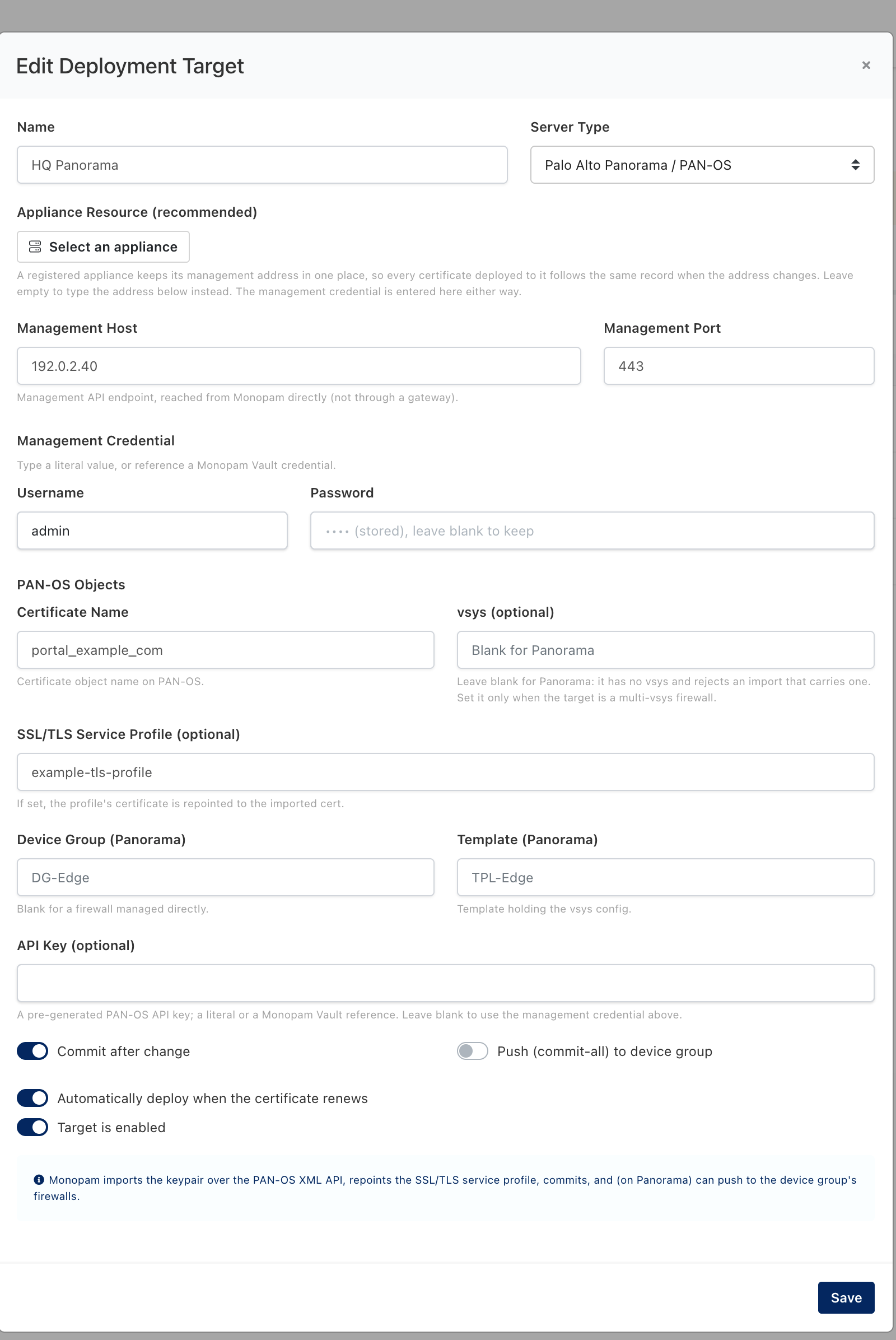
The Panorama target. Values shown are examples.
| Field | What it means | Required |
|---|---|---|
| Name | What this target is called in Monopam. Use the appliance's role rather than its address, so the name survives a change of IP. | |
| Appliance Resource | A registered appliance keeps its management address in one place, so every certificate deployed to it follows the same record when the address changes. It is also what lets a scan finding and a deployment target recognise each other as the same box, which is what makes the drift remedy below available. | Recommended |
| Management Host / Port | The XML API endpoint, reached from Monopam directly and not through a gateway. | Required unless an appliance is selected |
| Username / Password | The management credential, used to generate an API key per run. A literal value, or a Monopam Vault reference such as {{Vault.<name>.Password}} so the appliance password lives in the vault and rotates with it. | Required unless an API key is given |
| Certificate Name | The certificate object name on PAN-OS. The same name is reused on every later deployment, so a renewal replaces the entry rather than adding one. | Required |
| vsys | Leave blank for Panorama: it has no vsys and rejects an import that carries one. Set it only when the target is a multi-vsys firewall. | Optional |
| SSL/TLS Service Profile | If set, that profile's certificate is repointed to the imported one. It must live in the same scope as the certificate. | Optional |
| Device Group | The device group to push to, when Push (commit-all) to device group is on. Blank for a firewall managed directly. | Optional |
| Template | The template holding the vsys configuration, when the profile lives in a template rather than in Panorama's own configuration. | Optional |
| API Key | A pre-generated PAN-OS API key, as a literal or a Vault reference. Leave blank to use the management credential above. | Optional |
| Commit after change | On by default. An import without a commit sits in the candidate configuration and changes nothing. | |
| Push (commit-all) to device group | Off by default. Turn on to push the committed change out to the device group's firewalls, which requires licensed managed firewalls. | |
| Automatically deploy when the certificate renews | On by default. A renewed certificate is pushed to this target without anyone clicking. | |
| Target is enabled | Turn off to keep the configuration but stop all deployments and retries, for example while the appliance is out of service. |
3. Deploy it
Press Deploy on the target's row. Monopam confirms first, because this changes what the appliance is serving right now. A PAN-OS commit takes a while, so the run stays in the background for a minute or two before the result lands.
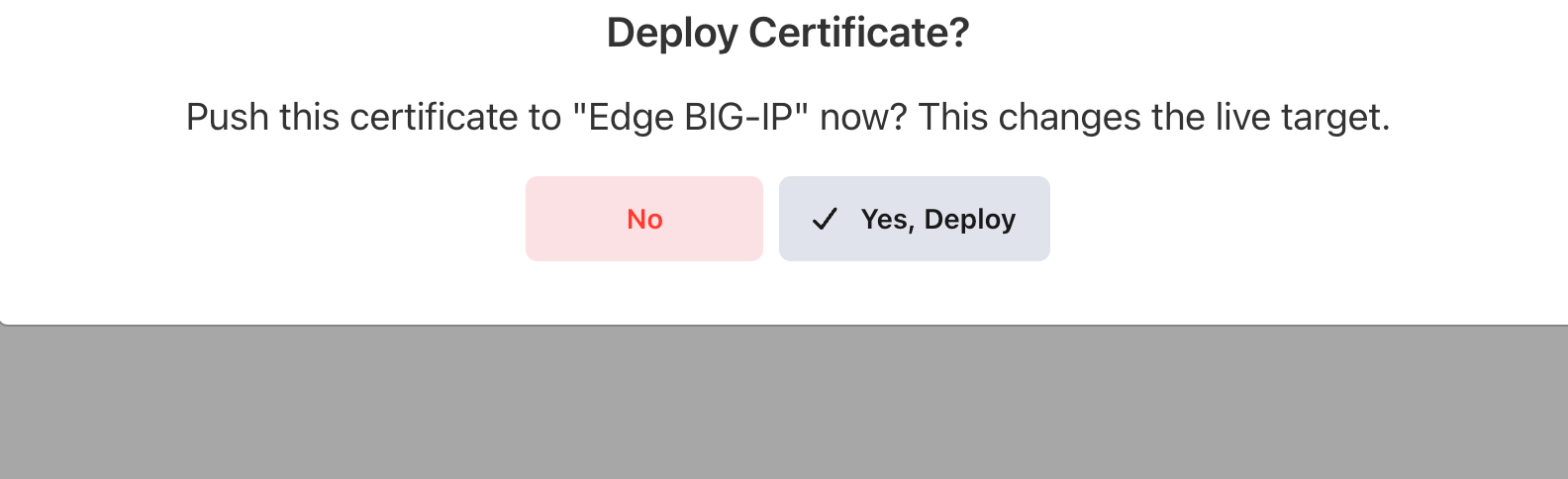
Every deployment is confirmed before it runs.

What a finished deployment looks like.
PAN-OS imported 'portal_example_com'.
The certificate is in the configuration and committed. No profile was named, so nothing was repointed.
PAN-OS repointed 'example-tls-profile' at 'portal_example_com'.
The named SSL/TLS service profile now serves the imported certificate.
To confirm independently, look at the running configuration for the certificate entry: it should carry both a public key and a private key, and the profile should name it.
4. When a policy asks for approval
If a Certificate Approval Policy covers this operation, the deployment does not run on the click. Monopam raises a request, tells you so, and carries the deployment out itself the moment somebody approves it. You do not come back and press the button again.
The approver sees which certificate is going where, on the request itself:
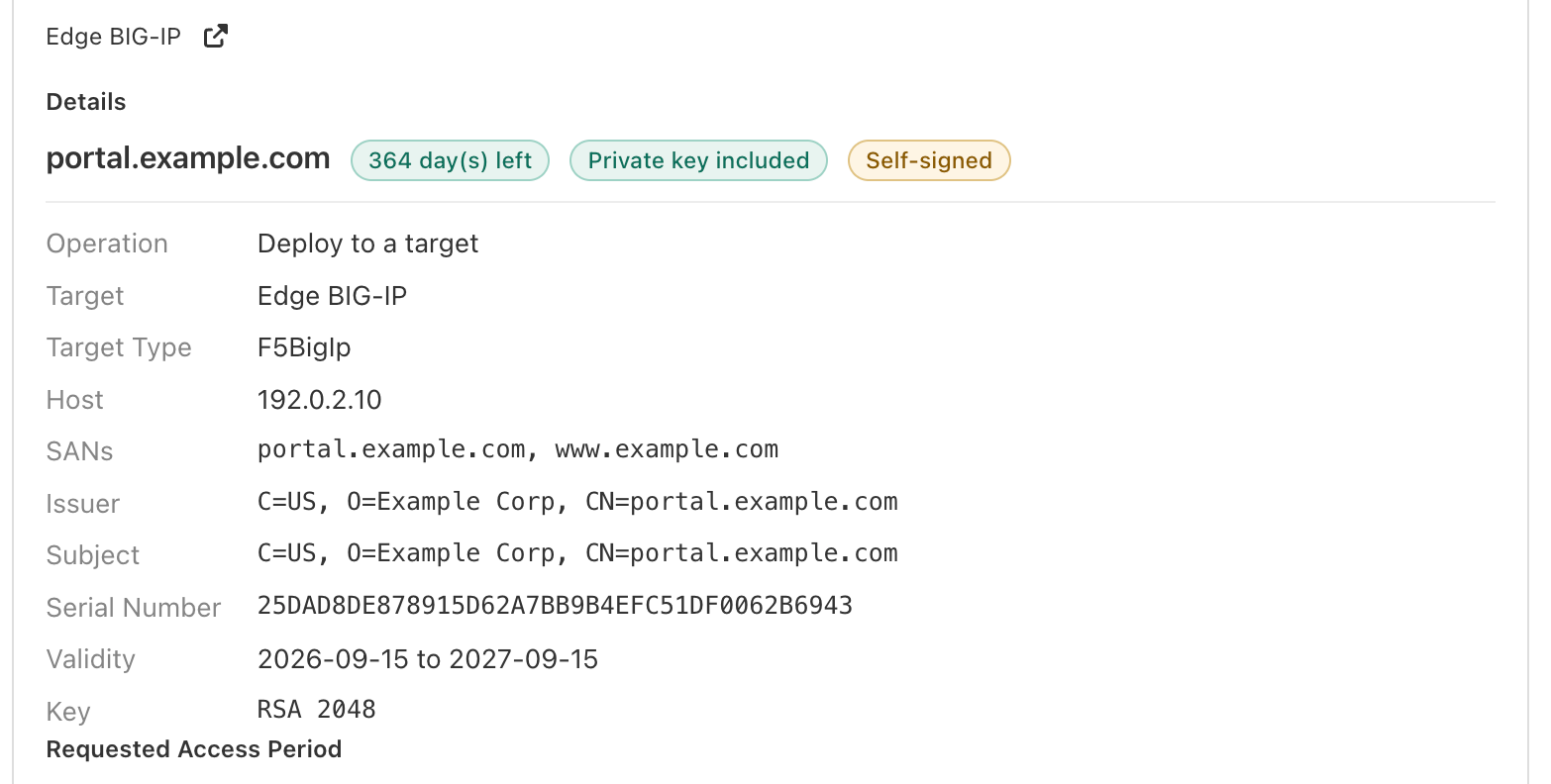
The request names the certificate, how long it has left, whether its private key came with it, and the appliance it is bound for.
If the policy is set to refuse rather than to ask, the deployment stops immediately with the policy's own wording, and no request is raised. Either outcome is written to Audits against the certificate.
5. Undoing a deployment
Every deployment records which certificate the profile served and whether the certificate entry already existed. In Certificates → Deployments → History, tick a run and the undo actions appear above the list. Every rollback commits, for the same reason the deployment does.

Both are usually available on a Panorama run, because the profile's previous binding was captured.
A button that cannot work on the runs you selected is disabled and says why when you hover it, rather than failing after the fact.
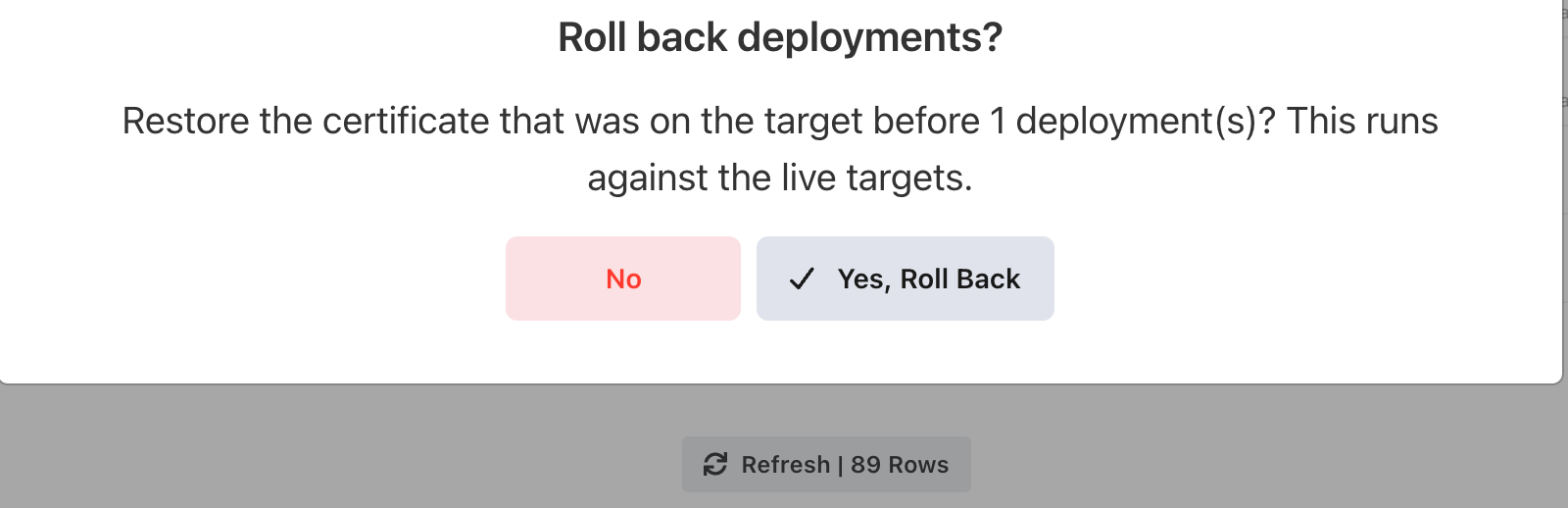
Undo is confirmed too, and states that it runs against the live appliance.

The run's own row records exactly what the rollback did.
Profile 'example-tls-profile' serves 'example-baseline' again; committed.
Restore previous certificate: the profile is bound back, and the certificate this deployment imported is left in place.
Profile 'example-tls-profile' serves 'example-baseline' again; removed certificate 'portal_example_com'; committed.
Remove what was deployed, on a run that created the entry: the profile is bound back and the entry is gone.
certificate 'portal_example_com' existed before this deployment and was left in place; committed.
The entry was already there before this run, so this run is not what created it. Only the profile binding was put back.
A rollback does not reach firewalls the deployment pushed to. If Push (commit-all) to device group was on, push again after the rollback so the devices pick up the restored configuration.
6. Renewals
With Automatically deploy when the certificate renews left on, a renewed certificate is imported under the same certificate name, the profile follows it, and the change is committed. The appliance keeps one entry per service rather than collecting one per renewal.
A deployment that fails is retried on a widening schedule; the row shows the attempt count and when the next one is due. A target that is switched off is skipped entirely, and says so.
Read what is already on the appliance
Deployment answers "put this certificate there". A resource scan answers the opposite question: what is on that box already, including the certificates no profile uses and nobody remembers importing.
Register the appliance as a resource first, then go to Certificates → Resource Scan → Scan a resource and set Device Type to Palo Alto Panorama / PAN-OS.
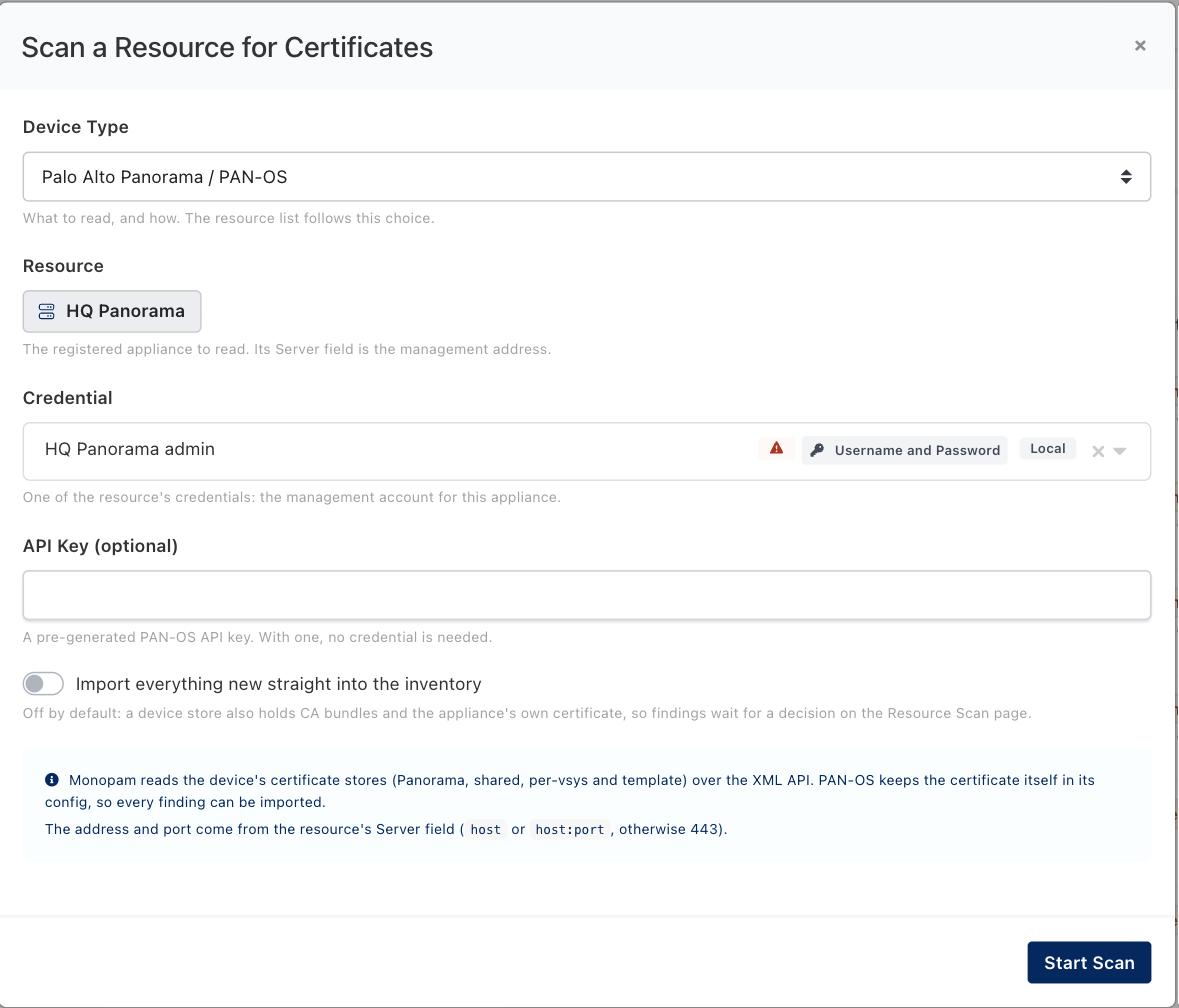
A scan is read-only. It changes nothing on the appliance, and it commits nothing.
A PAN-OS scan reads four stores, and the Used by column labels each finding with the scope it came from:
| Scope | What it holds |
|---|---|
panorama | Panorama's own configuration: the certificates that serve Panorama's own management and log-collection services. |
shared | The shared store, visible to every device group. |
vsys/<name> | A virtual system's own store on a multi-vsys firewall. |
template/<name> | A template's configuration, which is what gets pushed down to managed firewalls. |
This is the single most useful thing a Panorama scan does, and it is worth running one before you build a deployment target: the scope label on a finding tells you exactly what to put in the target's vsys and Template fields so the repoint will actually take.

Both PAN-OS certificates on one appliance. The second row names the SSL/TLS service profile that uses it, and the scope that profile is in.
- MANAGED means Monopam holds this certificate and can renew and redeploy it. Unmanaged means the appliance has it and Monopam does not: that is the backlog a first scan exists to find.
- Used by resolves the SSL/TLS service profile that names each certificate, with its scope. A certificate that says nothing bound is imported but no profile uses it.
- Matched means the certificate on the appliance is byte for byte the one in the inventory. That is the state the next section watches for changes.
Unlike a NetScaler, PAN-OS keeps the certificate itself in its configuration, so every finding here can be imported into the inventory as a tracked row. Leave Import everything new straight into the inventory off the first time anyway: a device store also holds CA bundles and the appliance's own certificate, and you rarely want those as managed rows. With the switch off, every finding waits for you to import or ignore it.
A scan remembers your decisions: re-scanning never re-raises something you imported or ignored, unless the object's certificate changed.
An API key works here too. The scan dialog's API Key field takes a pre-generated PAN-OS key, and then no credential is needed. It is the same choice the deployment target offers, and it is the better one when your PAN-OS administrators authenticate interactively.
One certificate across several appliances
A deployment target is one appliance. When a service is only correct if the firewall management plane, the load balancer and the inspection appliance all carry the same certificate, you want those changes to succeed or fail together. That is a building template: an ordered plan that runs as one transaction.
Go to Certificates → Building Templates → New Template, add a step, and set Device to Palo Alto Panorama / PAN-OS. The step is then configured by exactly the fields the deployment target uses, scope fields included.
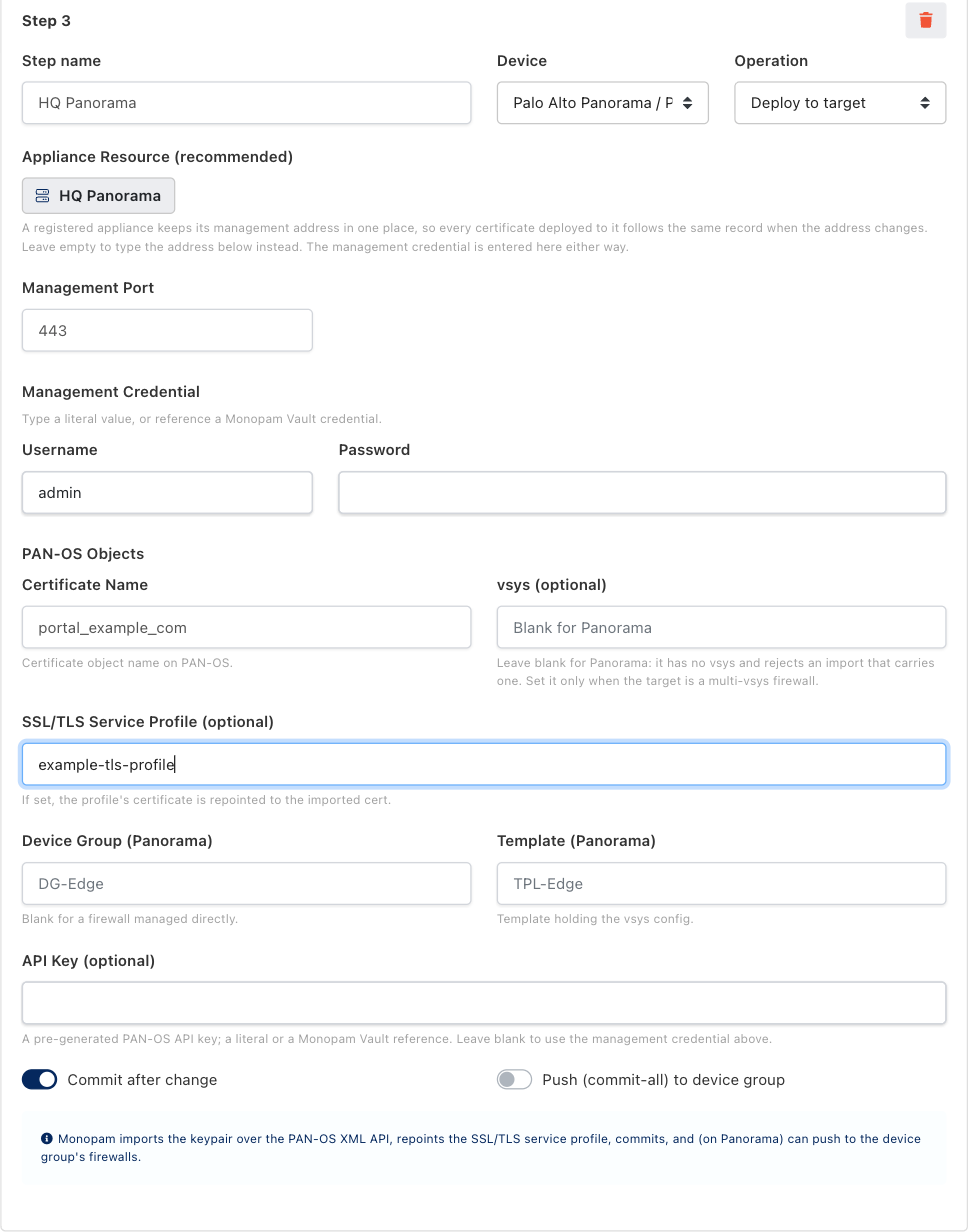
A Panorama step. Deploy to target is the only operation this device offers; the clone primitive in the F5 guide is specific to a BIG-IP.

A template is a plan, not a property of a certificate: you choose the certificate when you run it.
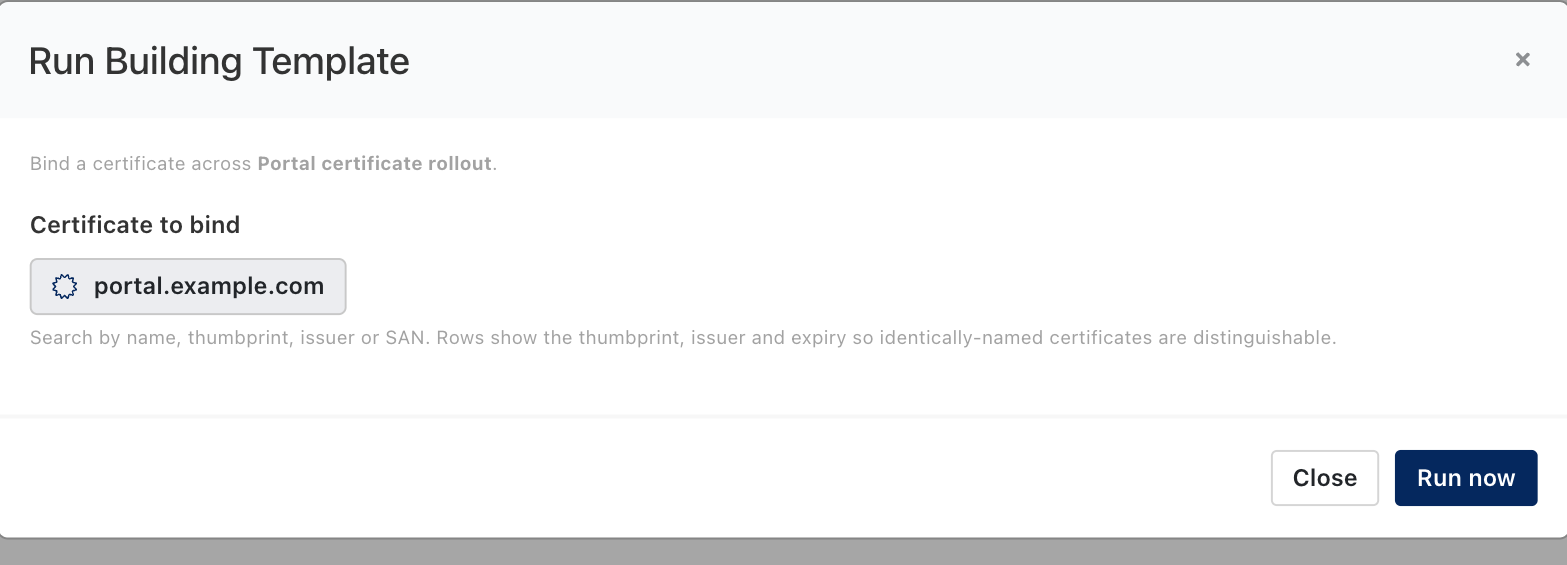
Running a template against a certificate.
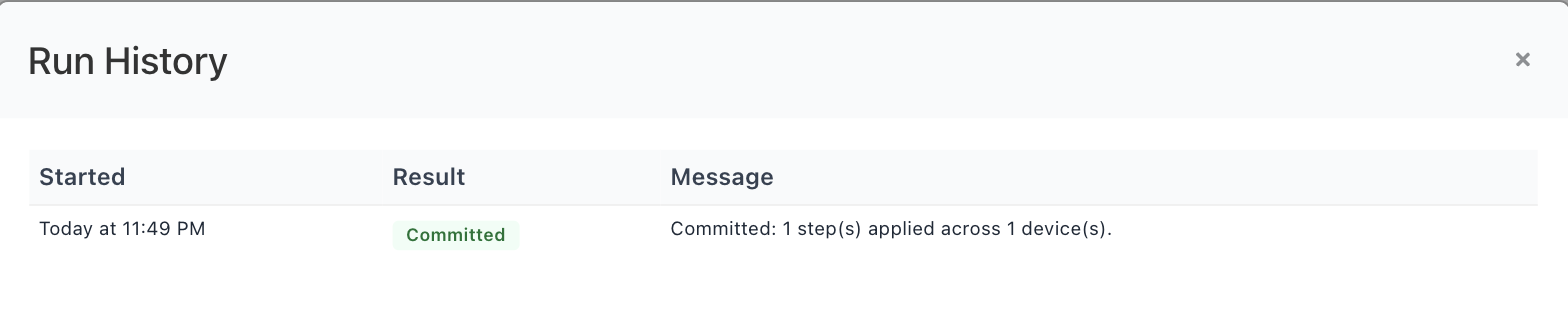
The run's own history. Committed means every step succeeded.
All or nothing. Steps run in order, and the first failure undoes every step that already succeeded, in reverse, from what that step captured off its own device. A run ends as Committed or RolledBack; there is no half-applied state to clean up by hand. On a PAN-OS step the compensation commits too, so the appliance is left in a committed, consistent state either way. The flip side: a template that has already committed cannot be rolled back, neither from here nor from the deployment history, where its steps appear as step of template … with no restore offered. Undo a committed change by running the template again with the earlier certificate. Every run stays on record under Building template runs, on the certificate's Deployment tab and below Deployments → History.
When somebody changes it outside Monopam
A certificate Monopam manages can still be replaced on the appliance by someone with a console and a reason. The next scan notices: the object now holds a different certificate from the one Monopam put there, so the finding is marked as changed, the displaced certificate is named, an alert goes out on the certificate alert channels and an audit entry is written. It is raised once per replacement, because it is a security event and not a line in a report.
Replaced portal.example.com on Today at 2:20 AM. Monopam did not make this change.
How the changed finding reads on the Resource Scan page. The Changed filter above the list collects them.
The displaced certificate's own page says so too, with a banner naming what is on the device now and two ways out:

The banner sits above the tabs, so the owner does not have to go looking. This example was captured on a sibling appliance; the PAN-OS banner is the same, with the certificate's PAN-OS object name in place of the ADOM path.
- Put this certificate back deploys it again, through the existing target, which means the approval policy applies to it like any other deployment, and the commit happens as part of it.
- Accept the new certificate takes what is there into the inventory and closes the question, changing nothing on the appliance.
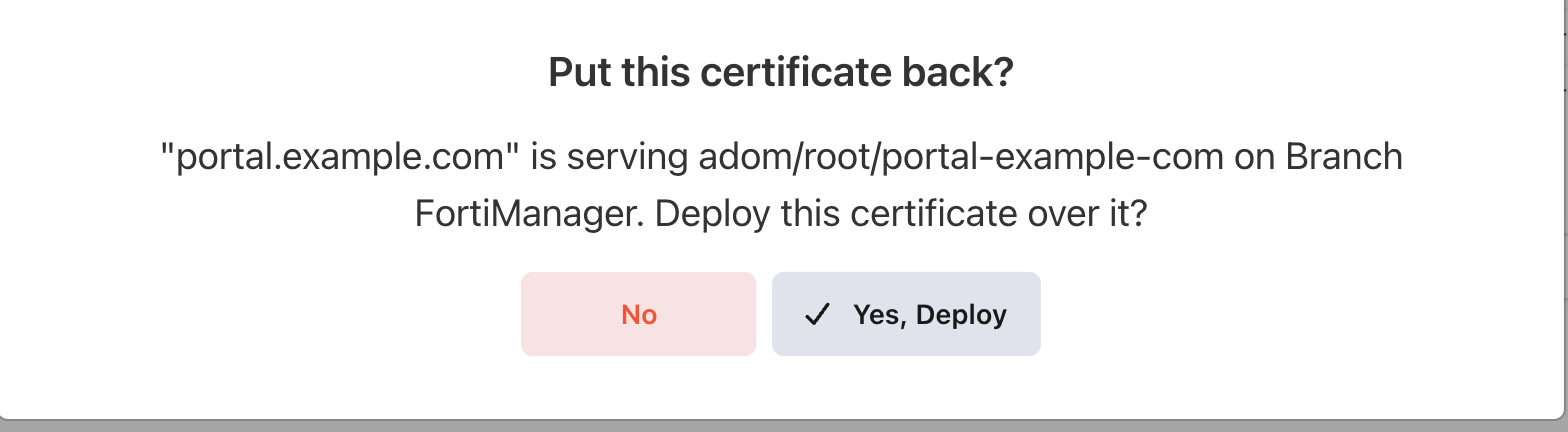
Putting it back is a deployment, and is confirmed like one. Again captured on a sibling appliance; the dialog names whatever object and appliance the finding came from.
Either answer clears the mark. Monopam also stops claiming the device for the displaced certificate: its sighting for that object is removed, so the certificate's page no longer names a box it is not on.
Link the target to the appliance resource. Put this certificate back is offered only when a deployment target for that resource exists. A target whose address was typed by hand is not recognised as the scanned appliance even when the address matches, and the banner then reads There is no deployment target for this device, so Monopam cannot put the certificate back by itself. Choosing the appliance in Appliance Resource is what makes the difference.
Pushing to every target at once
A certificate with several targets has a Deploy to all targets button on its Deployment tab. It is all-or-nothing: targets are done in order, and the first failure puts back every target already done, in reverse. Use it when a service is only correct if all of its devices carry the same certificate; use the per-target button when getting three of four devices done is better than none.
It is offered only when the certificate has more than one enabled target, and refused outright when deployment history is turned off, because the captured state is what an undo restores from.
Note that this is a different thing from PAN-OS's own Push (commit-all) to device group, which is a per-target switch and pushes Panorama's committed configuration down to its firewalls.
When something goes wrong
| What you see | What it means |
|---|---|
Invalid certificate input | A vsys was sent to something that has none. Clear the vsys field on the target: Panorama rejects an import that carries one. |
| Succeeded, but the profile still serves the old certificate | The profile and the certificate are in different scopes, so PAN-OS cannot resolve the reference. Run a scan and read the scope label on the profile's certificate, then match the target's vsys and Template to it. |
Commit job was not queued since auto-commit not yet finished successfully | The appliance is still finishing its own start-up commit. Wait for it to settle and deploy again. |
API Error: Invalid Credential | The management credential was refused, or the administrator's role does not allow the XML API. If an API key is set on the target, check that it is still valid. |
| Operation timed out, on a freshly built appliance | The management web service is not up yet. A PAN-OS appliance can finish booting with port 443 closed; request restart system from its console brings it up. |
| Certificate has no private key to deploy. | The row is a discovered, public-only certificate. Import the PFX, or issue the certificate through an issuer, and try again. |
| This certificate is archived. Unarchive it before deploying. | A retired certificate is deliberately kept away from live endpoints. Unarchive it from the inventory first. |
| Deployment is running in the background, and it stays that way | PAN-OS commits are slow, so give it a few minutes. If the Monopam service was restarted mid-run, the run is closed as failed within twenty minutes and the button becomes available again. |
| A template step fails and the whole run says RolledBack | Working as intended: the steps that already succeeded were undone from what they captured and committed, so no device is left half-changed. Fix the failing step and run it again. |
What this target type does not do
- It does not create SSL/TLS service profiles. It repoints one that already exists, in the scope the certificate was imported into.
- It does not manage decryption policy. Repointing a profile changes which certificate is presented, not which traffic is decrypted.
- It does not push unless you ask. Without Push (commit-all) to device group, the change is committed on Panorama and installed on firewalls by your own push.
- It does not move a certificate between scopes. A certificate in the wrong scope is imported again into the right one, under the same name.
- It does not read private keys during a scan. An imported finding is a tracking-only row until you supply the key.
Monopam Certificate Manager. Addresses, names and certificates in the screenshots are examples.
Device guides: F5 BIG-IP · FortiManager · NetScaler · Panorama