
This document describes the granular authorization management for MonoSync application.
It will directly integrated with the permission defined in MonoSign permission system.
📘 Instructions
-
Go to management application
-
Under “Directory / Users” find user to assign specific permissions for MonoSync.
-
Go to details of the user and click “Permissions” tab.
-
Choose your desired permissions for “MonoSync” app (all permissions related to MonoSync starts with prefix “monosync.”) from “Assign New Permission” button.
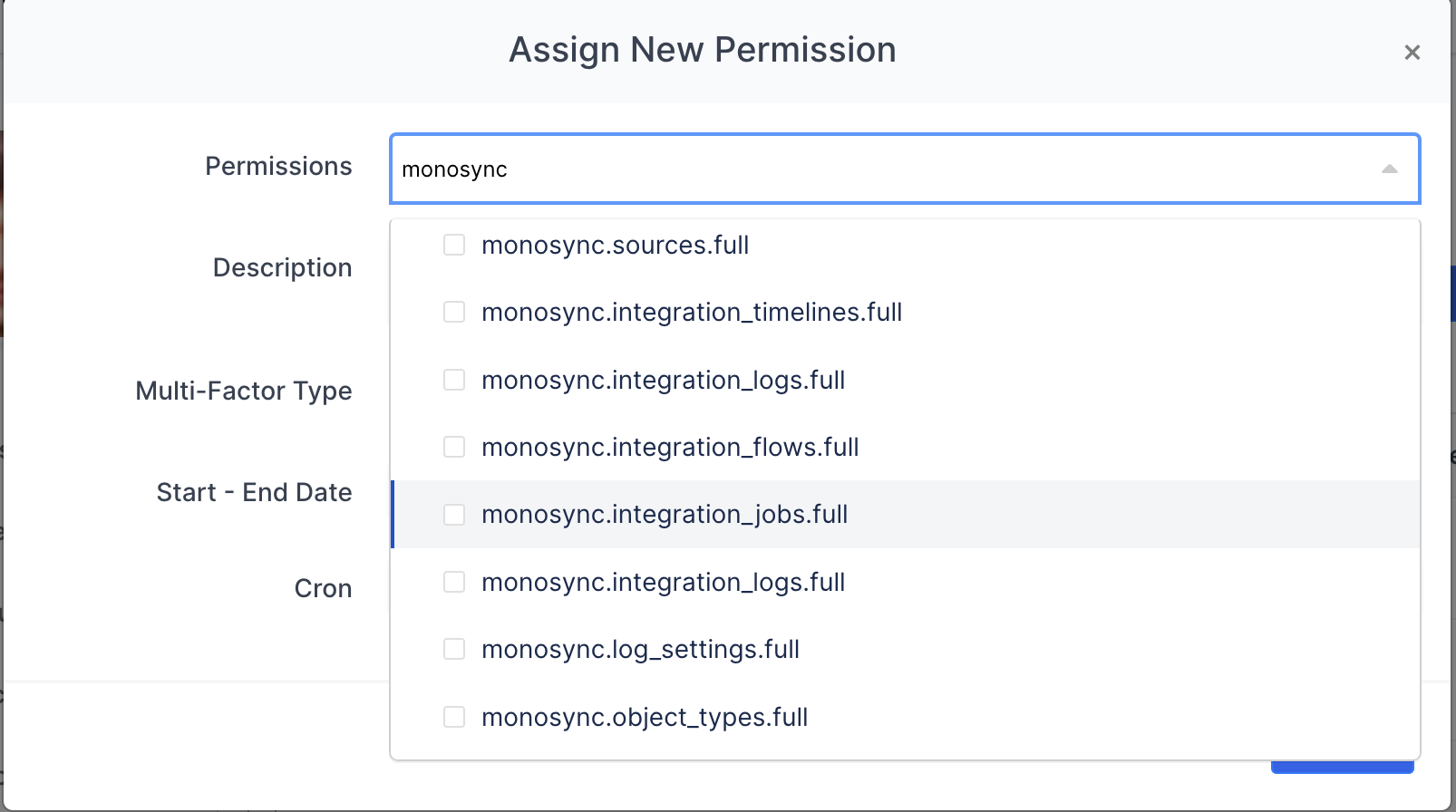
When a user is assigned to the MonoSync application, by default he/she has full access all pages on MonoSync application. When at least one granular permission is assigned, then he/she will only have this assigned permission(s) and all other features / pages will be disallowed.
These are all predefined permissions specific to MonoSync application.
monosync.objects.read                       => Can read all data on all objects
monosync.objects.create                     => Can create new data on all objects
monosync.objects.update                     => Can update all records on all objects
monosync.objects.delete                     => can delete any record on all objects
monosync.objects.ExampleObjectName.read     => can read only the specified object
monosync.objects.ExampleObjectName.create   => can create new data an specified object
monosync.objects.ExampleObjectName.update   => can update any record on specified object
monosync.objects.ExampleObjectName.delete   => can delete any record on specified object
monosync.object_types.full                  => can add/update/modify object definitions.
monosync.dashboard.full                     => can use dashboard page
monosync.integrations.full                  => can add/update/modify integration details
monosync.integration_logs.full              => can see integration logs
monosync.integration_timelines.full         => can see integration timeline info
monosync.integration_jobs.full              => can see integration jobs
monosync.integration_flows.full             => can see integratin flow
monosync.sources.full                       => can add/update/modify sources
monosync.providers.full                     => can add/update/modify providers
monosync.variables.full                     => can add/update/modify variables
monosync.functions.full                     => can add/update/modify functions
monosync.tags.full                          => can add/update/modify tags
monosync.instances.full                     => can add/update/modify instances
monosync.settings.full                      => can add/update/modify settings
monosync.monitoring.full                    => can add/update/modify variables
monosync.maintenance.full                   => can add/update/modify maintenance mode
monosync.log_settings.full                  => can add/update/modify log settings
monosync.license.full                       => can add/update/modify licence information