Policies in MonoSign define the rules that control how users authenticate, what they are allowed to access, and how their sign-in experience behaves. Each policy is evaluated according to its type, priority and validity period.
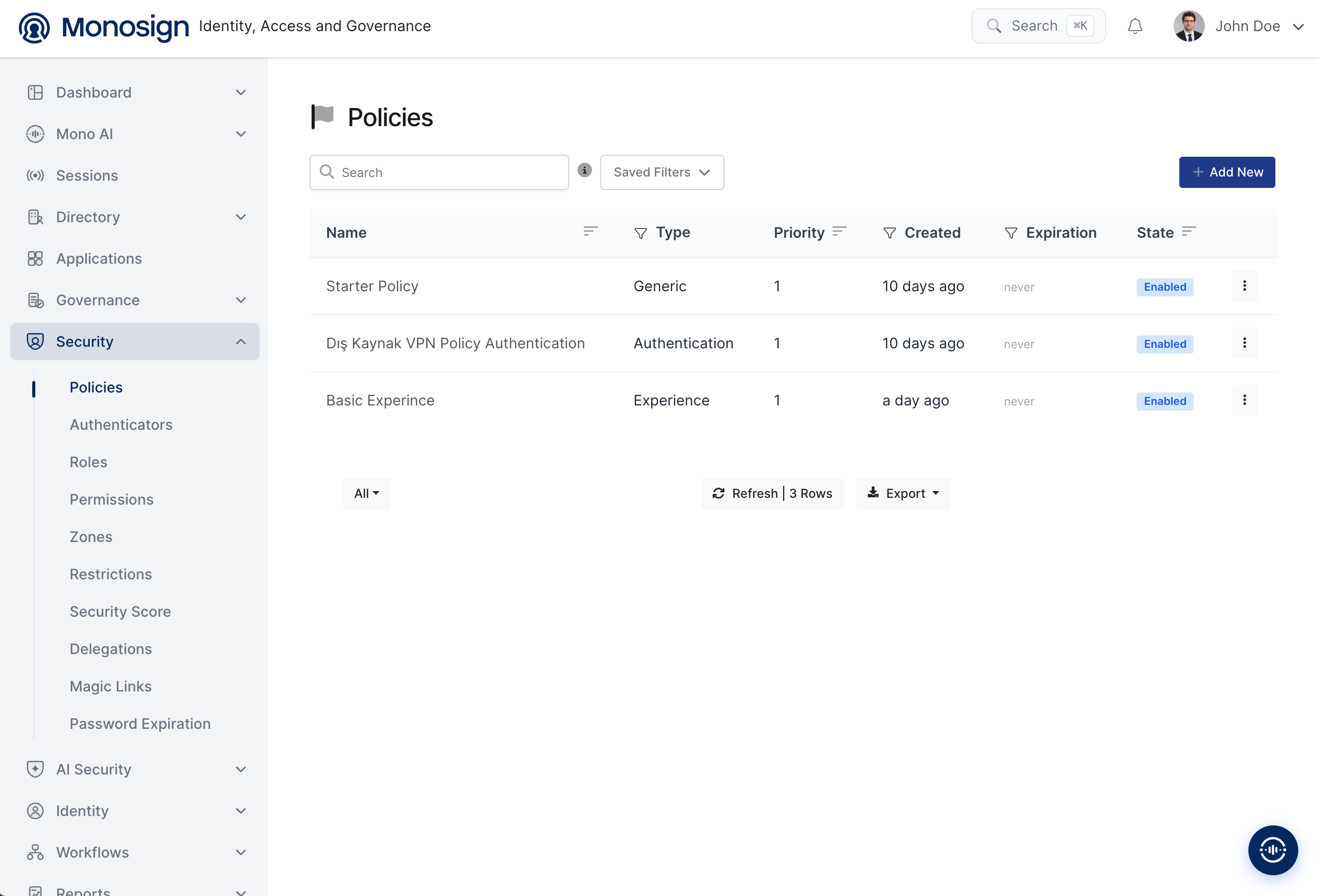
On the Policies page, all policies defined in the system are listed. Existing policies can be reviewed and new policies can be created from this page.
The policy list displays the following columns:
Name — the name of the policy.
Type — the policy type (Generic, Authentication, Identity Client Policy or Experience).
Priority — the evaluation order of the policy; a lower value has higher priority.
Created — the date the policy was created.
Expiration — the end date of the policy, or never if it does not expire.
State — whether the policy is Enabled or Disabled.
The list also provides Search, Saved Filters, Export and Refresh options, and a + Add New button to create a new policy.
Creating a Policy
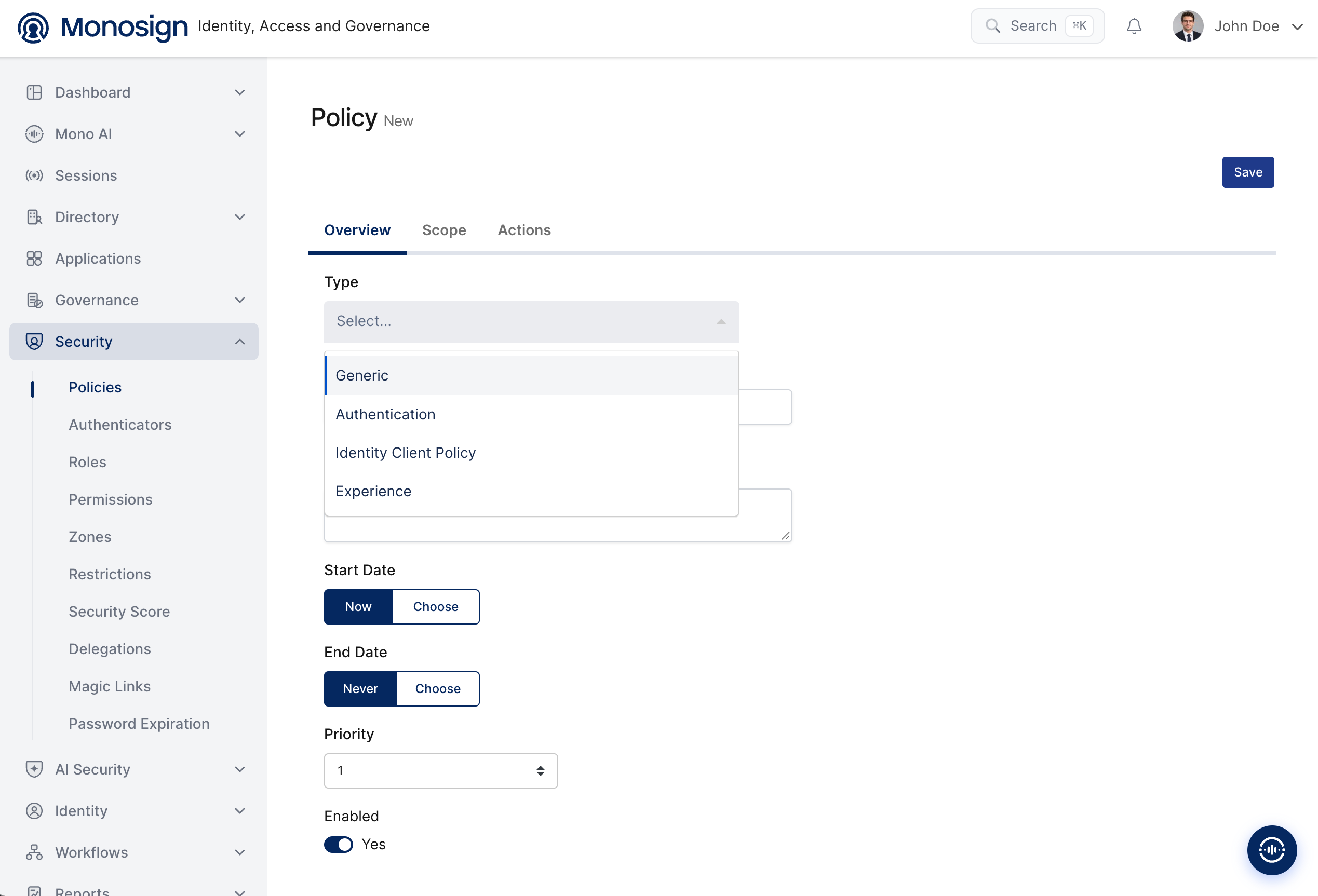
Click + Add New to open the policy form. The form is organized into three tabs:
Overview — the general settings of the policy (type, name, validity period, priority and state).
Scope — the users, groups or clients that the policy applies to.
Actions — the actions that are enforced when the policy matches.
The fields on the Overview tab are as follows:
Field | Description |
|---|---|
Type | The policy type. Determines how the policy is evaluated: Generic, Authentication, Identity Client Policy or Experience. |
Name | A descriptive name for the policy. |
Description | An optional explanation of the policy's purpose. |
Start Date | When the policy becomes active. Select Now to activate immediately, or Choose to pick a specific date. |
End Date | When the policy stops being active. Select Never for no expiration, or Choose to pick a specific date. |
Priority | The evaluation order of the policy; a lower value is evaluated first. |
Enabled | Whether the policy is active (Yes) or inactive (No). |
Policy Types
The policy types available in the system are as follows:
Generic
Authentication
Identity Client Policy
Experience
Generic
A general-purpose policy used to define broad rules that are not tied to a specific authentication or experience flow.
Authentication
Controls the authentication requirements that users must satisfy when signing in, such as the required authenticators (multi-factor methods) and the conditions under which they apply.
Identity Client Policy
Applies to identity clients (applications and integrations registered in MonoSign), governing how these clients are handled during authentication and access.
Experience
Customizes the end-user sign-in experience, allowing the login flow to be tailored for specific users or scenarios.