Access keys let programs reach Monopam without a person's sign-in. An Access Key reads vault items over the API; a Database Access Key lets an application connect to a database through the Database Proxy.
Applies to | Who can do this |
|---|---|
Monopam v2026.10 | Administrators with permission to manage access keys. |
Access Keys
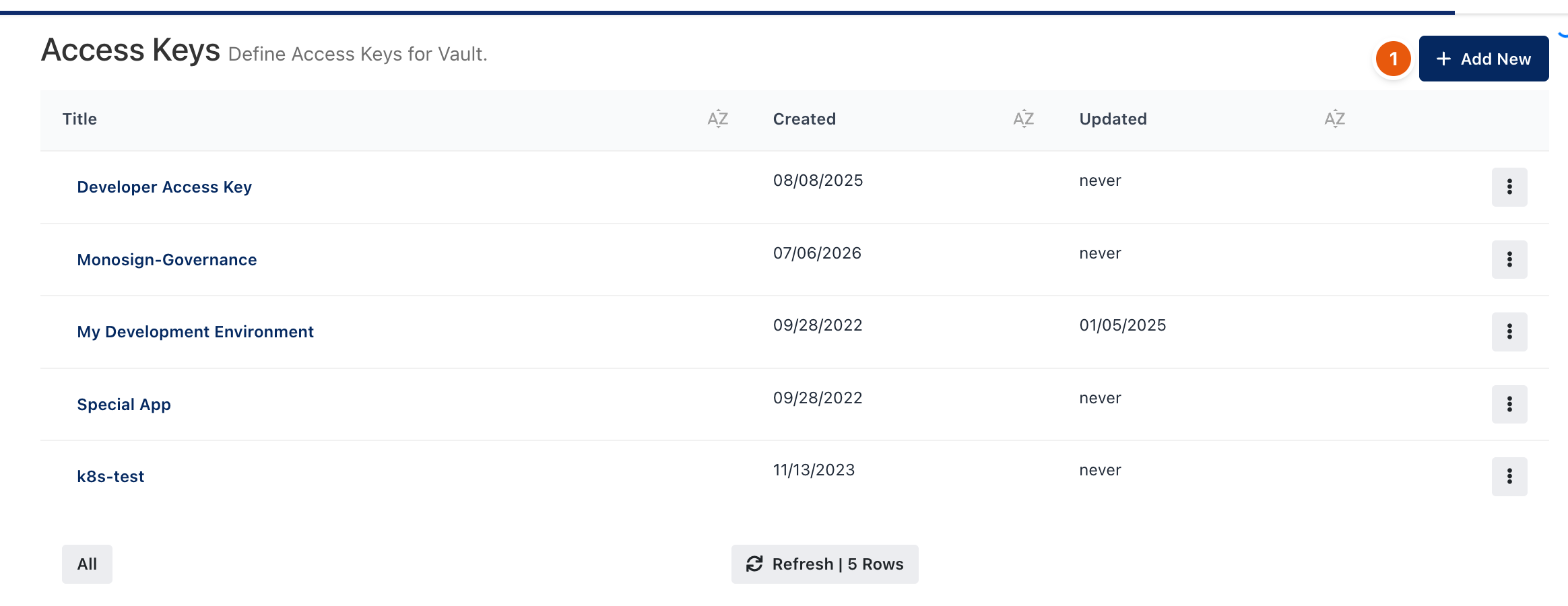
Figure 1. Access Keys.
- Open Access Keys and click Add New (1). Give the key a meaningful name; Monopam generates the key.
- Grant it vault items: in Vault, open an item's row menu and choose Access Keys. Select the keys that may read the item. The dialog shows the item's URL.
- The application calls that URL with the key in the request header. When the password is rotated, the application gets the new one from the same URL.
For new integrations, prefer the Secrets machine identities, which give short-lived tokens; see Identities and the CLI.
Database Access Keys
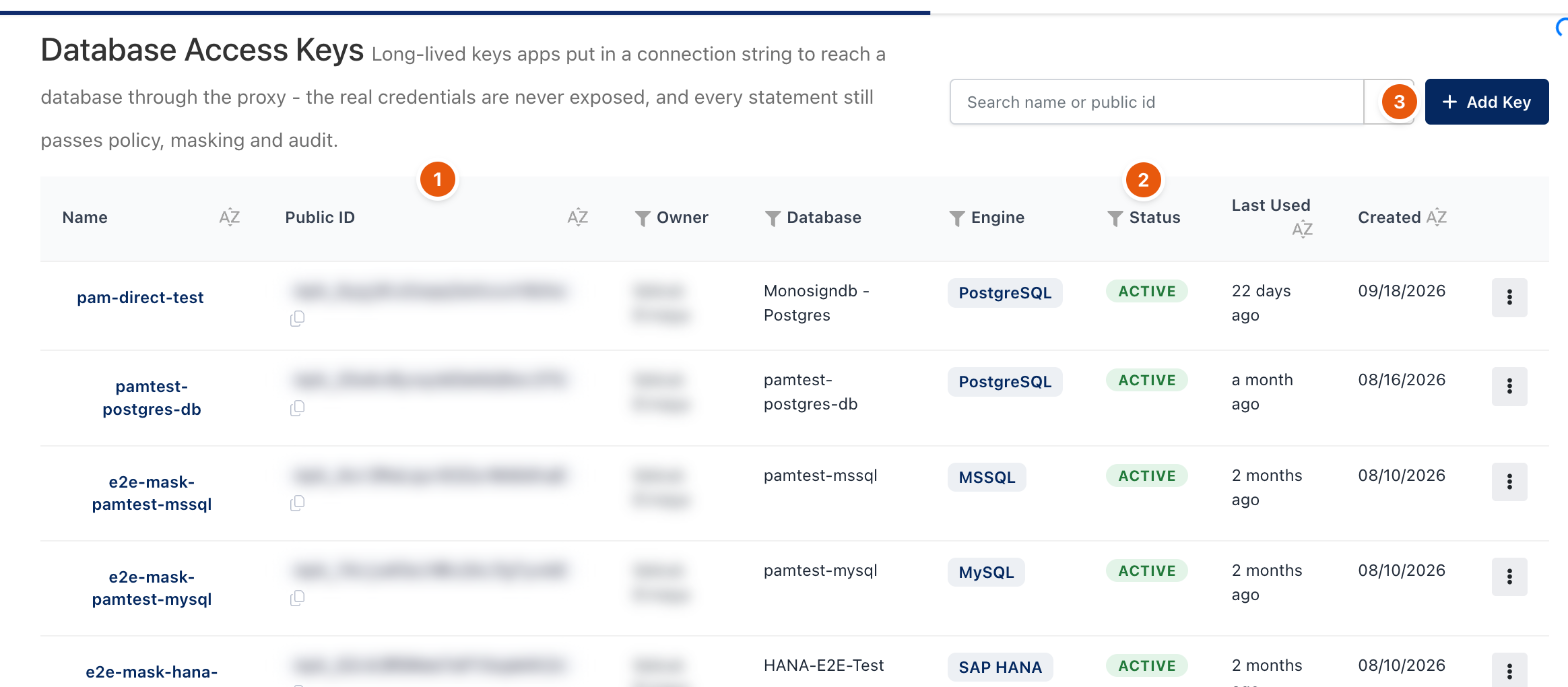
Figure 2. Database Access Keys. Owners and public IDs are blurred.
A database access key is a long-lived key an application puts in its connection string to reach one database through the Database Proxy. The real database credentials are never exposed, and every statement still passes policy, masking and audit. The key acts with its owner's access policies and audit identity, can expire, and can be limited to source IP addresses.
- Open DB Access Keys and click Add Key (3). Choose the database, an expiry and, optionally, allowed IP ranges.
- Copy the secret when it is shown; it is shown only once. The list shows the Public ID (1) and the Status (2).
- To stop a key, use Disable or Revoke in its row menu. Live sessions opened with it end at once.
Related
- Database clients through the Database Proxy
- Vault items
- Identities and the CLI