A generic type is your own vault item structure: a set of named properties, for example a cloud service principal with a tenant ID, a client ID and a client secret. Vault items of type Generic use one of these definitions.
Applies to | Who can do this |
|---|---|
Monopam v2026.10 | Administrators with permission to manage the vault. |
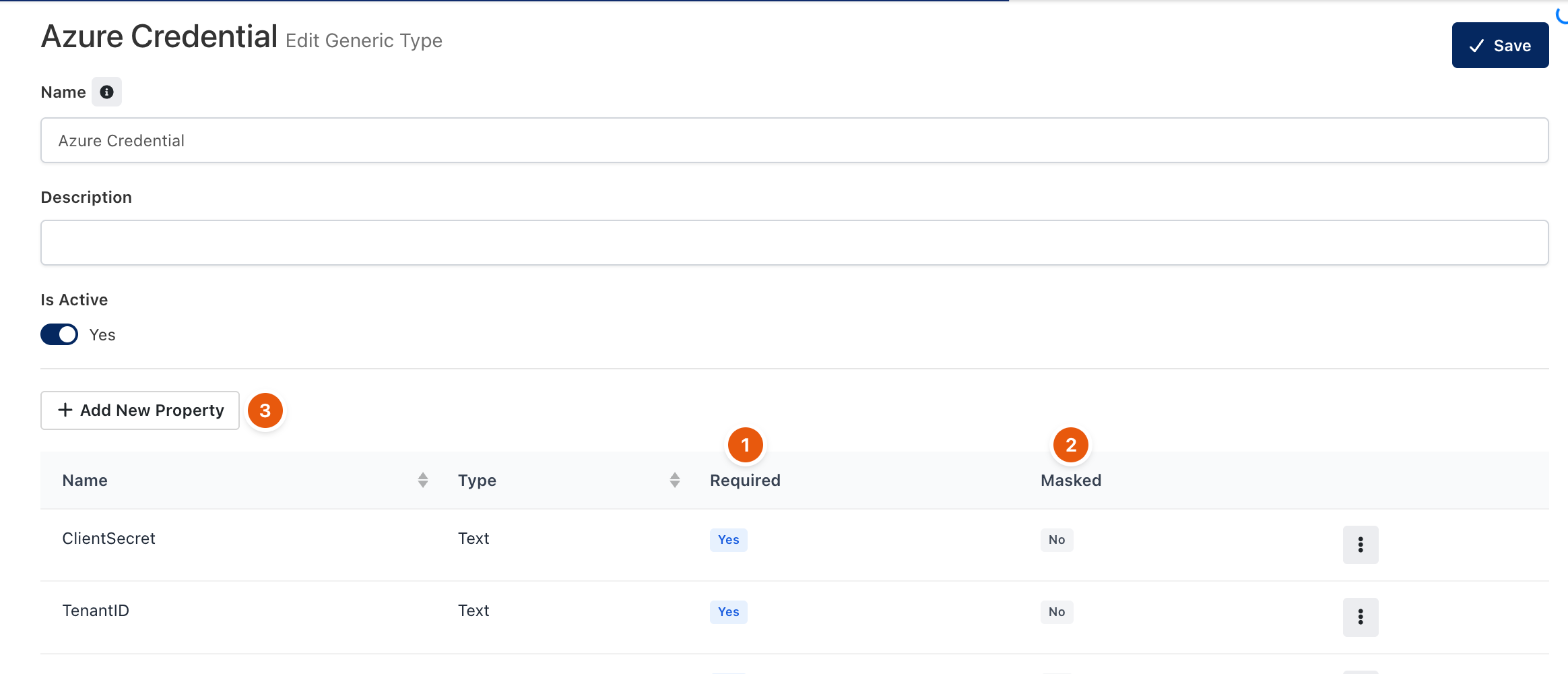
Figure 1. A generic type.
- Open Vault, open the page menu (⋮) and click Generic Types, then Add New.
- Enter a Name and a Description, and keep Is Active on.
- Click Add New Property (3) for each field. A property has a name, a type (Text, File or DateTime), whether it is Required (1), and whether it is Masked (2): masked properties show
[HIDDEN]until revealed. - Click Save. The type is offered under Generic when you add a vault item.
Mark every secret property as Masked. Unmasked properties are shown in clear text to everyone who can open the item.
Related
- Vault items
- Vault Access Policy