Every recorded session can be replayed from Recordings: graphical sessions as video, terminal sessions as a replay with a searchable transcript. Reviewers can leave notes on the exact moment they are watching, so the next reviewer sees them.
Applies to | Who can do this |
|---|---|
Monopam v2026.10 | Users allowed to see recordings. A note can be edited by its author; a super administrator can delete any note. |
Find a recording
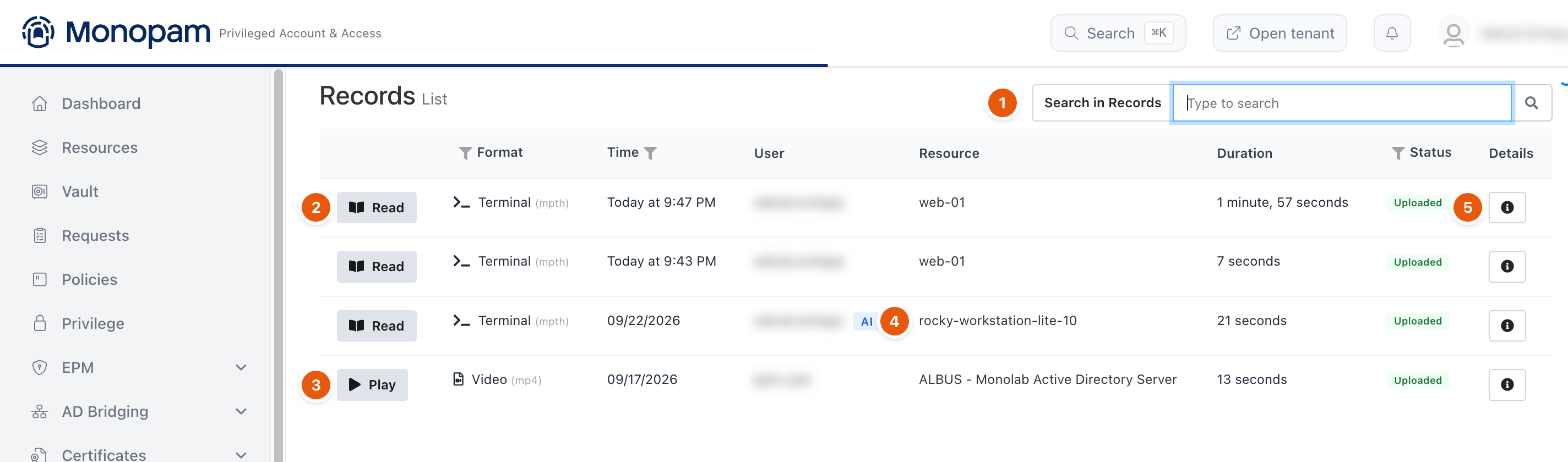
Figure 1. Recordings.
# | Control | What it does |
|---|---|---|
1 | Search in Records | Searches the recordings. Switch it to Transcript to search what was typed and shown in terminal sessions. |
2 | Read | Opens a terminal recording ( |
3 | Play | Opens a video recording (RDP and VNC sessions). |
4 | AI | The session was opened by an AI assistant through the Monopam MCP server. |
5 | Details | Who connected, to what, with which account and through which gateway. |
The Status column shows Uploaded once the gateway has stored the recording.
Replay and add a note
- Click Read or Play. The replay opens with the Transcript (1) below it and Notes on the right.
- Click a transcript line to jump there (4). The line is quoted in the note you add.
- Click Add at <time> (2), describe what happened, and save. On a video you can also draw on the frame (pen, rectangle, arrow).
- The note appears in the list (3). Click its time to jump back to that moment.
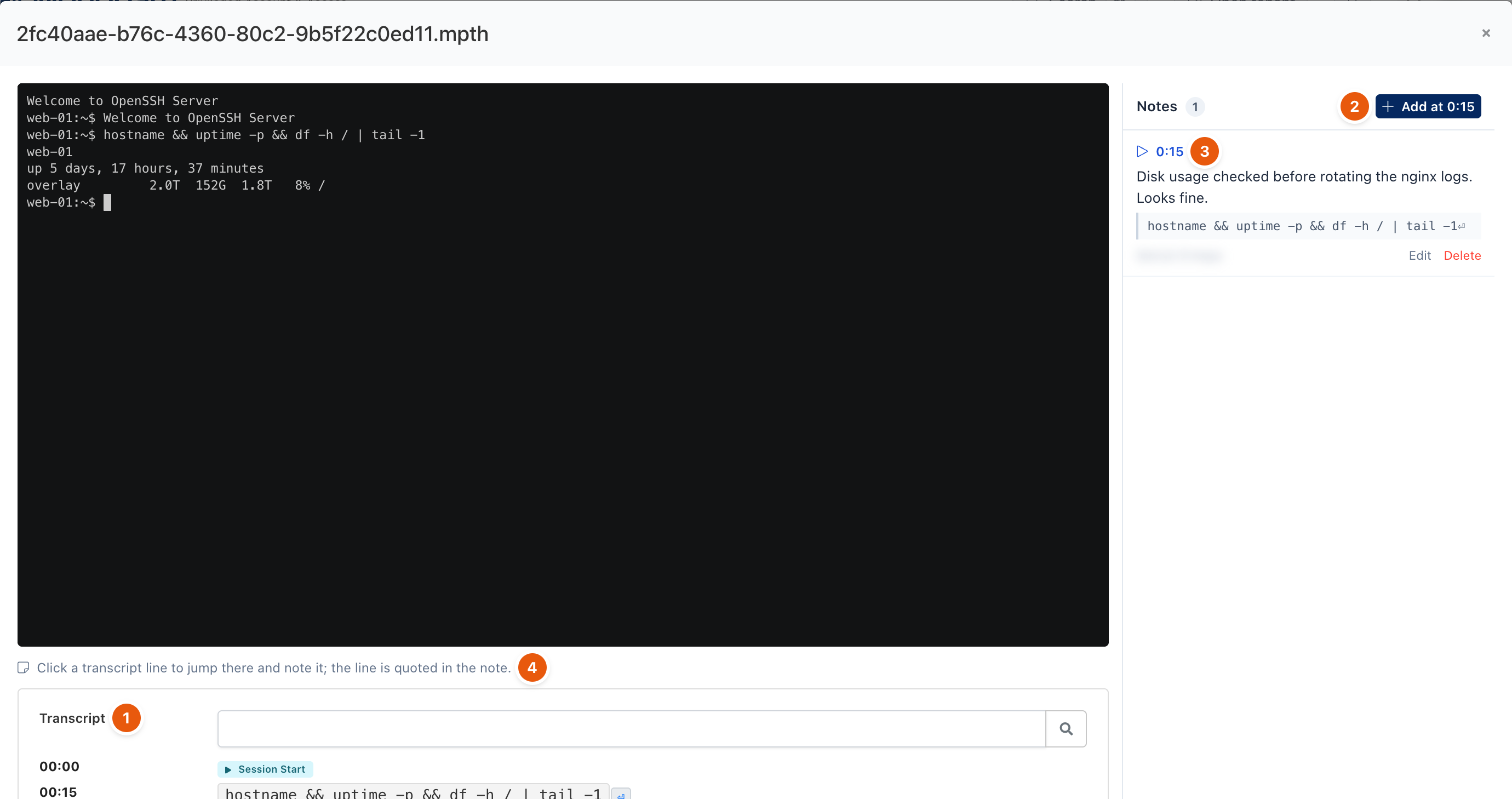
Figure 2. Replaying a session and noting a moment.
Notes are Shared by default: everyone who can open the recording sees them. Do not paste secrets or customer data into a note. Deleting a note is permanent.
Troubleshooting
What you see | Why | What to do |
|---|---|---|
A session is missing from the list. | Recording is disabled for the resource or the policy, or the gateway has not uploaded it yet. | Check Disable Recording on the resource's Advanced tab and the policy's Recording settings. See also Session recording in Troubleshooting. |
The note markers under a video are missing although notes are listed. | The browser has not read the video's length yet. | Wait until the video has loaded. |
Related
- Connect from the browser
- Audit log
- Dashboard and live sessions