A connection type is how Monopam talks to a resource with a given account. A resource can offer several, each with its own accounts.
Applies to | Who can do this |
|---|---|
Monopam v2026.10 | Administrators with permission to manage resources. |
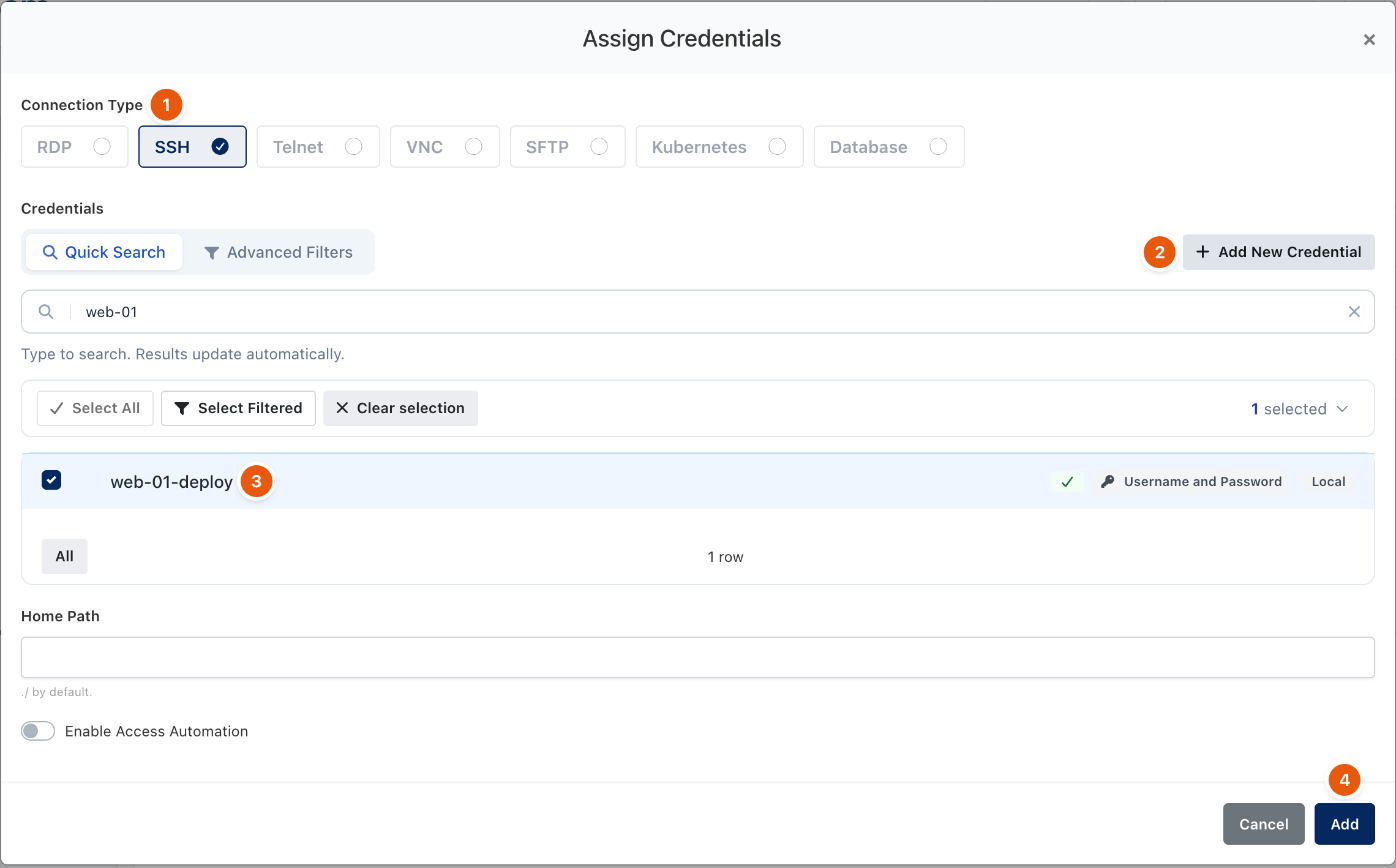
Figure 1. Choosing the connection type when assigning an account.
Connection type | Used for | How users connect |
|---|---|---|
RDP | Windows desktops and servers. | Browser, native client through RemoteApp, desktop app. |
SSH | Linux, Unix, macOS and network devices. | Browser terminal, own SSH client through the SSH bastion, desktop app. |
Telnet | Legacy devices. | Browser terminal. |
VNC | Graphical desktops without RDP. | Browser. |
SFTP | File transfer. | Browser file manager. |
Kubernetes | Kubernetes and OpenShift clusters. | kubectl or oc with a short-lived kubeconfig from Monopam. |
Database | PostgreSQL, MySQL, Microsoft SQL Server, Oracle and other engines. | Own database client through the database proxy, or the browser SQL console. |
The resource Type decides which connection types are offered. Assign accounts per connection type with Assign Credential; see Add a resource.
Related
- Add a resource
- Connect from the browser
- Kubernetes access
- Database access