The dashboard is the first screen after sign-in. It shows who is connected right now, how many sessions were opened, what needs attention, and the resources you use most.
Applies to | Who can do this |
|---|---|
Monopam v2026.10 | Any signed-in user. Members of |
What is on the dashboard
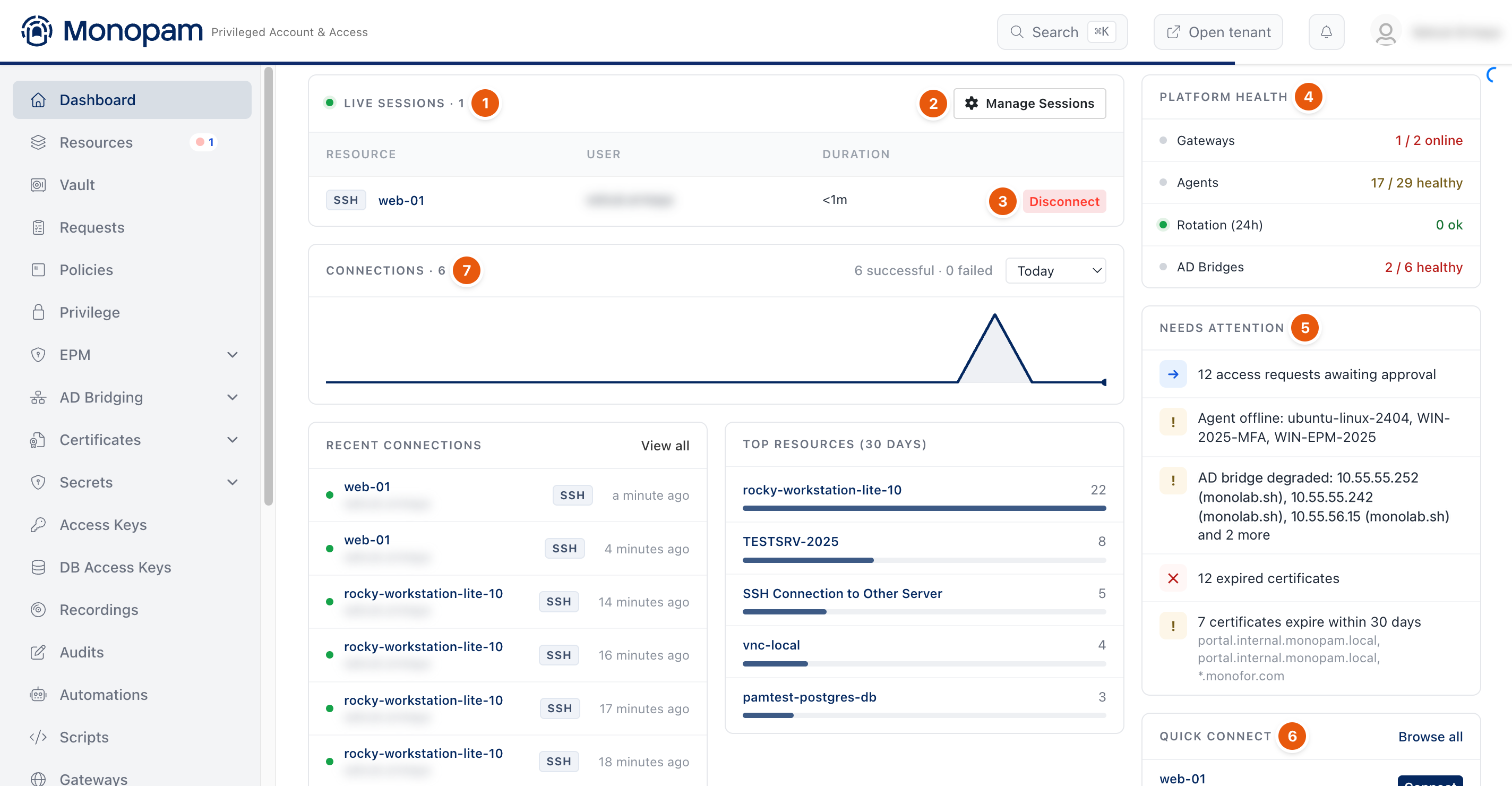
Figure 1. The dashboard with one live session.
# | Card | What it shows |
|---|---|---|
1 | Live Sessions · N | Sessions that are connected now, newest first, at most five rows. N counts all of them. Columns: Resource (with the protocol), User (administrators only) and Duration. An AI badge marks a session opened by an AI assistant through the Monopam MCP server. |
2 | Manage Sessions | Opens Active Connections: every connected session, not only five (administrators only). |
3 | Disconnect | Ends the session. Administrators can end any session, other users only their own. |
4 | Platform Health | Online gateways, healthy agents, password rotations in the last 24 hours and healthy AD bridges. |
5 | Needs Attention | Items that need an action: requests waiting for approval, offline agents, degraded AD bridges, expired certificates and certificates that expire within 30 days. |
6 | Quick Connect | The resources you used last, with a Connect button. |
7 | Connections · N | Sessions opened in the selected period, with successful and failed counts. |
End or watch a session from Active Connections
- On the dashboard, click Manage Sessions.
- In Active Connections, click Join (1) to watch the session live, or Disconnect (2) and confirm with Yes, Disconnect! to end it.
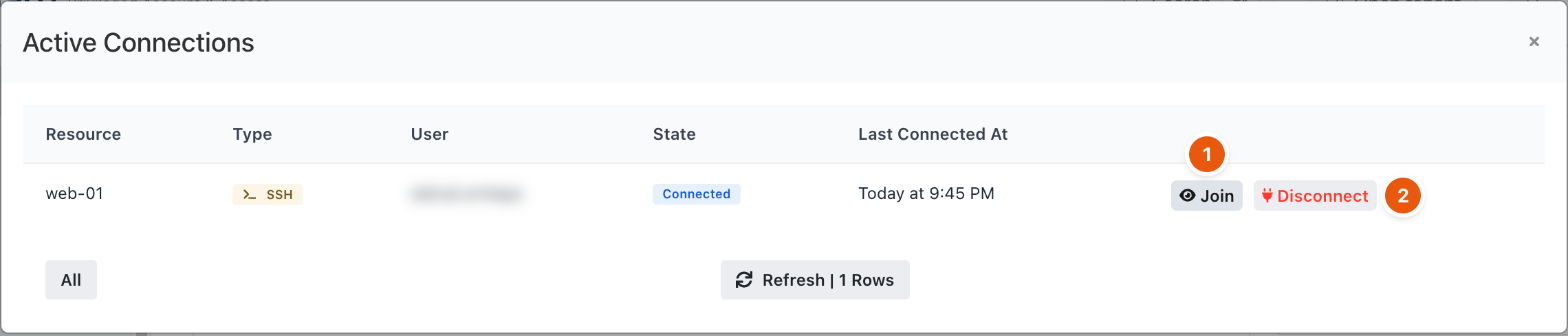
Figure 2. Active Connections.
The card is read when the page opens and after your own Disconnect. Refresh the page to see sessions that started or ended since then.
Troubleshooting
What you see | Why | What to do |
|---|---|---|
A session stays on the card after the user has left. | The gateway that ran the session stopped before it reported the end. | Disconnect the session from Manage Sessions. Check the gateway's health under Gateways. |
Manage Sessions is not shown. | Only members of | Ask an administrator, or end your own session from the card. |
Related
- Connect from the browser
- Recordings and session notes
- Gateways