A deployment target is a place a managed certificate is installed: a Linux or Windows server, a load balancer or firewall (F5 BIG-IP, Citrix NetScaler, FortiManager, Palo Alto Panorama), a cloud key vault or a build Mac. Monopam pushes the certificate there on demand or automatically after renewal.
Applies to | Who can do this |
|---|---|
Monopam v2026.10 | Administrators with permission to deploy certificates. |
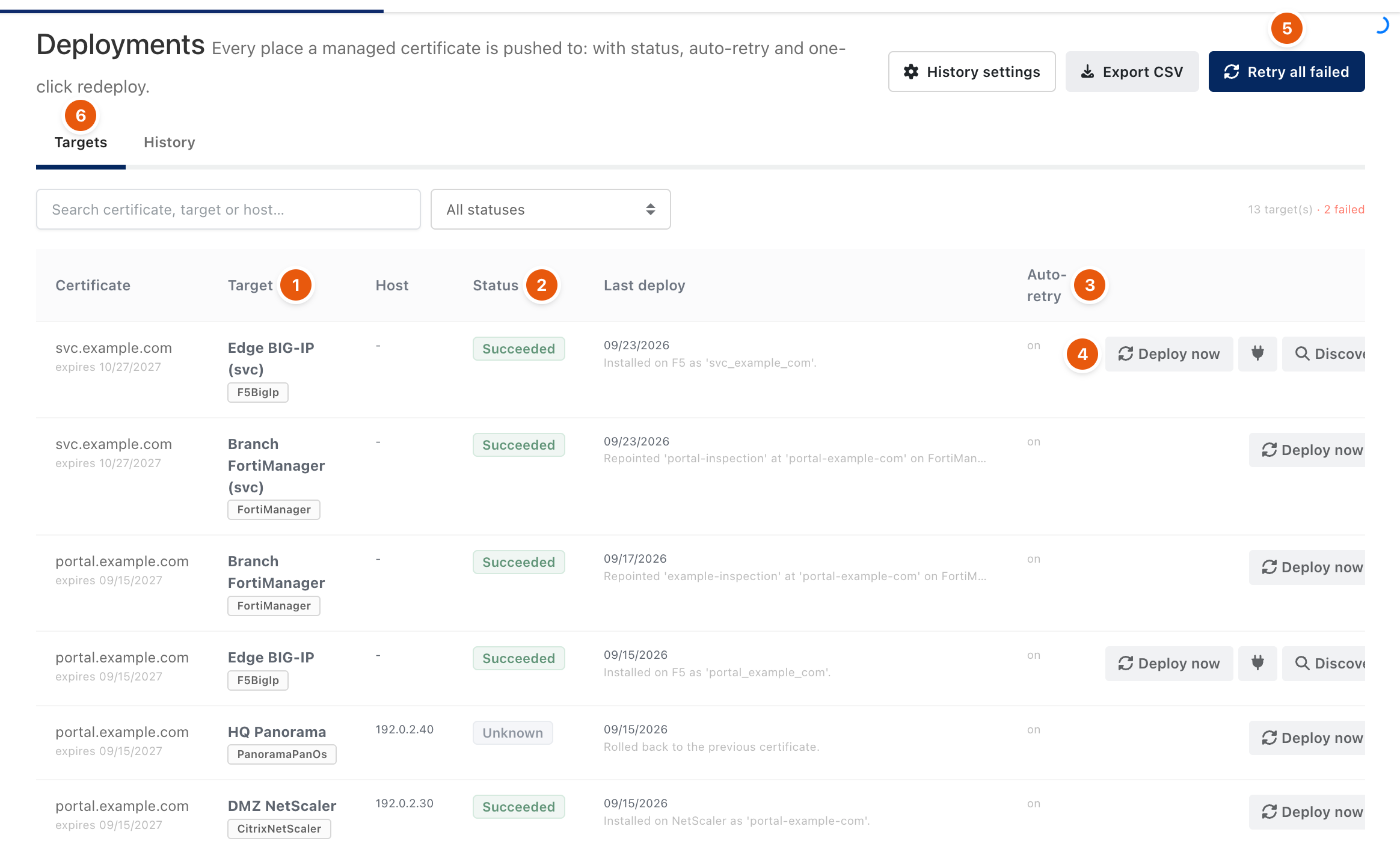
Figure 1. Certificates → Deployments.
- Each row is one certificate on one Target (1), with its type, the Status (2) and the message of the last deploy.
- Auto-retry (3) retries a failed deploy automatically. Deploy now (4) pushes again; Retry all failed (5) retries every failed target.
- For load balancers, Discover VIPs finds the virtual servers that use the certificate so a renewal can be bound to them.
- The History tab next to Targets (6) keeps every deploy; a failed appliance deploy is rolled back to the previous certificate.
Add a target
Open the certificate, go to its Deployment tab and add a target: choose the type, the resource or address and the connection settings, then Deploy.
Troubleshooting
What you see | Why | What to do |
|---|---|---|
Status Unknown with Rolled back. | The appliance refused the new certificate and Monopam restored the previous one. | Read the message, fix the appliance side and deploy again. |
Related
- Certificate inventory
- Certificate issuers