Programs read secrets with a machine identity. The identity logs in for a short-lived token and reads only what its grants allow. People use the same monopam CLI with their own sign-in.
Applies to | Who can do this |
|---|---|
Monopam v2026.10 | Administrators create identities. Developers and pipelines use them. |
Machine identities
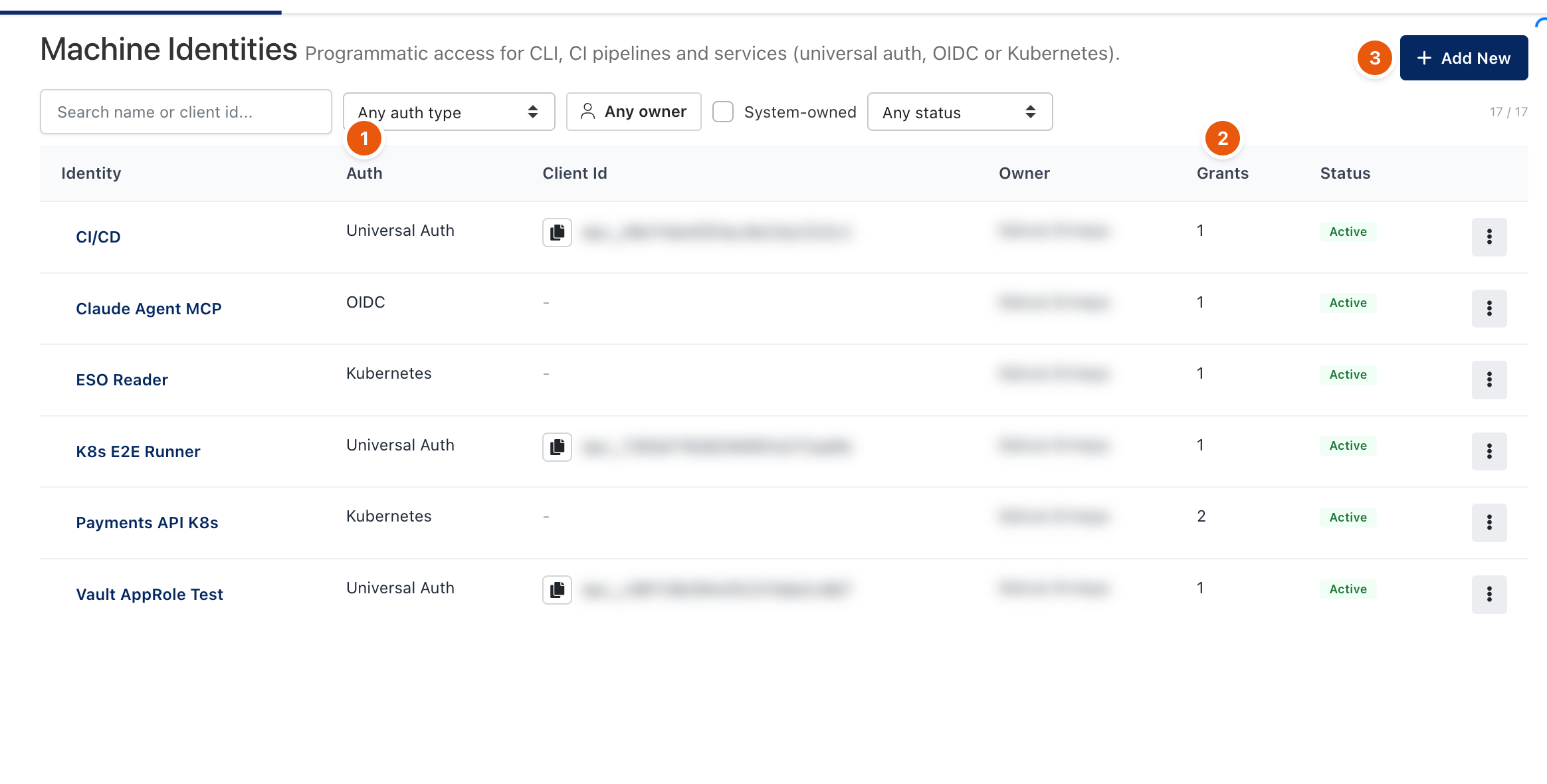
Figure 1. Secrets → Identities. Client IDs and owners are blurred.
Auth method (1) | Use it for | How it logs in |
|---|---|---|
Universal Auth | CI pipelines, servers, scripts. | A client ID ( |
OIDC | Pipelines that already have an OIDC token (GitHub Actions, GitLab, cloud workloads). | An external token checked against the issuer, audience and bound claims. |
Kubernetes | Pods in a cluster. | The pod's own service account token, checked by the cluster. No secret is stored in the cluster. |
- Click Add New (3), name the identity and choose the auth method.
- Add Grants (2): a project, optionally an environment and folder path, and read or read/write.
- Optionally limit Allowed IP ranges. Repeated failed logins pause the address.
- For Universal Auth, copy the client secret when it is shown. Rotate Secret issues a new one.
The CLI
Command | What it does |
|---|---|
| Signs a person in through the browser and saves a profile. |
| Signs a pod in with its service account token. |
| Runs a command with the secrets as environment variables. |
| Prints the secrets in a chosen format, for example |
| Lists or writes keys. |
| Shows which identity and grants are in use. |
Programs can also call the machine API directly: log in, then GET /api/v1/secrets/<project>/<env> with the token.
Machines receive shared entries only. Values scoped to a person, user or group are not returned to machine identities.
Troubleshooting
What you see | Why | What to do |
|---|---|---|
Login fails from a build agent. | The address is outside the identity's Allowed IP ranges, or it was paused after failed logins. | Check the ranges and the audit log entry for the rejected login. |
Related
- Projects and environments
- Vault-compatible API
- Access Keys and Database Access Keys