Users sign in to Monopam through Monosign. The Users page lists everyone Monopam knows: internal users, users synchronized from a directory, and invited external users.
Applies to | Who can do this |
|---|---|
Monopam v2026.10 | Administrators with permission to manage users. |
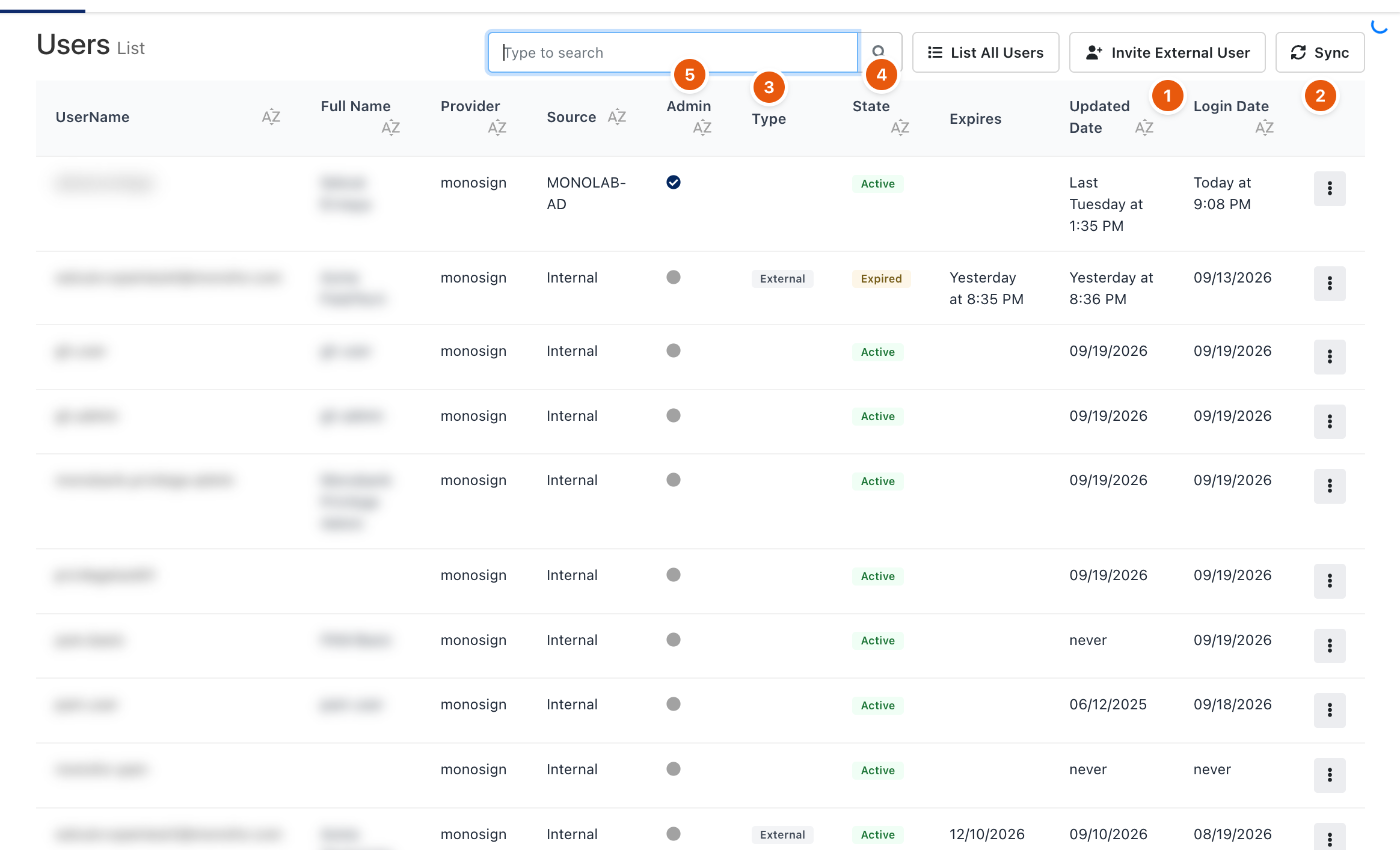
Figure 1. Users. Names are blurred in this example.
# | Column or button | Meaning |
|---|---|---|
1 | Invite External User | Invites a person from outside the organization for a limited time. See External users. |
2 | Sync | Synchronizes users and groups from Monosign now. |
3 | Type | External for invited external users; empty for internal users. |
4 | State | Active, Invited, Expired and other states. |
5 | Admin | Whether the user is a Monopam administrator. |
Provider and Source show where the user comes from, for example Monosign and an Active Directory source. Expires shows when an external user's access ends. List All Users lists every user, not only those shown by default.
Related
- External users
- Vendors
- How policies work