A Password Rotation Policy changes the passwords of the vault items it lists, on a schedule or after a number of uses. The new password is generated from the item's Password Policy, set on the target through a gateway, and stored as a new version in the vault.
Applies to | Who can do this |
|---|---|
Monopam v2026.10 | Administrators with permission to manage policies. |
Create the policy
- Open Policies → Add New → Advanced, choose Password Rotation Policy and enter a name.
- Under Schedule (1), choose Time Based and click Add timing (every minute, hourly, daily, weekly, monthly, annually or custom), or Access Based to rotate after a number of uses. Monopam shows when the next run will happen.
- On the Credentials tab (2), click Add Credential and select the vault items.
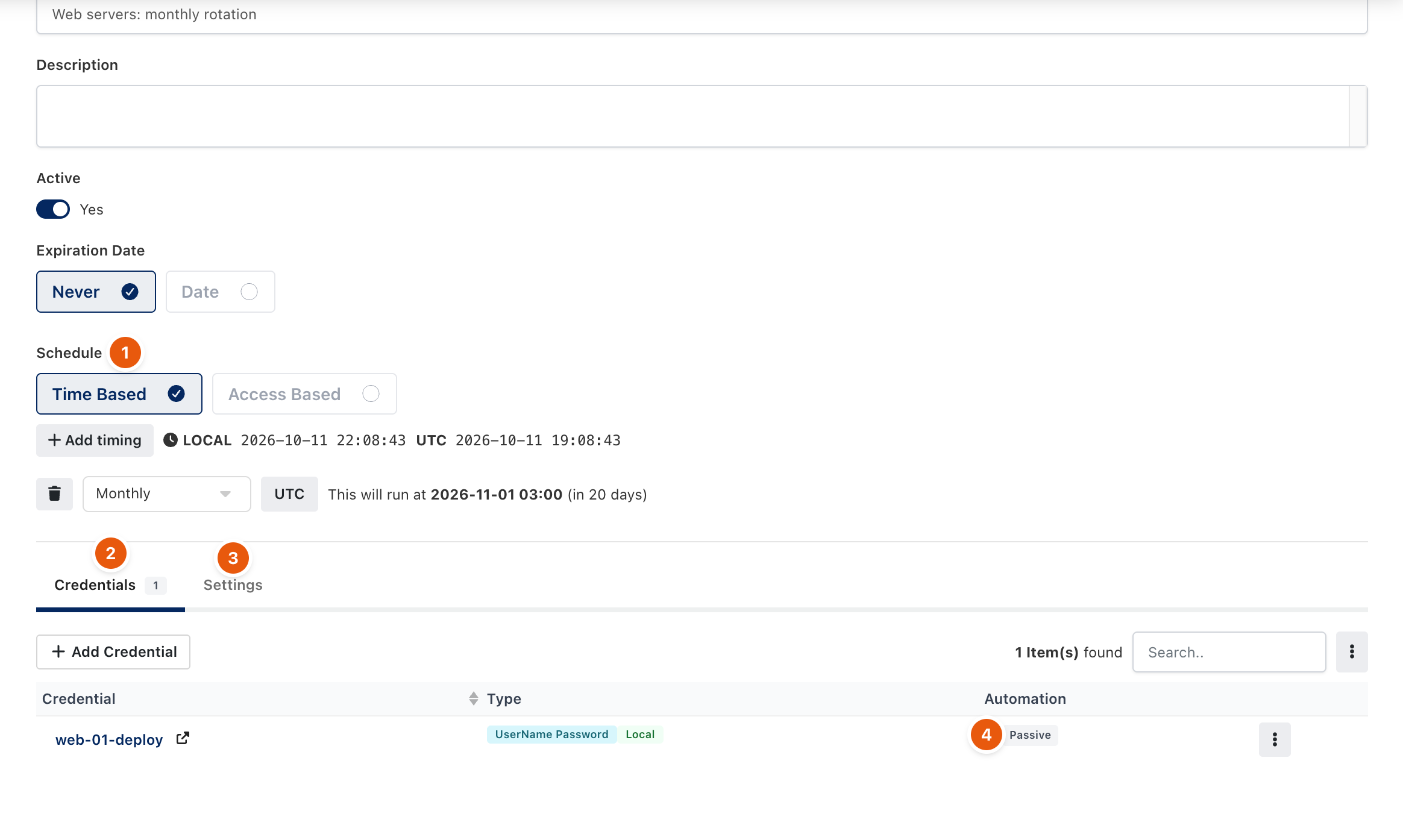
Figure 1. A monthly rotation for one account.
- In Credentials to Rotate, select the items (1). Under Automations (2), add steps that run after the password changes, one per dependent system, for example updating a web console or restarting a service. Click Save (3).
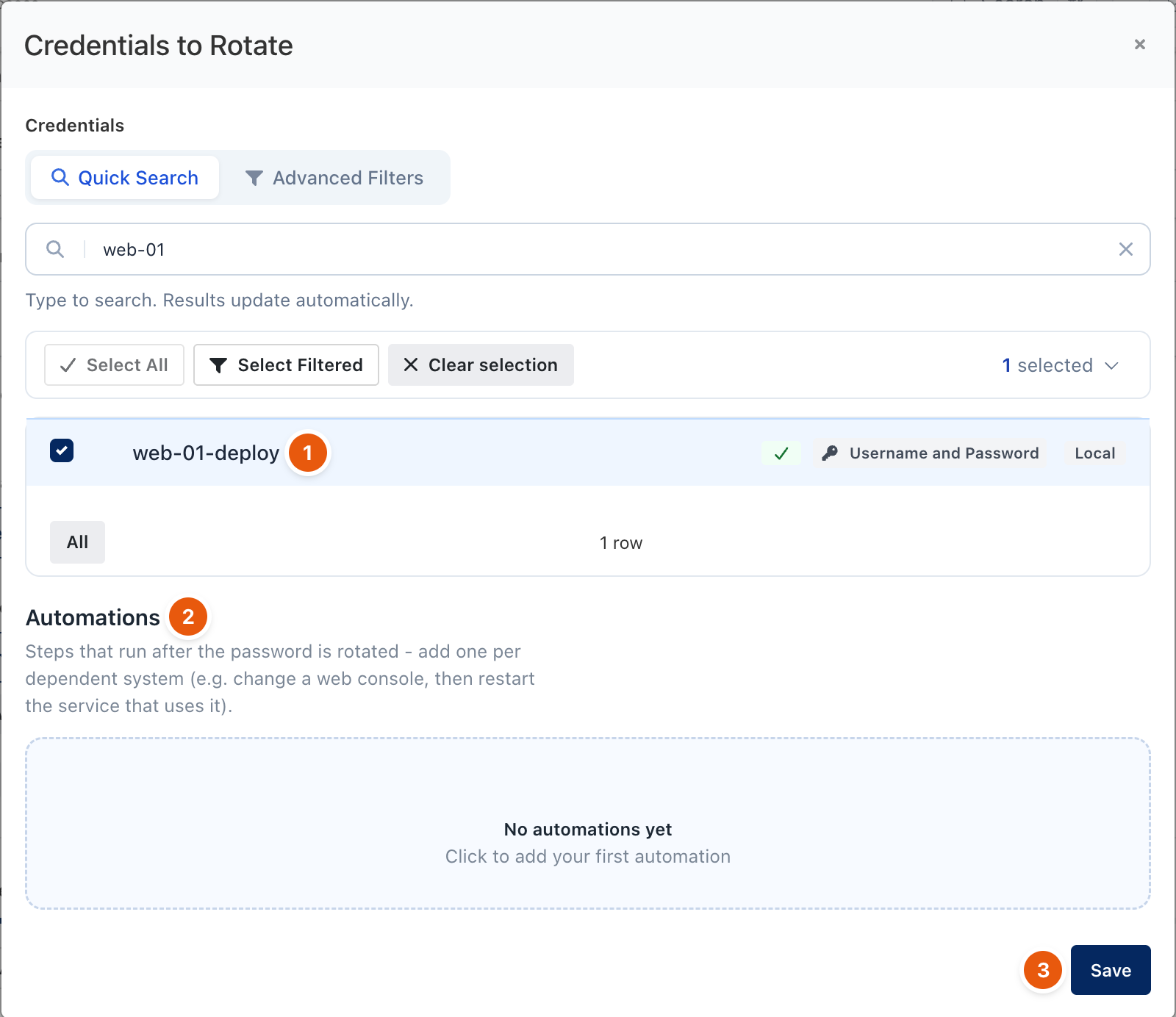
Figure 2. Choosing what to rotate.
- On the Settings tab (3 in Figure 1), set Record Session and If Automation Fails, then click Save.
Settings
Field | Options |
|---|---|
Record Session | System Default (the tenant setting), Never, Always, or Record on Fail (keep the recording only when the rotation fails). Applies to web automation sessions. |
If Automation Fails | Revert to the previous password rolls the vault and the target back so they stay consistent (recommended); if the revert itself fails, the credential is flagged. Keep the new password keeps the newly generated password even if an automation fails. |
The Automation column (4 in Figure 1) shows Passive when the item has no automation of its own. Run Now runs the policy immediately.
Troubleshooting
What you see | Why | What to do |
|---|---|---|
Rotation fails for a server. | The gateway cannot reach the server, or the account cannot change its own password. | Check the resource with Test and the run under Automations. |
The vault and the server disagree after a failed rotation. | Keep the new password was selected and an automation failed. | Use Reconcile from the Vault list to push the vault's password to the server. |
Related
- Password rotation and reconcile
- Vault items
- How policies work