Users reach databases with their own client (psql, mysql, sqlcmd, sqlplus, DBeaver and others) or with the SQL console in the browser. The Database Proxy on the gateway puts the real database account in place, checks every statement against the policy's Database Rules, masks sensitive columns in results and writes every statement to the audit log. The user never sees the database password.
Applies to | Who can do this |
|---|---|
Monopam v2026.10 | Administrators set up the database resource. Users need a Resource Access Policy for it. |
Before you begin
- The gateway's Database Proxy is enabled: open the gateway's Database tab and turn on Enable Database Proxy. Each engine has its own proxy port (for example PostgreSQL 15432, MySQL 13306, MSSQL 11433, Oracle 11521).
Set up the database resource
- Add a resource with Type Database, then Assign Credential with the Database connection type and the database account from the vault.
- In the credential's settings, choose the Engine (1), the database Host (2) and Port (3), an optional Default database, and the TLS mode (4) toward the database. Test Connection checks the settings.
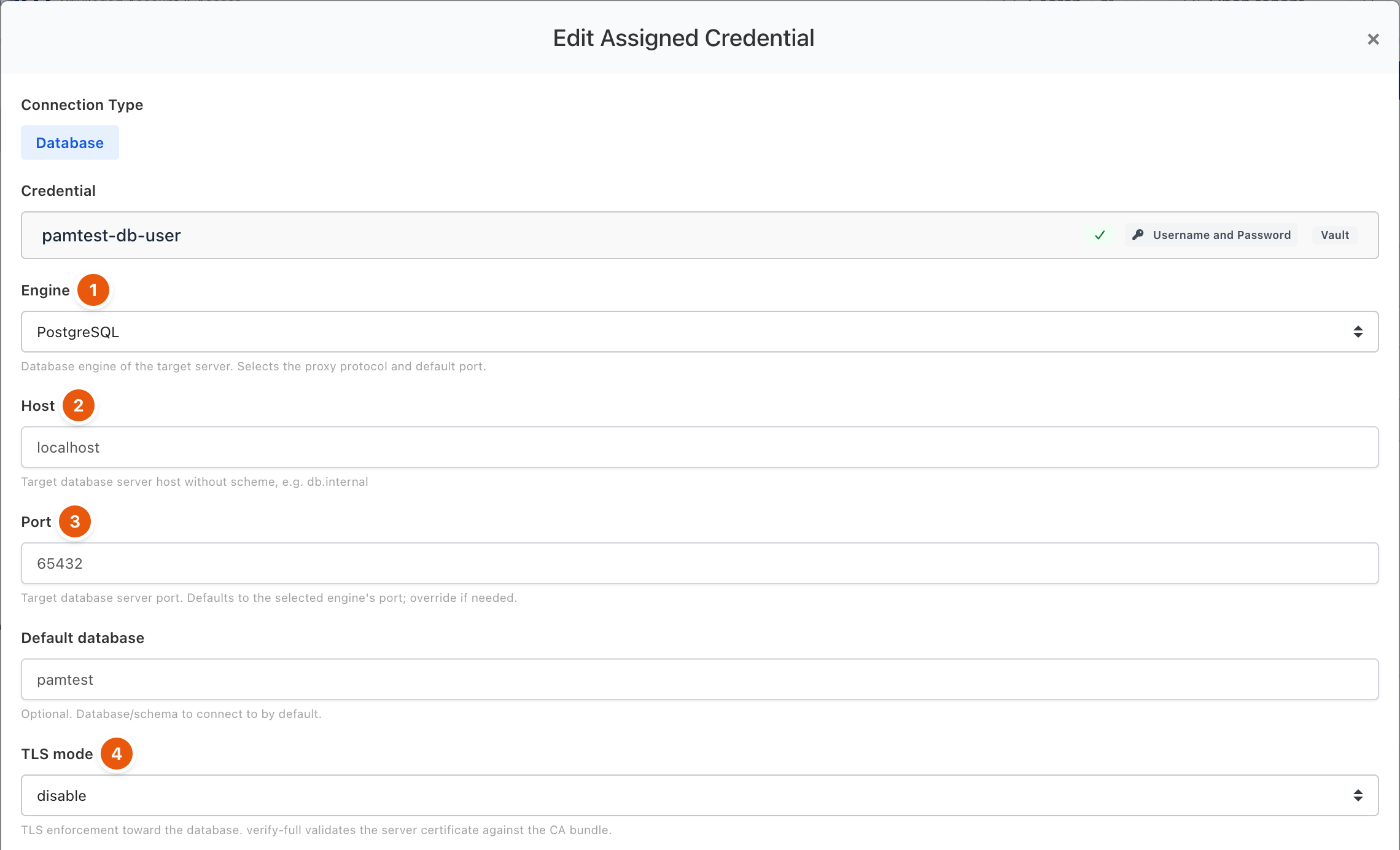
Figure 1. Database connection settings.
Engine | Default port |
|---|---|
PostgreSQL | 5432 |
MySQL | 3306 |
MSSQL | 1433 |
Oracle | 1521 |
IBM Db2 | 50000 |
Sybase / SAP ASE | 5000 |
SAP HANA | 30015 |
Connect
- Click Connect on the database resource and give a reason. Database access ready opens.
- Click Open SQL Console (1) to run queries in the browser, or copy the Host (2), port, database, username, password and TLS mode into your own client. Command (3) is a ready-to-run client command. These details are short-lived and expire at the time shown; connect again to get new ones.
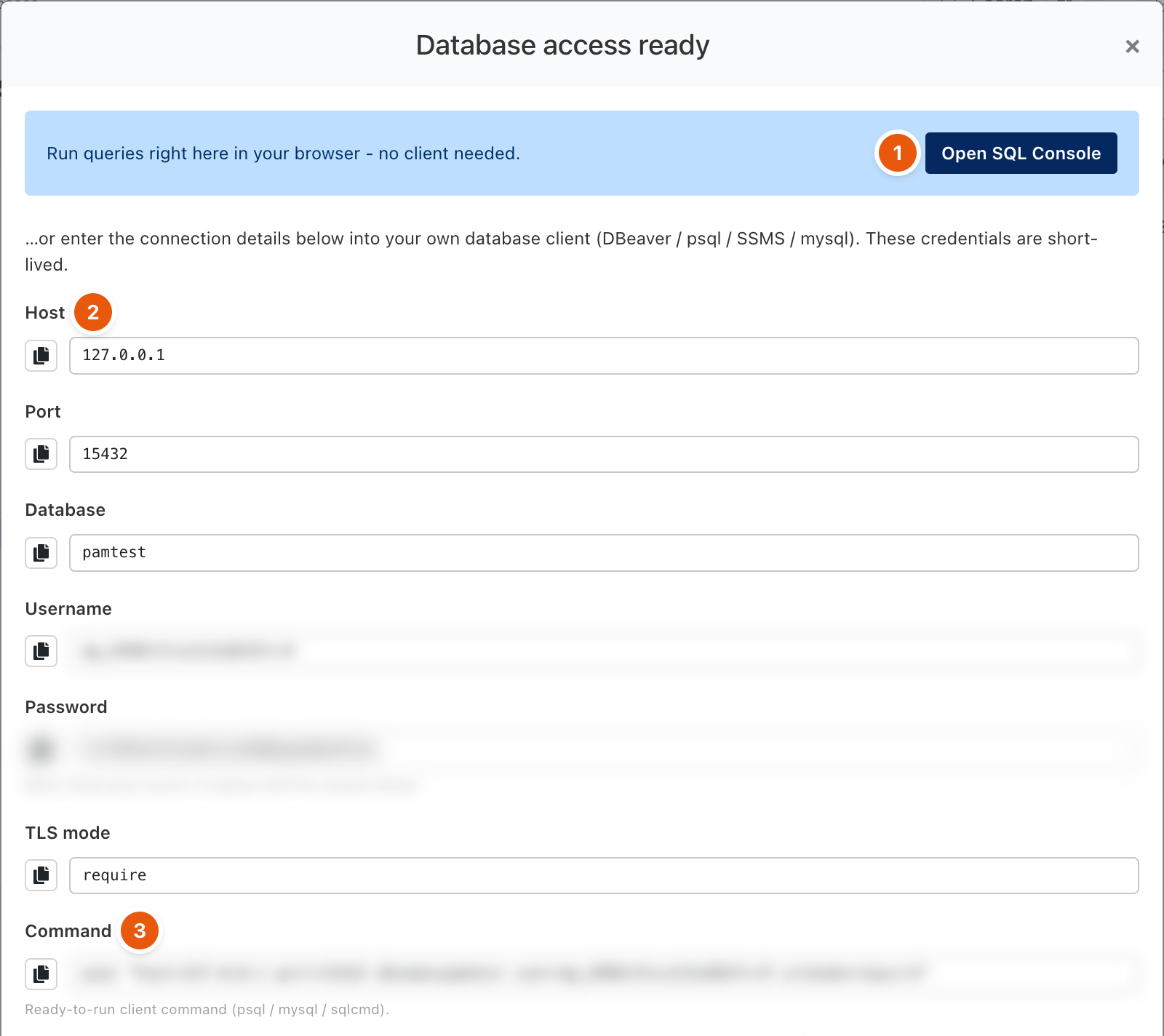
Figure 2. Connection details for a native client. Session credentials are blurred.
SQL console
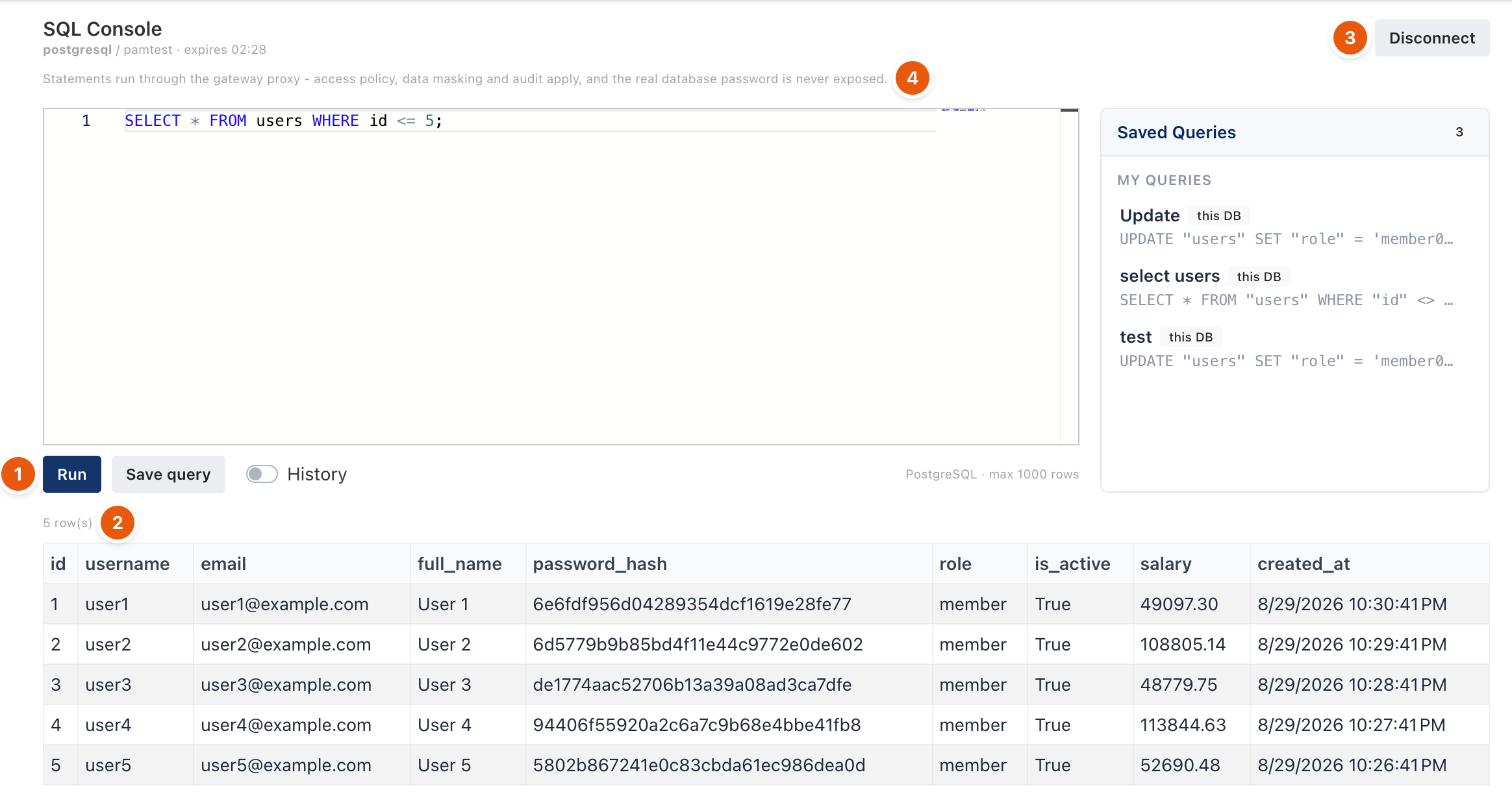
Figure 3. The SQL console.
Type a statement and click Run (1). The result shows the number of rows (2) and the rows, capped by the policy. Saved Queries keeps your queries for this database, and History shows what you ran. Statements run through the gateway proxy, so access policy, data masking and audit apply (4). Disconnect (3) ends the session.
If a statement breaks a rule, the console shows why, for example Access denied: a WHERE clause is required for this statement. See Database Rules.
Troubleshooting
What you see | Why | What to do |
|---|---|---|
The client cannot connect to the proxy port. | The Database Proxy is off, or the engine's port is disabled or blocked. | Check the gateway's Database tab and that the port is open from the user's network. |
Access denied: ... for a statement. | A Database Rule blocks it. | Read the rule named in the message, or send the statement for approval if the rule allows it. |
Related
- Database Rules
- Database statement approval
- Access Keys and Database Access Keys
- Audit log