AD Bridging joins Linux servers to Active Directory without installing an agent. The gateway connects to the server over SSH and runs the join with realmd, adcli and SSSD; directory users then sign in to the server with their AD credentials. Monopam checks readiness before the join, watches SSSD health afterwards, and controls who may log in and use sudo.
Applies to | Who can do this |
|---|---|
Monopam v2026.10 | Administrators with permission to manage AD Bridging. |
Before you begin
- The server is a Linux resource with a privileged credential, and it can reach a domain controller.
- Supported: Rocky Linux and RHEL, Ubuntu and Debian, openSUSE.
Bridges
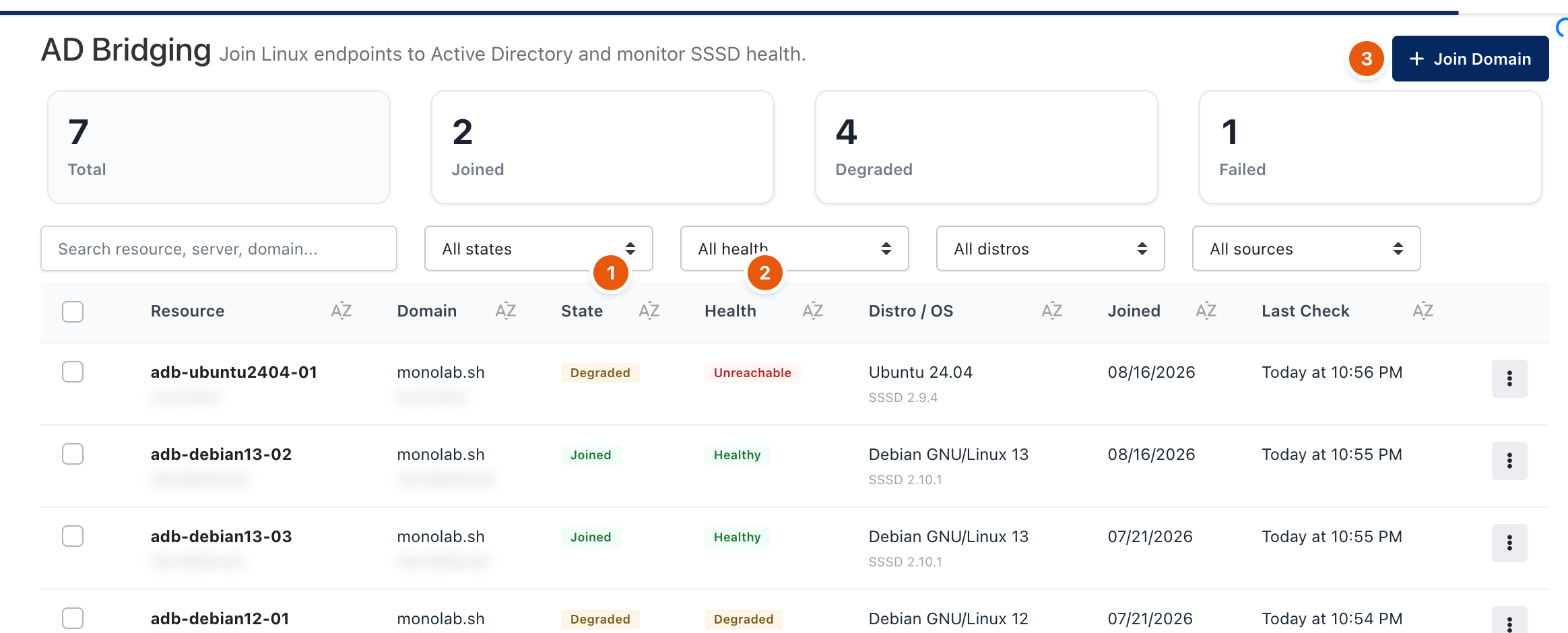
Figure 1. AD Bridging → Bridges. Addresses are blurred.
- Click Join Domain (3) and choose the servers and the domain.
- Monopam runs readiness checks first: DNS, the domain's LDAP SRV record, domain controller ports, clock skew and host name length.
- After the join, State (1) shows Joined, Degraded or Failed, and Health (2) shows the last SSSD probe: Healthy, Degraded or Unreachable.
New bridges start in Restricted access mode: nobody may log in until a group or user is allowed. The row menu sets per-bridge login and sudo groups, and leaves the domain.
Access Rules
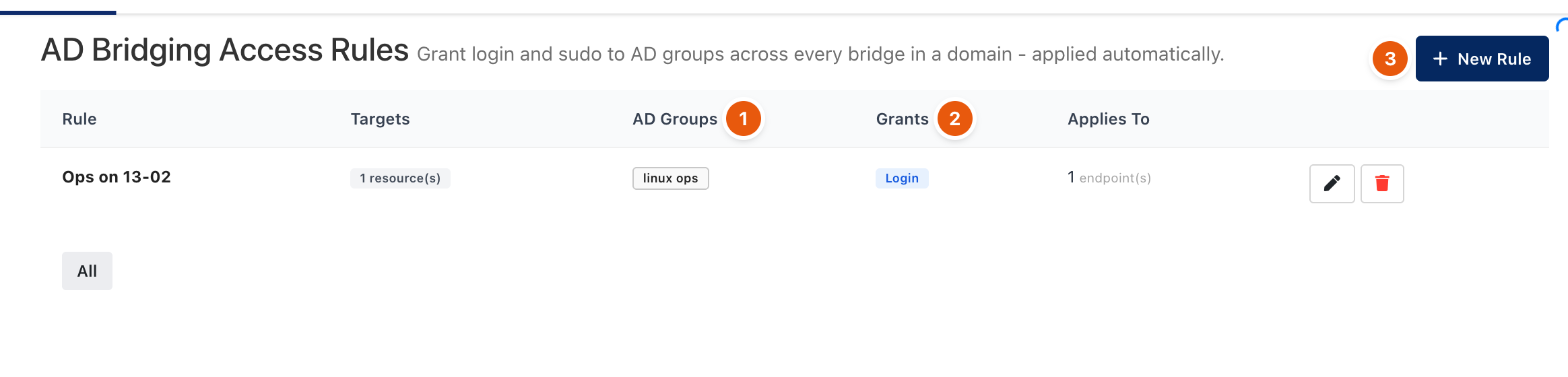
Figure 2. AD Bridging → Rules.
A rule grants Login or Sudo (2) to AD Groups (1) or users across every matching bridge, and is applied automatically to bridges joined later. A server's effective access is its own grants plus every matching rule. Click New Rule (3) to add one.
Compliance
AD Bridging → Compliance lists every bridge, who may log in and use sudo where, PAM users' activity and the join and leave history. Export CSV downloads it and Schedule Report sends it regularly.
Troubleshooting
What you see | Why | What to do |
|---|---|---|
Health is Unreachable. | The gateway cannot reach the server over SSH. | Check the network path and the server's credential. |
Readiness fails on DNS or SRV. | The server cannot resolve the domain. | Point the server's DNS at the domain's DNS servers. |
Related
- Agents
- Manage gateways
- Local accounts