Users reach Kubernetes and OpenShift clusters with their own kubectl or oc. Monopam gives them a short-lived kubeconfig whose server is the gateway, never the cluster. The gateway checks every API call against the policy's Kubernetes Rules, injects the real cluster credential, writes one audit entry per call and records exec and attach sessions.
Applies to | Who can do this |
|---|---|
Monopam v2026.10 | Administrators register the cluster. Users need a Resource Access Policy for it. |
Before you begin
- The gateway's Kubernetes listener is enabled in the gateway configuration (see the Installation Guide).
Register the cluster
- Add a resource with Type Kubernetes.
- Assign a credential with the Kubernetes connection type: a Kubernetes Token vault item (a ServiceAccount token) or a just-in-time identity. Enter the cluster's API Endpoint and its CA Bundle (PEM).
Connect
- Click Connect on the cluster and give a reason.
- Monopam downloads a kubeconfig file and shows Kubernetes access ready with the commands to use it.
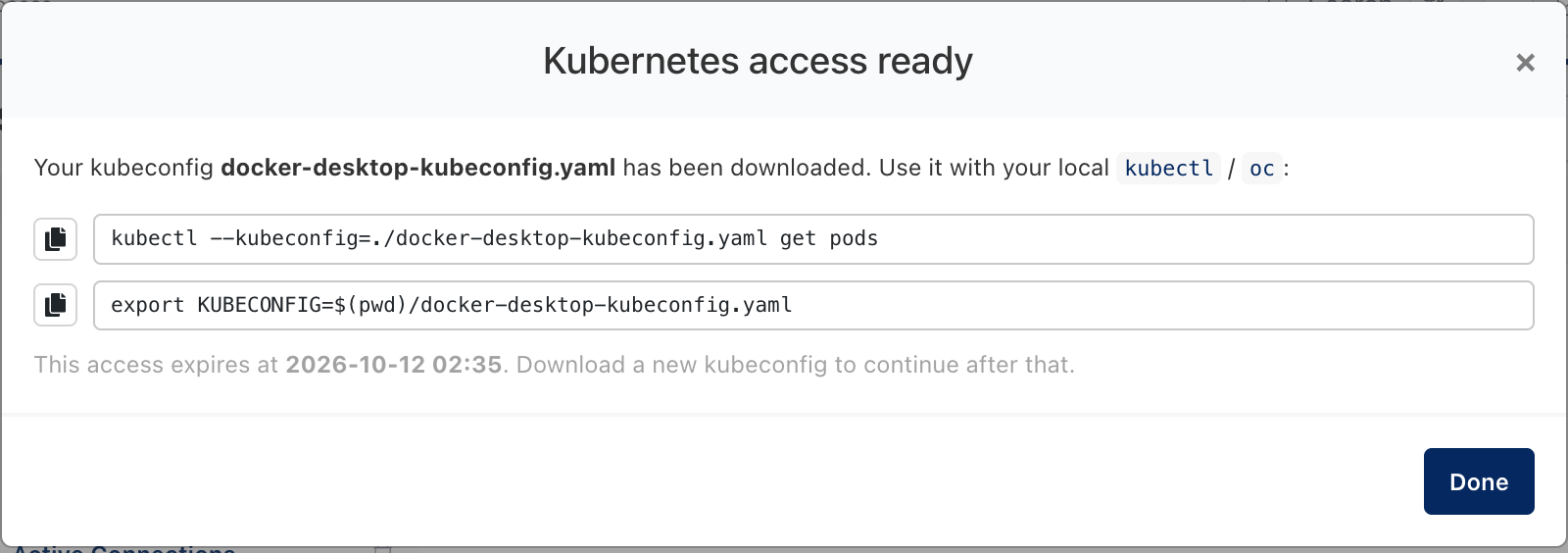
Figure 1. A kubeconfig for the cluster.
- Run
kubectl --kubeconfig=./<file> get pods, or exportKUBECONFIG. For OpenShift, anoc login ... --token=...command works the same way.
The kubeconfig expires at the time shown. Download a new one to continue. Delete old kubeconfig files from your computer when you are done.
Troubleshooting
What you see | Why | What to do |
|---|---|---|
kubectl answers 403 with a Monopam message. | A Kubernetes Rule denies the call, or requires approval. | Check the policy's Kubernetes Rules; see Kubernetes Rules. |
The kubeconfig stopped working. | It expired. | Connect again to download a new one. |
Related
- Kubernetes Rules
- Connection types
- Audit log