Database Rules decide, statement by statement, what a user may run on a database reached through the Database Proxy: allow it, block it, or send it for approval. The same place sets data masking and rate limits.
Applies to | Who can do this |
|---|---|
Monopam v2026.10 | Administrators with permission to manage policies. |
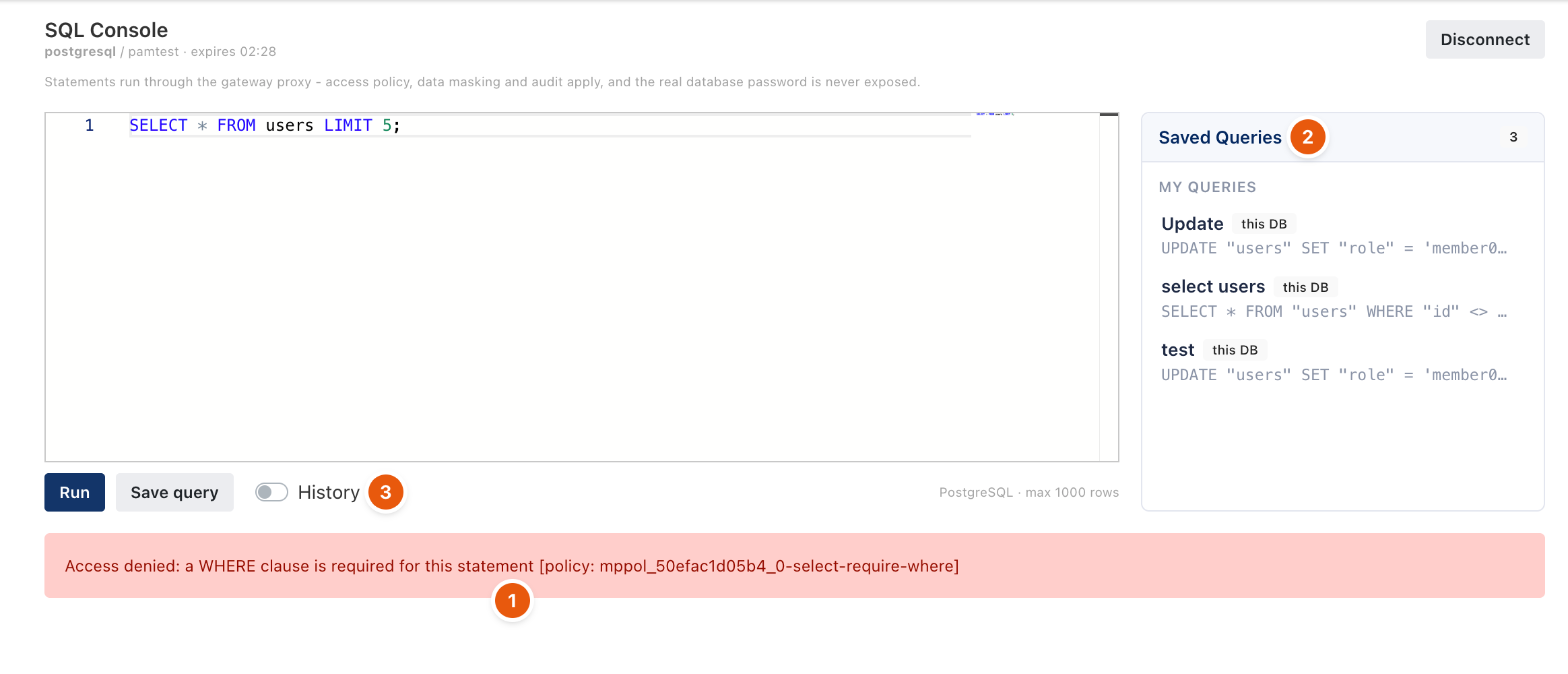
Figure 1. A statement blocked by a rule. The message names the rule.
Where the rules are
Open the Resource Access Policy that gives access to the database, edit the database row and open Database Rules. It has three tabs: Rules, Masking (2) and Rate Limiting (3). Precedence is: an explicit Block, then Approval, then Allow, then the unmatched default.
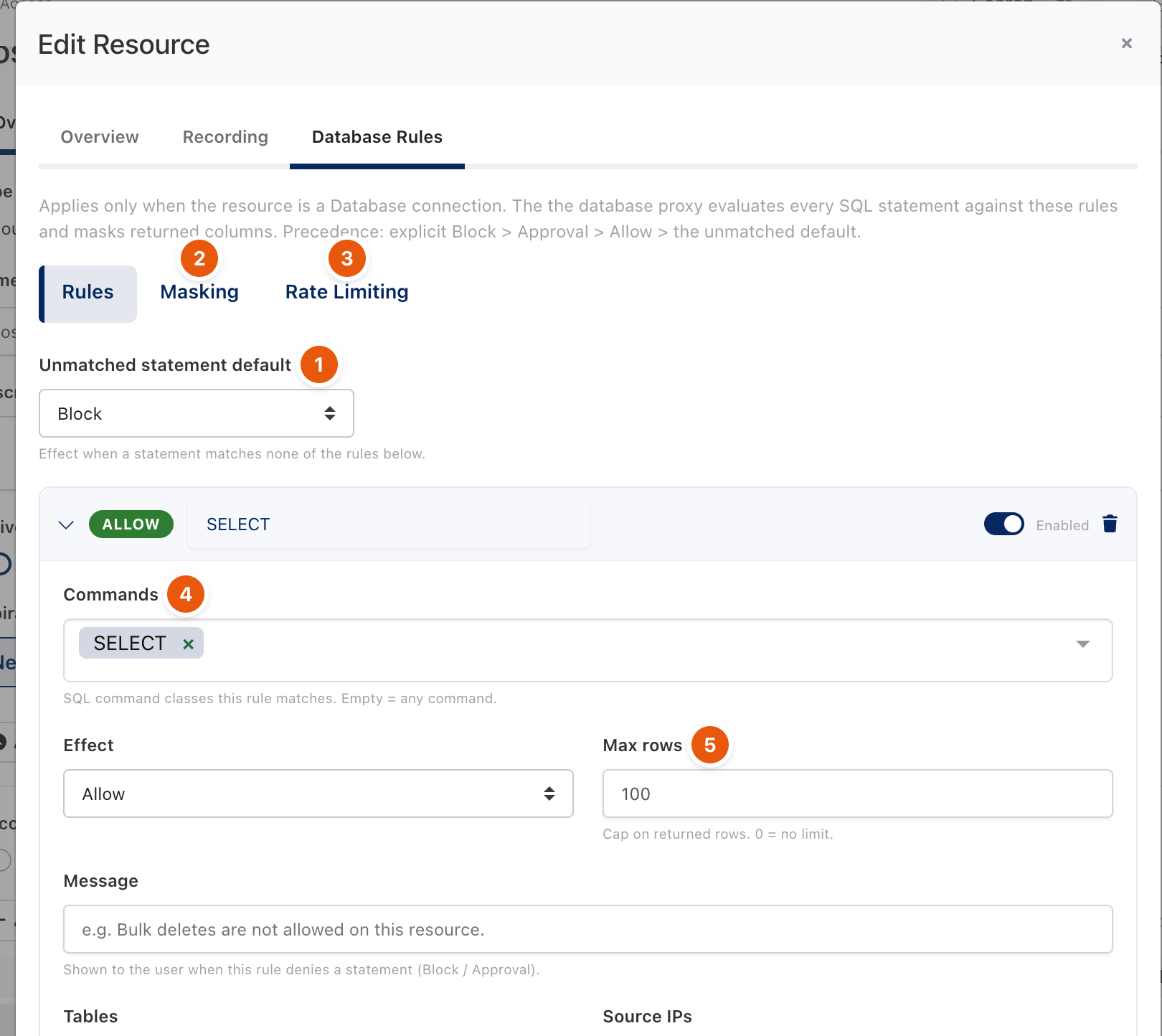
Figure 2. Rules for one database.
Rules
Field | Meaning |
|---|---|
Unmatched statement default (1) | Block, Allow or Approval for statements that match no rule. |
Commands (4) | SQL command classes the rule matches, such as SELECT, UPDATE, DELETE, INSERT. Empty means any command. |
Effect | Allow, Block or Approval. |
Max rows (5) | Cap on returned rows. |
Message | Shown to the user when the rule blocks a statement or asks for approval. |
Tables | Comma separated. Empty means any table. |
Source IPs | Comma separated IP addresses or CIDR ranges. Empty means any. |
Risky columns | Match when the statement writes or touches any of these columns. |
Affected rows ≥ | Match when the estimated affected rows reach this count. |
Affected table % ≥ | Match when a write affects at least this percentage of the table. |
SQL contains, SQL regex | Match on the statement text. |
Minimum risk level | Match only when the computed risk of the statement is at least this level (schema enumeration, system commands, SQL-injection signatures, unbounded writes raise it). |
Masking
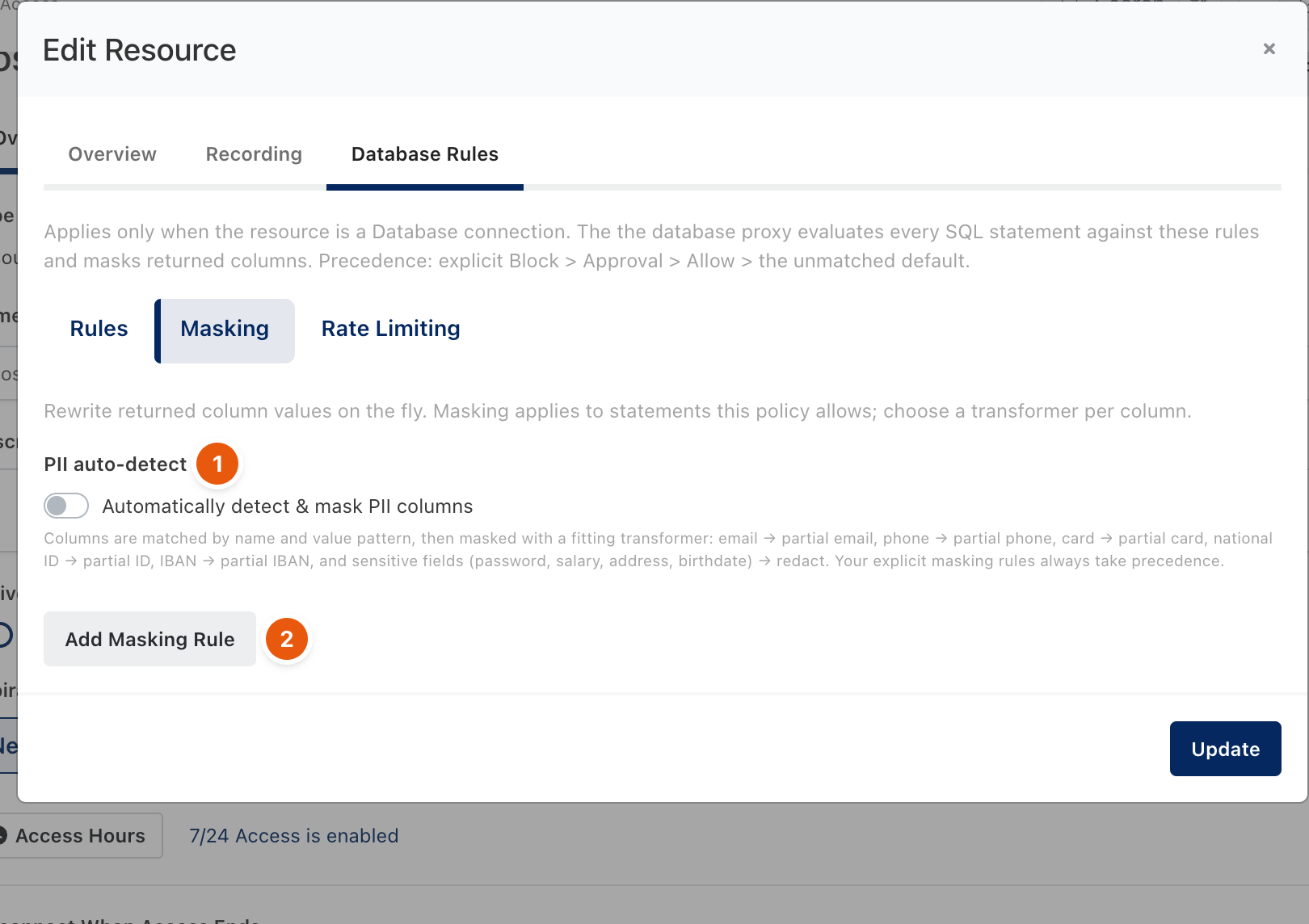
Figure 3. Masking.
Masking rewrites returned values on the fly for statements the policy allows. Turn on Automatically detect & mask PII columns (1) to mask by column name and value pattern: email, phone, card, national ID and IBAN are partially masked, and password, salary, address and birthdate are redacted. Add Masking Rule (2) masks a specific column with a chosen transformer; your explicit rules take precedence.
Rate Limiting
Add Rate Limit caps how many statements a session may run. Each limit is a token bucket enforced by the gateway, scoped per user, per connection, per database, or shared by everyone on the grant.
Related
- Database clients through the Database Proxy
- Database statement approval
- Resource Access Policy