After a successful password rotation, this flow logs in to the change management API, records the rotation as a change and writes the change number on the vault item. Auditors can then match every password change to a change record. It uses the token pattern described in Call an API that needs a token.
Applies to | Who can do this |
|---|---|
Monopam v2026.10 | Super administrators. |
Before you begin
- A vault item with the change API's client ID (Username) and secret (Password). Here it is named
cmdb-api-client. - A custom field type that applies to Vault item:
LastChangeTicket(title Last change ticket). - A rotation policy on the vault items whose rotations should be recorded.
The flow
Step | Type | Settings |
|---|---|---|
Trigger | A password rotation finishes | Event |
Rotation succeeded? | If (context) | All of: |
Get a token | Ask an API | POST |
Record the change | Ask an API | POST |
Write the change number | Write a custom field | Field |
Done | Stop | OK, |
Rotation failed | Stop | Warning, |
No token | Stop | From Get a token → failed. Failure, |
Change not recorded | Stop | From Record the change → failed. Failure, |
Body of Get a token:
{"client_id":"{{Vault.cmdb-api-client.UserName}}","client_secret":"{{Vault.cmdb-api-client.Password}}"}
Body of Record the change. The rotation event publishes the vault item's title and account name and, when the item belongs to a resource, the resource's fields. It never publishes the password.
{"shortDescription":"Password rotated: {{credential.title}}",
 "configurationItem":"{{resource.title}}",
 "account":"{{credential.userName}}",
 "requestedBy":"Monopam"}
The change API answers {"number":"CHG0001001","state":"Implemented",…}, so the number is change.json.number. The screenshots come from a lab API at http://localhost:4096.
Build it
- Open Scripts → Flows, click New Flow and choose the event A password rotation finishes.
- Add the condition first (1), so only successful rotations are recorded. Then Get a token and Record the change: its header carries the token (2), its body describes the rotation (3) and its answer is saved as
change(4).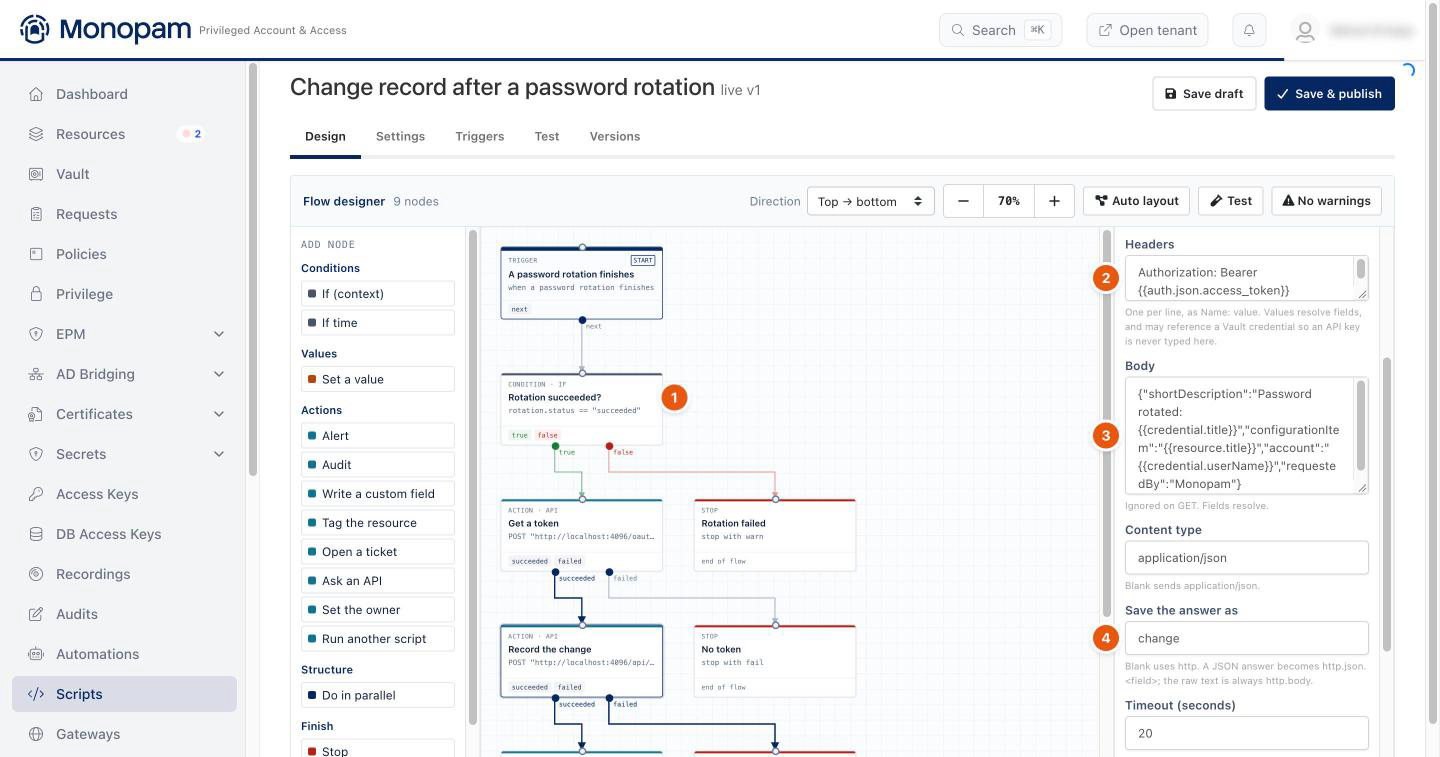
Figure 1. The rotation flow and the Record the change step.
- Add Write the change number and the stops, then click Save & publish. A rotation flow needs no trigger binding: every published rotation flow answers every rotation.
Check the result
Rotate a vault item that has a rotation policy and open Scripts → Flow Runs. The condition (1) took true, the token (2) and the change (3) were answered, and the number was written (4).
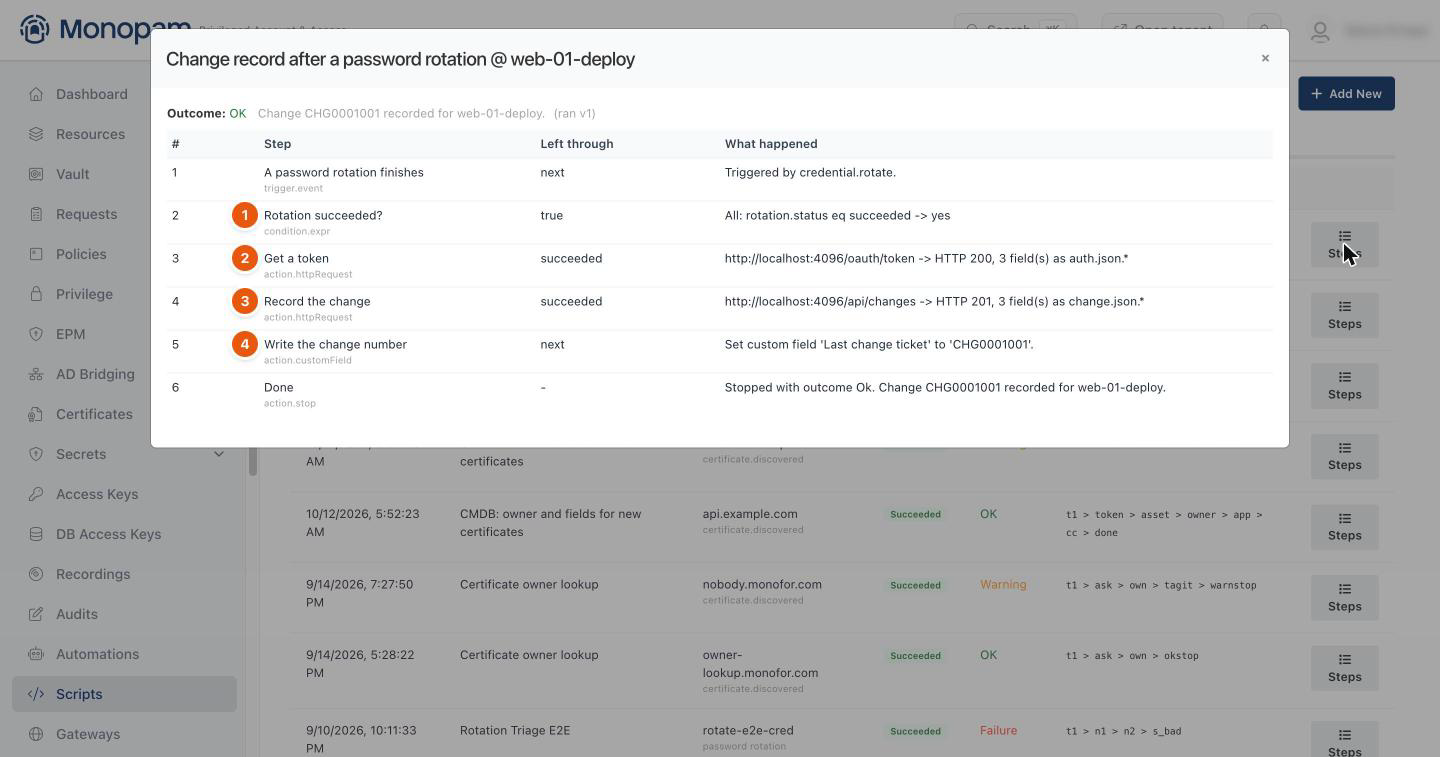
Figure 2. The run after a rotation of web-01-deploy.
The vault item's Custom Fields tab shows the change number (1). The next rotation overwrites it with the new one; the vault item's audit trail keeps every value the flow wrote.
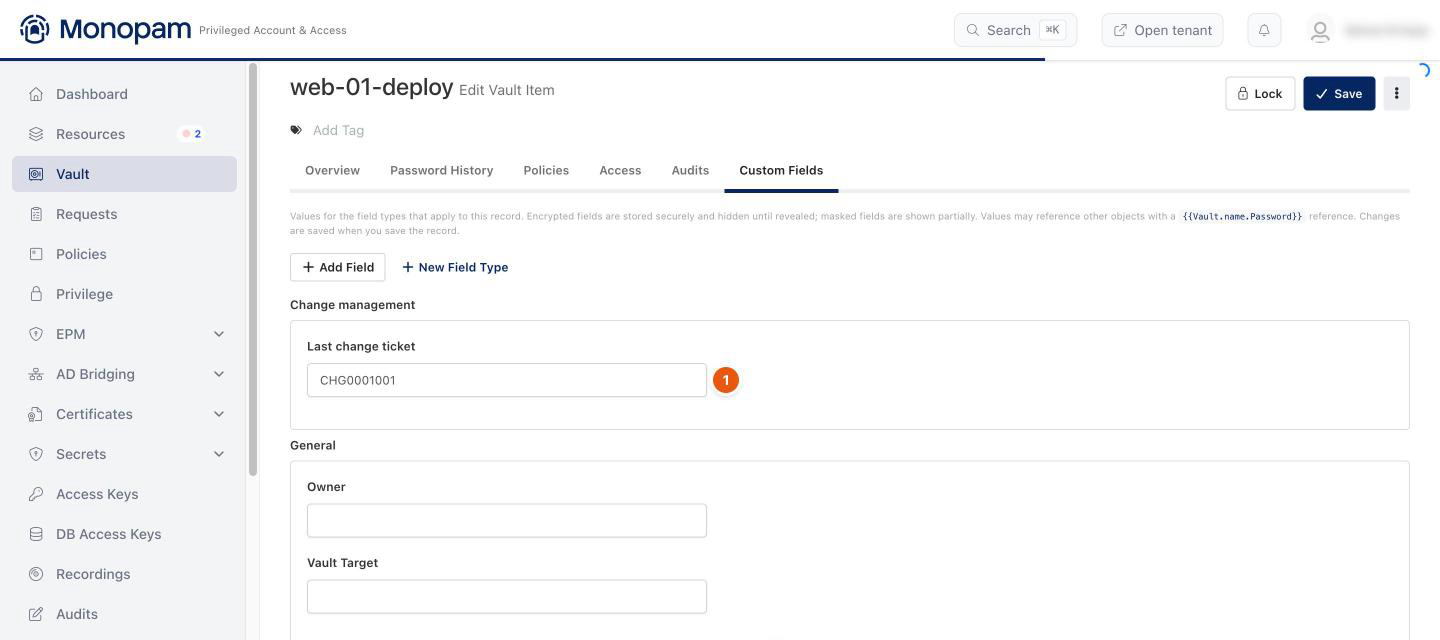
Figure 3. The change number on the vault item.
Troubleshooting
What you see | Why | What to do |
|---|---|---|
Runs end at Rotation failed. | The rotation itself failed; nothing is recorded for it. | Open the vault item's Audits for the rotation error. A Linux resource with a custom SSH port needs it set under Advanced → Custom SSH Port. |
Change not recorded with HTTP 400. | The change API rejected the body. | Compare the body with the API's required fields; a field the rotation does not publish becomes empty. |
Nothing runs after a rotation. | The flow is not published or is disabled. | Check Flows for Not published or Disabled. |
Related
- Call an API that needs a token
- Password rotation and reconcile
- Vault items
- Scripts and flows