The audit log lists everything that happened in Monopam: sign-ins, connections, reveals, policy changes, approvals, database statements, Kubernetes API calls and the actions of machines and AI assistants.
Applies to | Who can do this |
|---|---|
Monopam v2026.10 | Users with permission to see audits. |
Search the audit log
- Open Audits. The newest events are on top.
- Type in the search box (1), for example a resource or vault item name. Use the column filters such as Event (2), and the Time range (3), to narrow the list.
- The Description shows details such as the reason given when connecting (4). Click Details (6) for the full record.
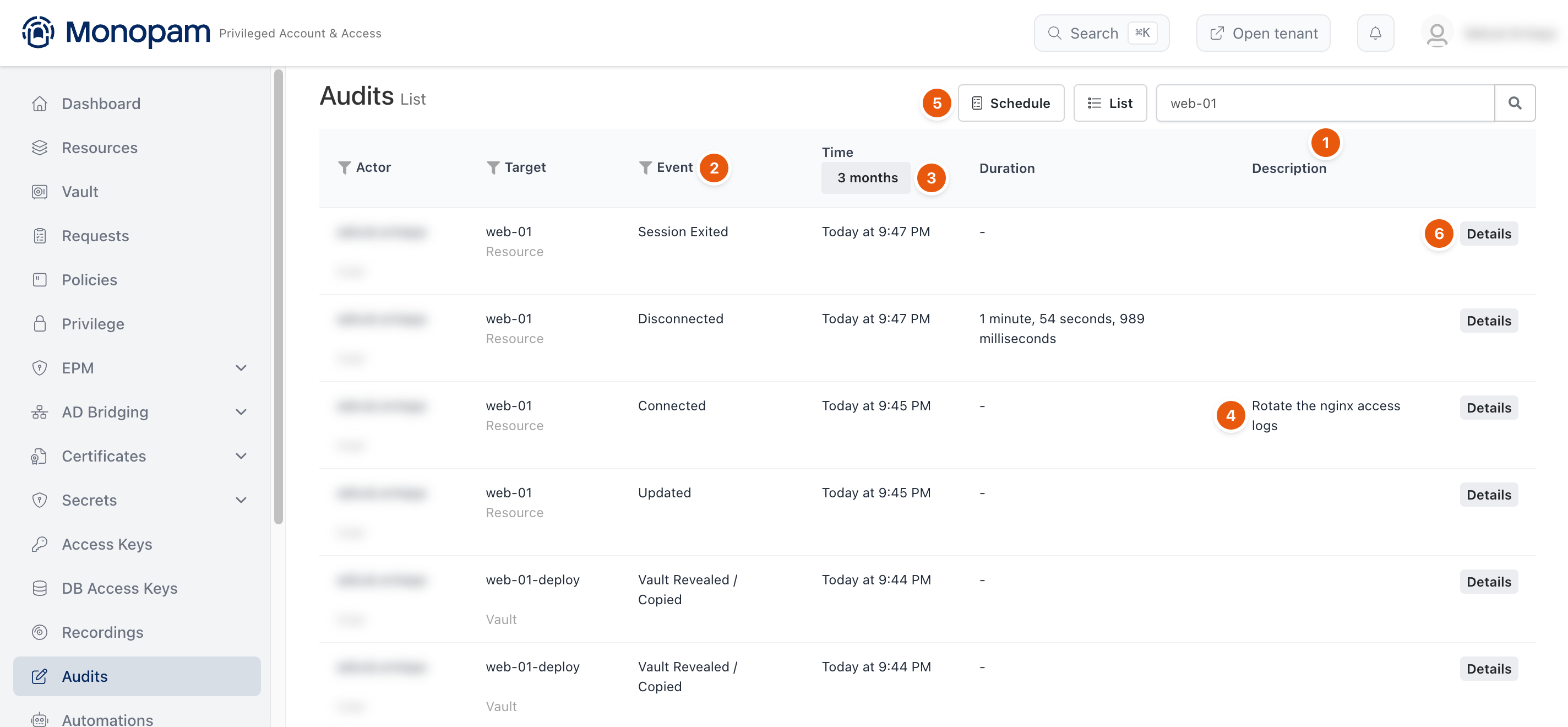
Figure 1. Audit events for one resource.
A single session leaves a trail: Connected with the reason, Disconnected with the duration, and Session Exited. Revealing or copying a secret leaves Vault Revealed / Copied. Schedule (5) subscribes you to a recurring audit report, and List shows your subscriptions.
Event details
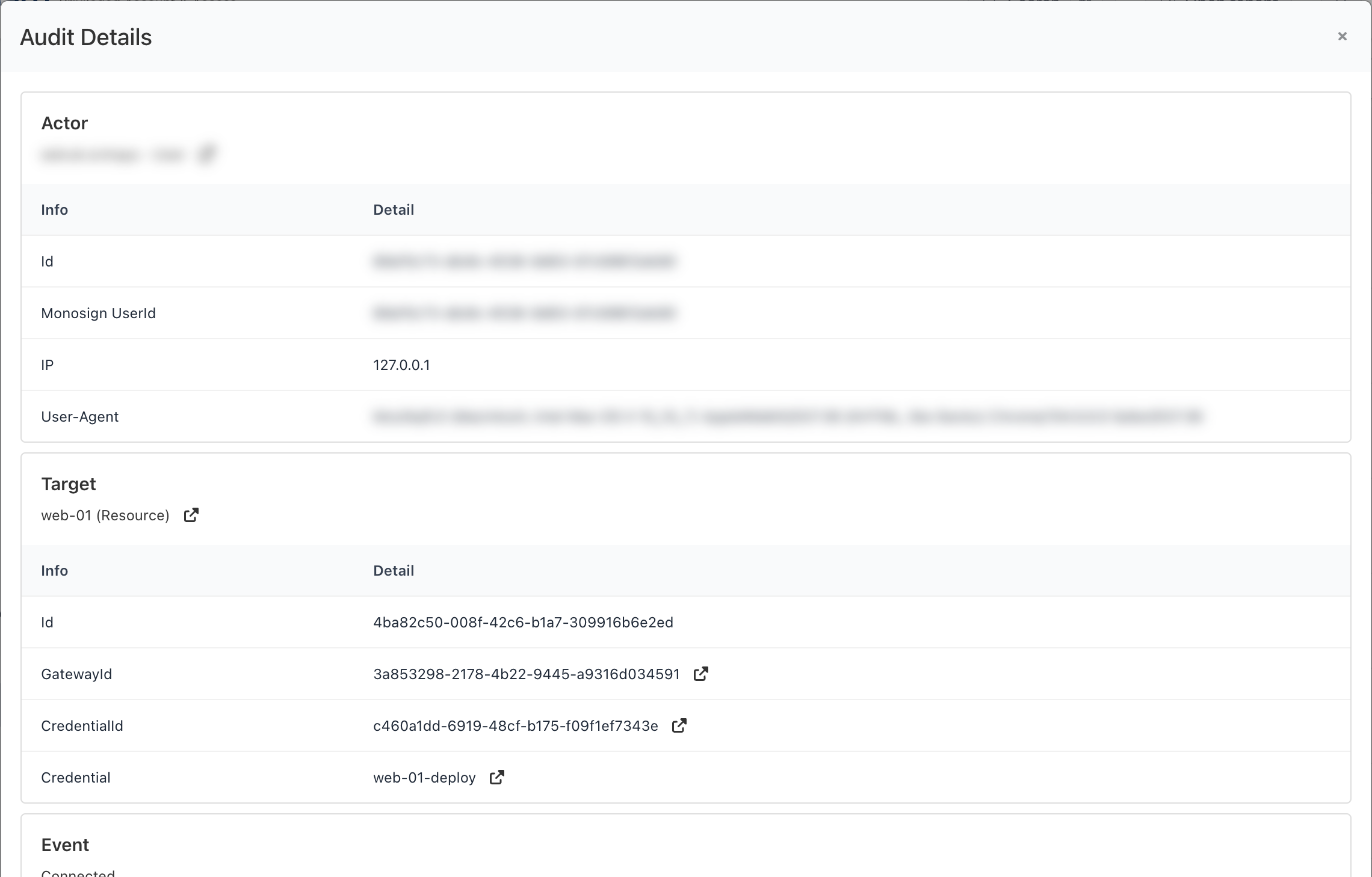
Figure 2. The details of a Connected event.
Details shows the Actor (who, from which IP address and browser), the Target (the resource, the gateway and the account used, each linked) and the Event.
Related
- Recordings and session notes
- Dashboard and live sessions