The System menu holds tenant-wide settings: configuration values, log levels, directories, transformers, the MCP Server, the Vault-compatible API, the API console, custom fields and the license.
Applies to | Who can do this |
|---|---|
Monopam v2026.10 | Super administrators. |
Configurations
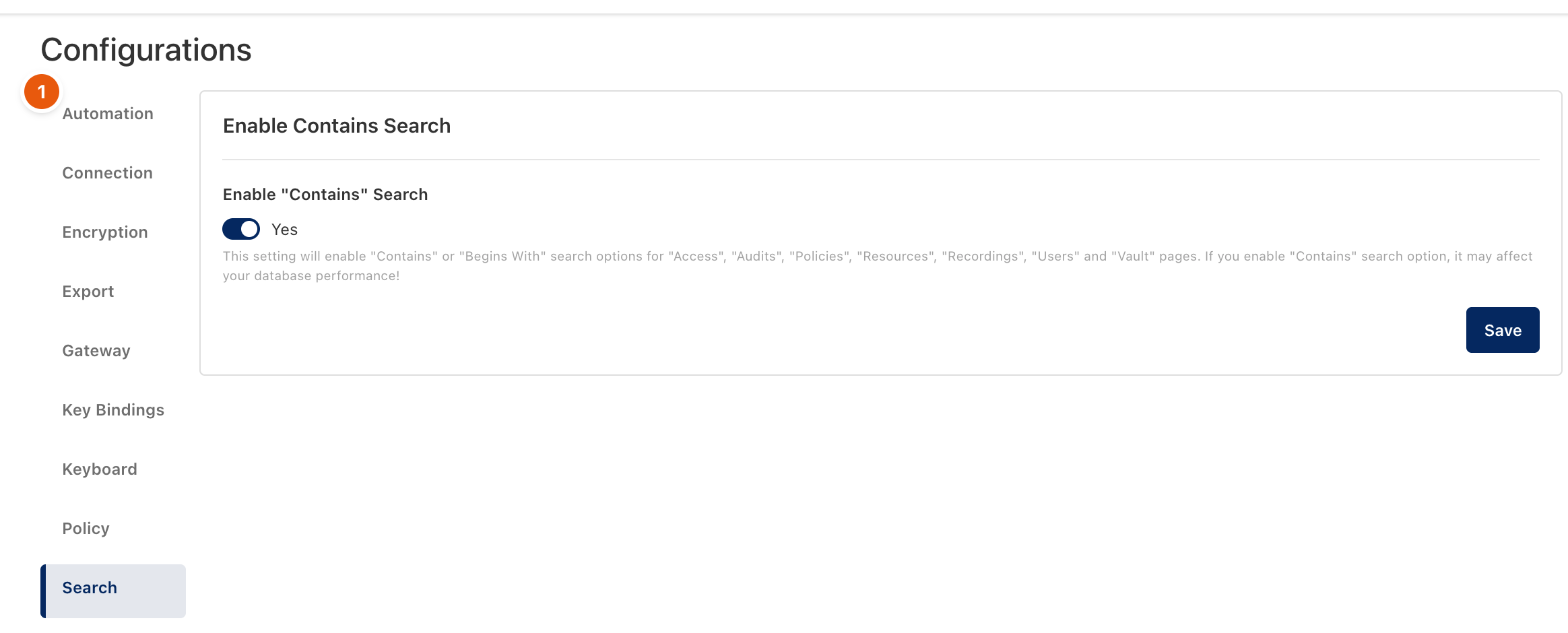
Figure 1. System → Configurations.
Configurations is grouped into sections (1). Each section has its own Save. Values marked You have already set this parameter are secrets: they are not shown, and typing a new value replaces them.
Section | What it sets |
|---|---|
Automation | The captcha and managed proxy services used by web automation (password rotation on websites). |
Connection | Enable Connect With Client, how many client and template connections a user may create and how long they last, Idle Timeout and Max File Size for upload and download. |
Encryption | The HSM (type, address, key, credentials, backup) and the Master Encryption Key. Leaving the key empty uses the default key; see the Operations guide before changing it. |
Export | The separator character for CSV exports. |
Gateway | Global Gateway Address (a DNS record in front of all gateways), the gateway port and the Kubernetes gateway port and CA. |
Key Bindings | Mapped Keys: keys to map when a session starts. |
Policy | Whether password rotation web sessions are recorded (always, or only on failure) and how often access policies are evaluated. |
Search | Enable "Contains" Search on the Access, Audits, Policies, Resources, Recordings, Users and Vault pages. It can slow down large databases. |
Other System pages
Page | Use it for |
|---|---|
Log Settings | Minimum log level per category, separately for Monopam Web and the gateways. |
Directories | System directories that group resources and vault items. |
Transformers | Value transformers used by imports and integrations. |
MCP Server | AI agent access; see MCP Server for AI agents. |
Secrets API | The Vault-compatible API; see Vault-compatible API. |
API Console | Try the Monopam API from the browser with your session. |
Custom Fields | Extra fields on resources, vault items, certificates and vendors. |
Licensing | The current license. Import License loads a new license file. |
Related
- MCP Server for AI agents
- Vault-compatible API
- Manage gateways