Discovery finds accounts that hold power on machines, directories, databases and cloud accounts but are not managed by Monopam yet. Every finding lands in one queue, Vault → Discovered Accounts, where an operator decides: take it into the vault, or ignore it.
Applies to | Who can do this |
|---|---|
Monopam v2026.10 | Administrators with permission to manage the vault and discovery. |
Before you begin
- A Discovery Policy with Queue discovered accounts for approval turned on; see Discovery Policy.
Findings
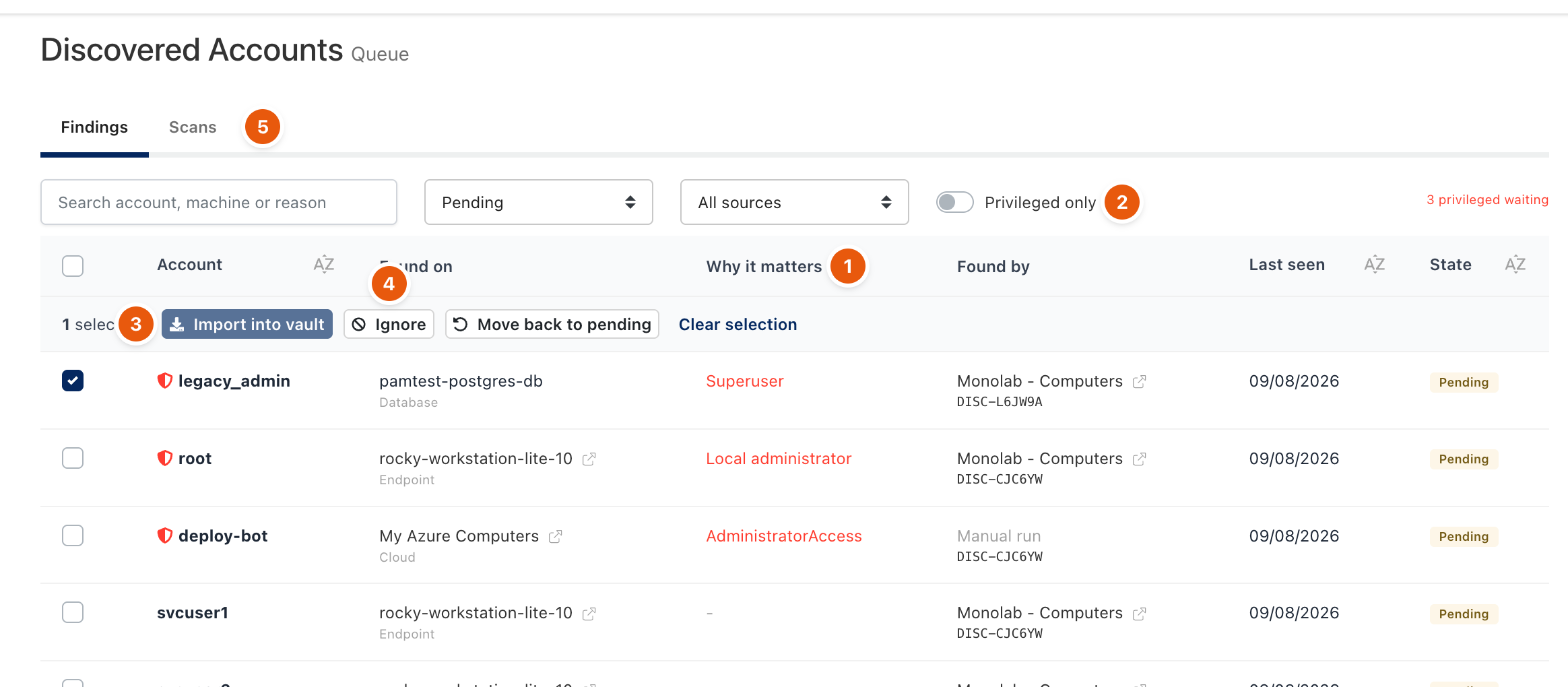
Figure 1. The Findings tab.
- Why it matters (1) says what makes the account powerful, for example Superuser, Local administrator or a cloud role such as AdministratorAccess. Privileged accounts carry a red shield.
- Privileged only (2) hides the rest. The counter on the right shows how many privileged findings are waiting.
- Found on is the machine, database or cloud account; Found by is the policy and the run that last saw it.
Decide
- Select one or more rows.
- Click Import into vault (3) to create vault items, with the password reset and rotation the policy defines, or Ignore (4) to dismiss them. Move back to pending undoes a decision.
Decisions survive later scans: an ignored account does not come back as pending, and an imported one is shown as already managed.
Scans
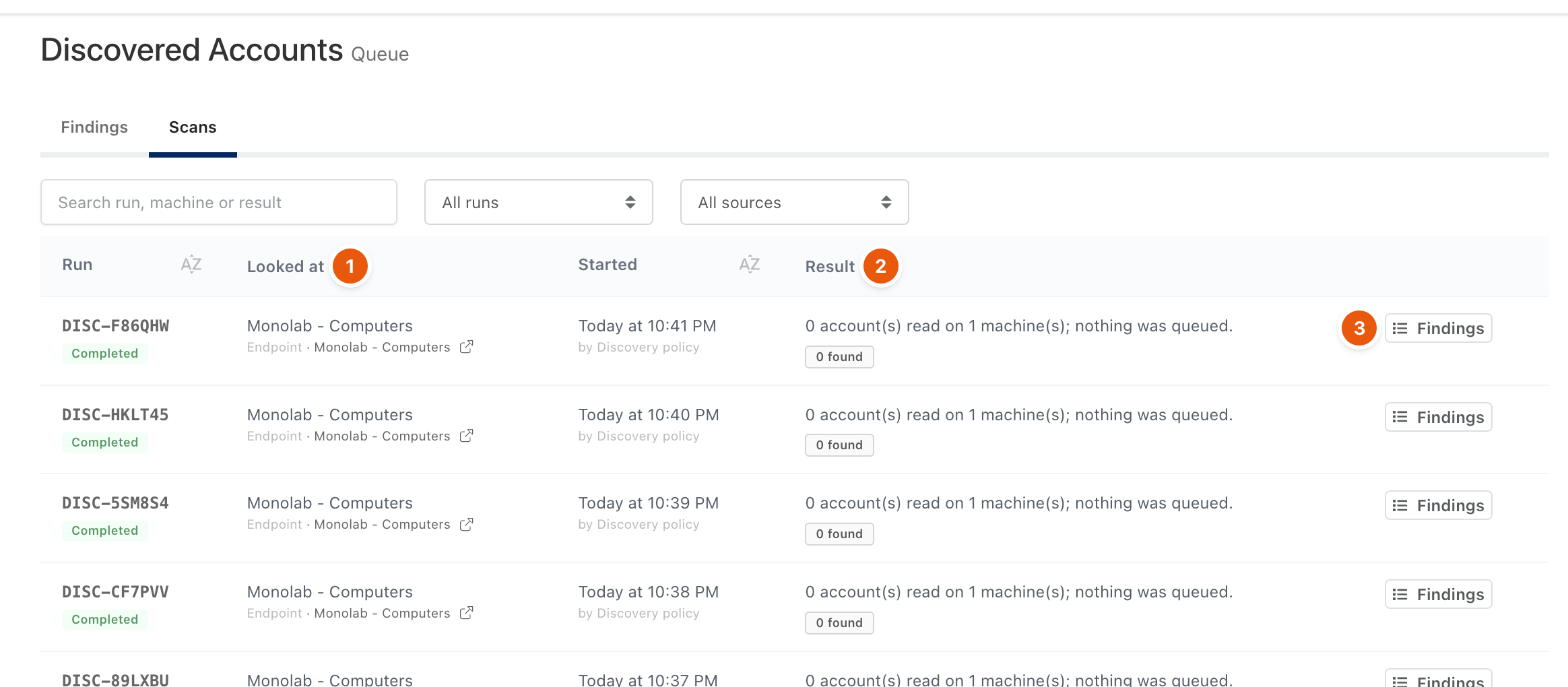
Figure 2. The Scans tab (5) lists every run.
Each run has a reference such as DISC-F86QHW, what it Looked at (1), who started it and its Result (2). Findings (3) filters the queue to that run. A failed run shows the source's own error in red.
Troubleshooting
What you see | Why | What to do |
|---|---|---|
A run finds nothing on a machine. | The agent or the gateway's SSH path cannot read local accounts, or the scope reached no machine. | Check the run's Result and the policy's Scopes. |
Related
- Discovery Policy
- Local accounts
- Password Rotation Policy