A source connects Monopam to a directory, a cloud account or a hypervisor. A resource provider lists the machines in it and turns them into Monopam resources, once with an import or continuously with a Discovery Policy. The Active Directory provider brings in users.
Applies to | Who can do this |
|---|---|
Monopam v2026.10 | Administrators with permission to manage sources. |
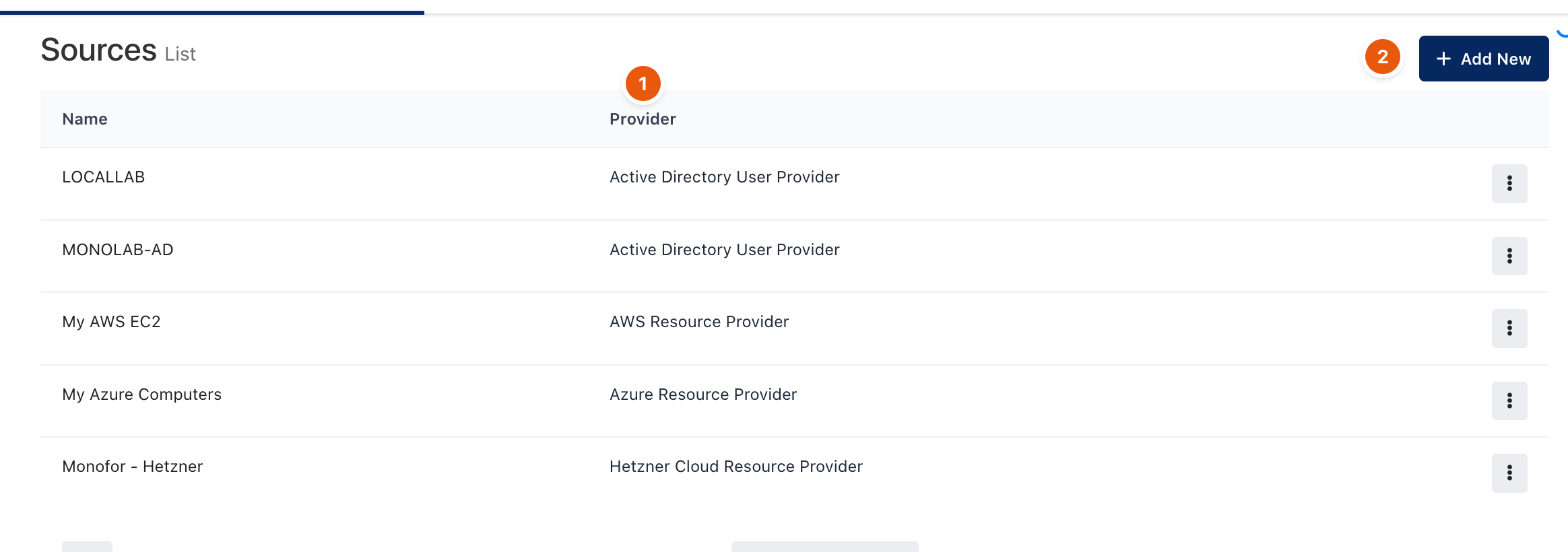
Figure 1. Sources.
Providers
Provider | Brings in |
|---|---|
Active Directory User Provider | Users and computers from Active Directory. |
AWS Resource Provider, Azure Resource Provider, Google Cloud Resource Provider | Virtual machines from the cloud account. |
Hetzner Cloud, DigitalOcean, Linode, Vultr, Scaleway resource providers | Servers from the cloud account. |
VMware vCenter Resource Provider, Proxmox VE | Virtual machines from the hypervisor. |
Windows machines are created with RDP and Linux machines with SSH. Each machine keeps its name, IP address, platform and state; providers that support it can turn cloud tags into Monopam tags (as key:value) and prefer the private IP address.
Add a source
- Open Sources and click Add New (2 in Figure 1). Enter a Name and choose the Provider.
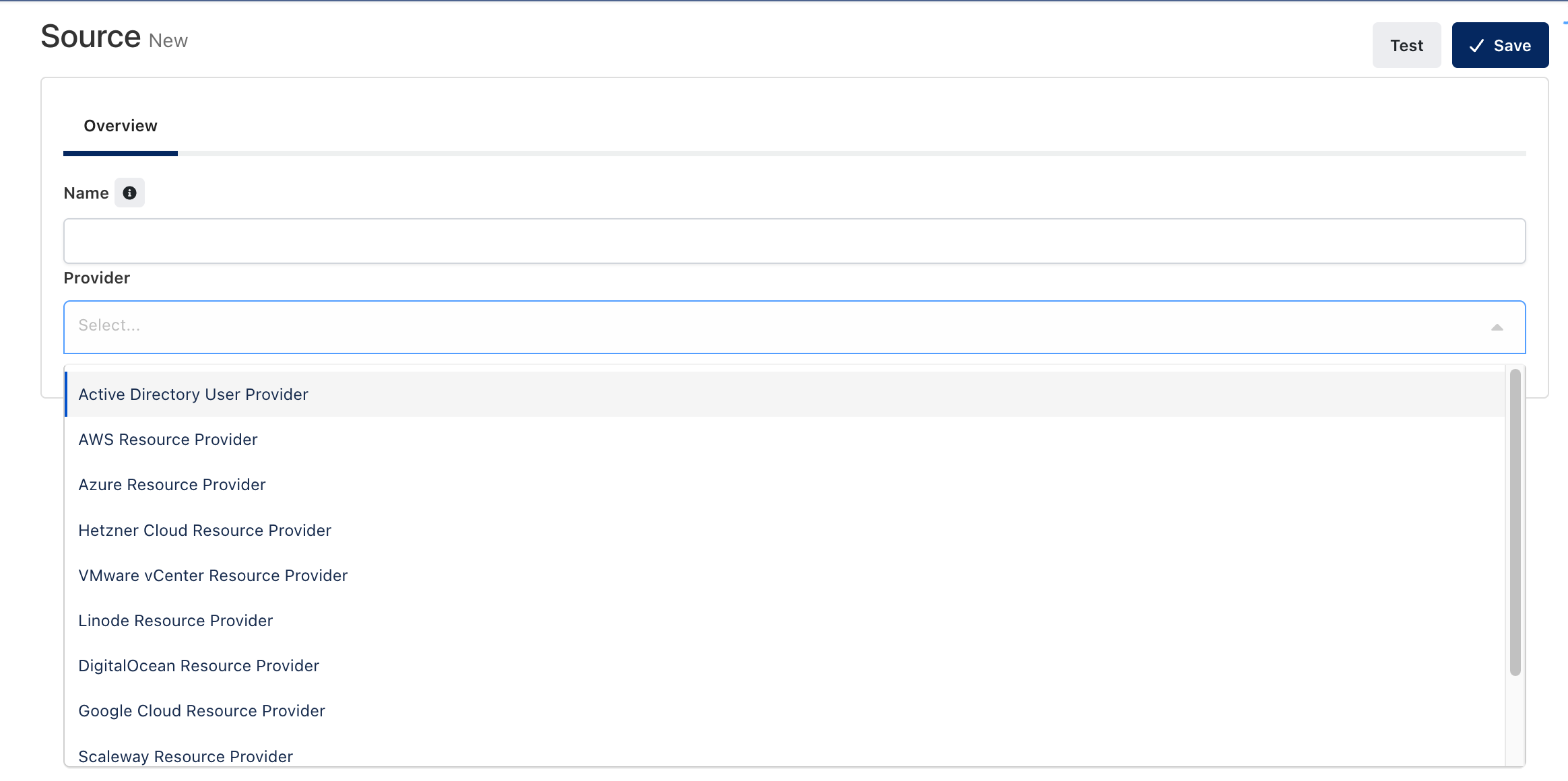
Figure 2. Choosing the provider.
- Open the General tab. Its fields depend on the provider. For VMware vCenter: the vCenter URL (1), a Username (2) with read access to the inventory, its Password, Allow Self-Signed Certificate (3) and Only Powered-On VMs. Secret fields accept a vault reference such as
{{Vault.<name>.Password}}.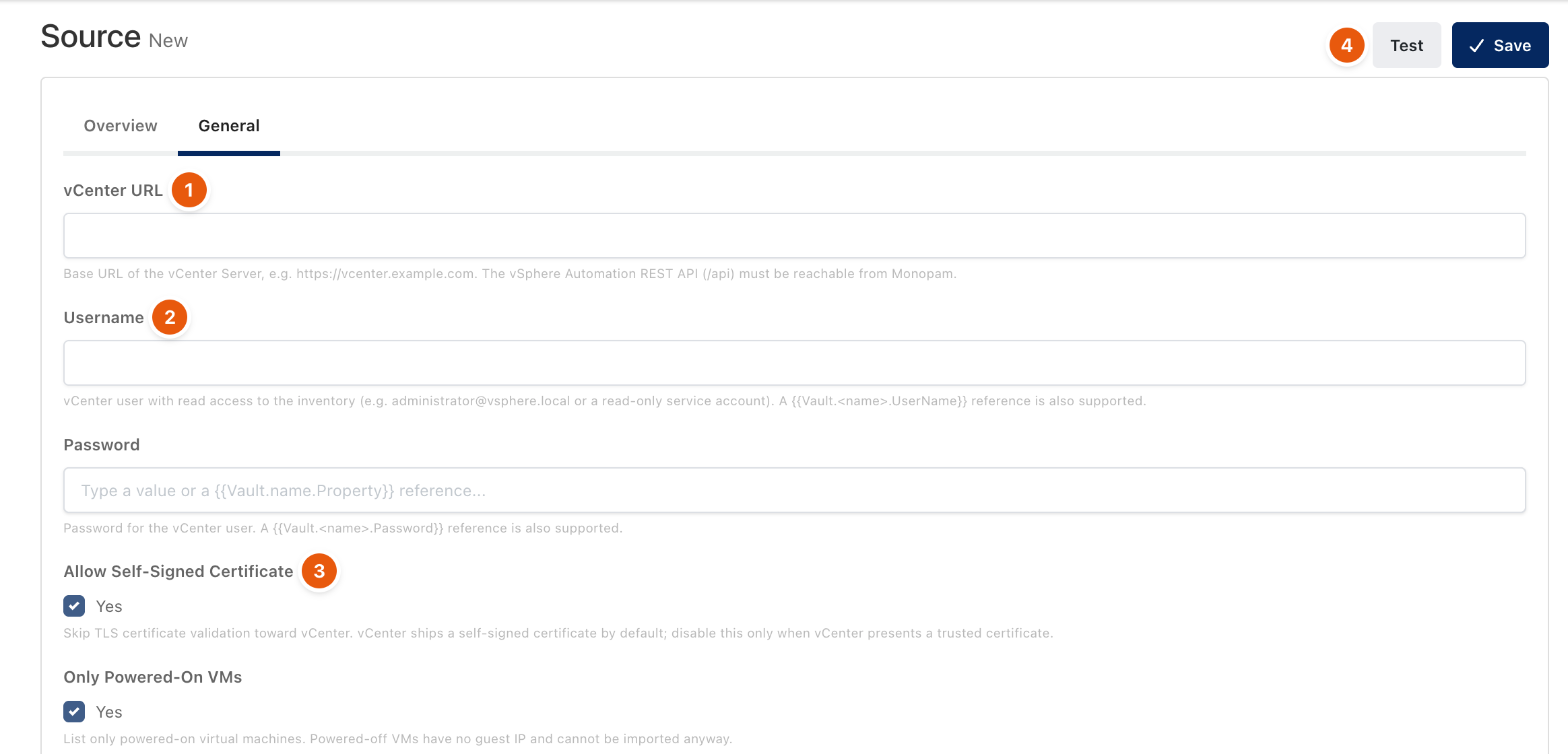
Figure 3. Connection fields of a vCenter source.
- Click Test (4) to check authentication and the inventory step by step, then Save.
Import machines
- Once: open Resources, use the table menu (⋮) to import from the cloud, pick the source and select the machines.
- Continuously: create a Discovery Policy that uses the source. It adds new machines, assigns a space, an account and tags, and can tag or remove machines that disappeared from the source (off by default).
Monopam calls the provider's API directly from the Monopam server, not through a gateway. The server needs outbound access to the provider API or to the on-premises vCenter.
Troubleshooting
What you see | Why | What to do |
|---|---|---|
Test fails on the inventory step. | The account can sign in but cannot list machines. | Give the account read access to the inventory (for vCenter, a read-only role on the datacenter). |
A machine deleted in the cloud is still a resource. | Removal is opt-in. | Set the Discovery Policy's action for missing resources. |
Related
- Add a resource
- Discovery Policy
- Spaces and Tags