Policies decide who may do what in Monopam. Access policies grant access to resources, vault items and spaces; other policies run jobs (password rotation, discovery, certificate renewal) or publish what users may ask for.
Applies to | Who can do this |
|---|---|
Monopam v2026.10 | Administrators with permission to manage policies. |
The Policies page
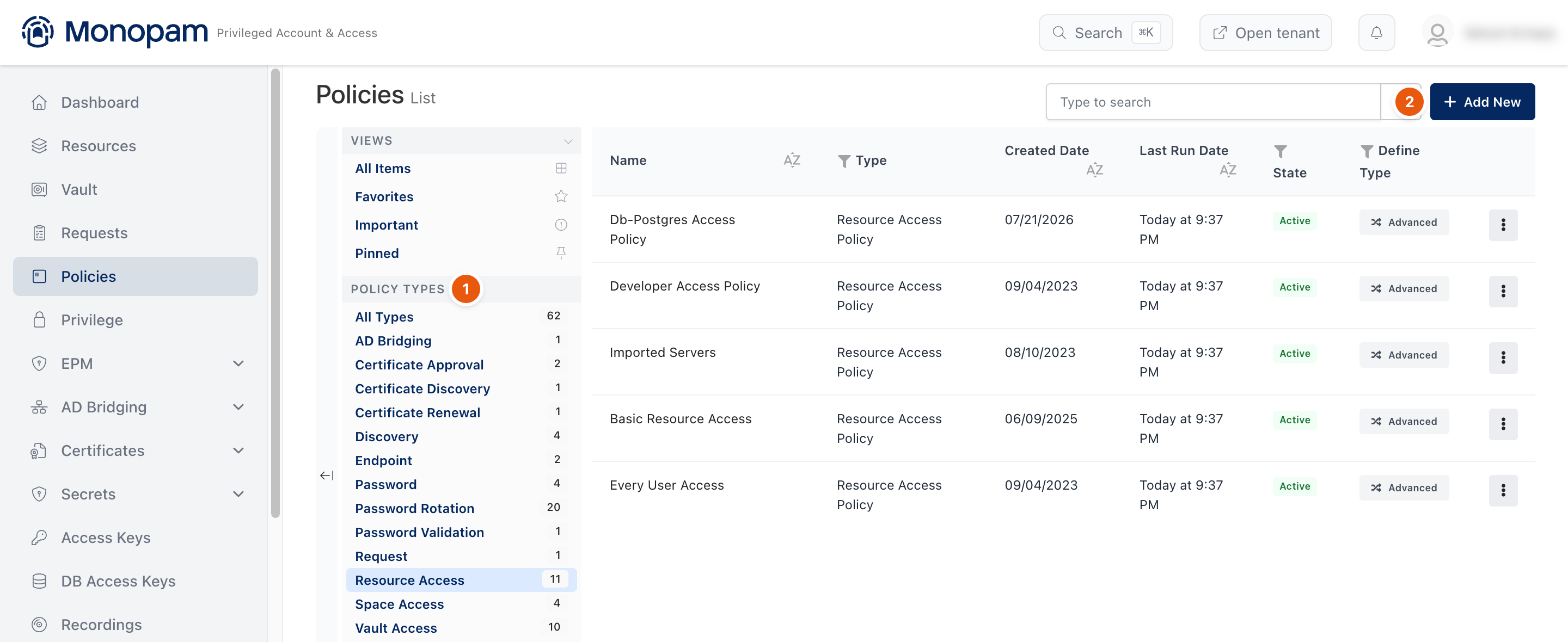
Figure 1. Policies, filtered by type.
Policy Types (1) filters the list by type, with a count per type. Add New (2) creates a policy.
Create a policy
Add New offers three ways to start:
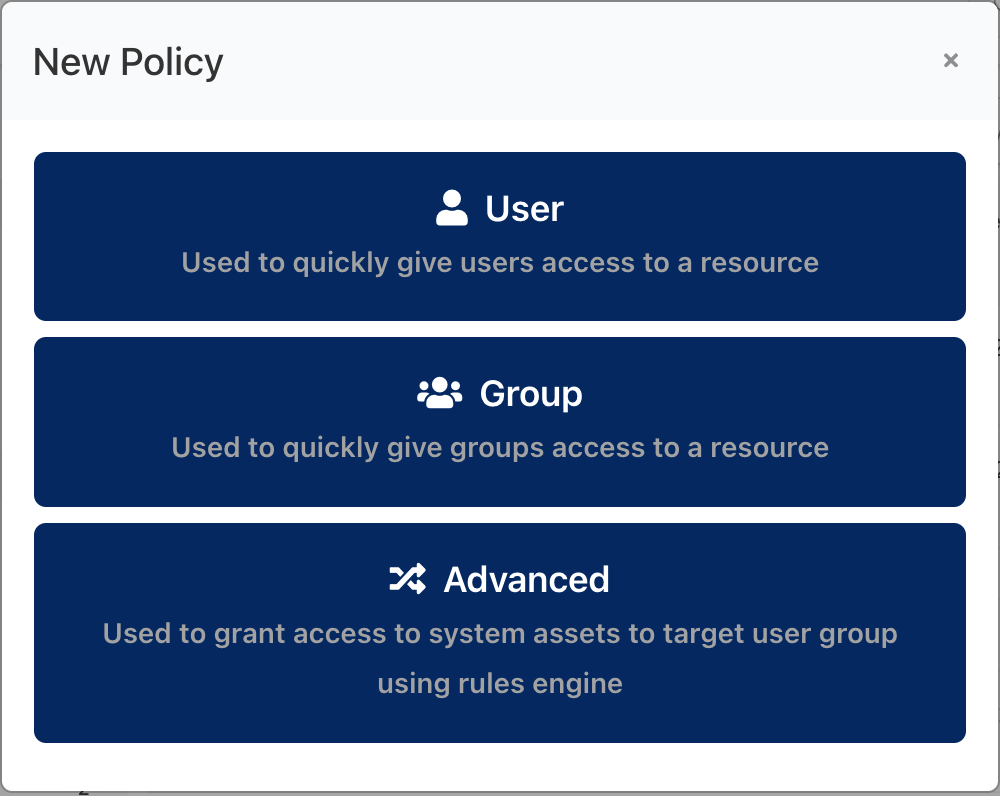
Figure 2. Choosing how to start.
Option | Use it to |
|---|---|
User | Quickly give one or more users access to a resource. |
Group | Quickly give groups access to a resource. |
Advanced | Choose any policy type and decide who it applies to with rules. |
Policy types
Type | Decides |
|---|---|
Resource Access Policy | Who may connect to which resources, with which accounts, when, and under which session rules. |
Vault Access Policy | Who may reveal or copy which fields of which vault items. |
Space Access Policy | Who may see the resources and vault items in a space. |
Request Policy | What users may ask for in Requests → New Request, and who approves it. |
Password Rotation Policy | Which passwords are rotated, and when. |
Password Policy | How generated passwords look (length, character sets). |
Password Validation Policy | Which vault passwords are checked against their targets, and when. |
Discovery Policy | Where Monopam looks for resources and privileged accounts, and what it does with them. |
Certificate Approval Policy | Which certificate operations need approval. |
Certificate Discovery Policy | Where Monopam looks for certificates. |
Certificate Renewal Policy | When certificates are renewed. |
Endpoint Policy | Endpoint Privilege Management rules for endpoints. |
AD Bridging Policy | Which directory users may log in to bridged Linux machines, and use sudo. |
Who a policy applies to
Every advanced policy has a Rules tab that decides which users it applies to, for example User → Group → in → Operations. Rules can be combined with AND and OR groups. Exceptions excludes users the rules would otherwise match, and Preview lists the users who match (Policy Preview: N User(s) found.) before you save.
Access needs both halves: a Resource Access Policy for the resource and a Space Access Policy for its space. Approving a request never grants more than the policies allow.
Related
- Resource Access Policy
- Vault Access Policy
- Request Policy
- Approve and revoke access