Scripts are saved, versioned host scripts that run on resources through the gateway or the resource's agent. Flows decide what happens after something finishes: a script run, a password rotation, a certificate event or a discovery run.
Applies to | Who can do this |
|---|---|
Monopam v2026.10 | Super administrators. The Scripts page is not shown to other users. |
Script library
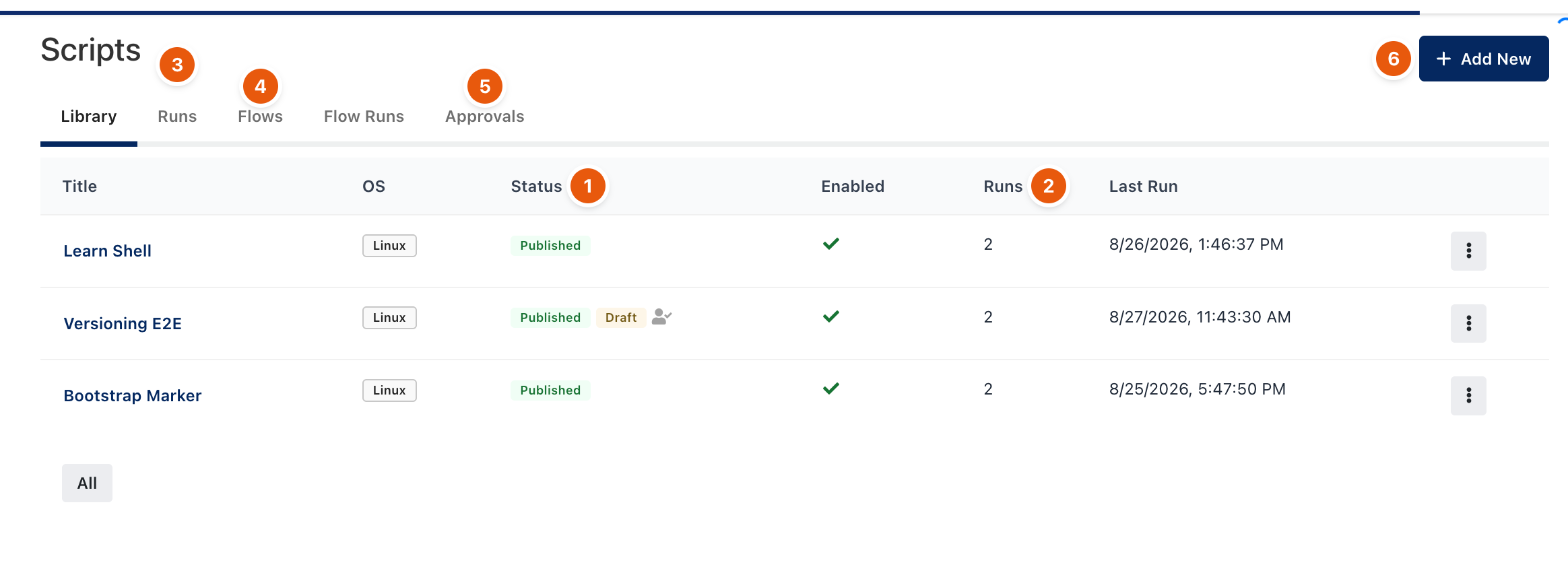
Figure 1. Scripts → Library.
- Click Add New (6). Enter the title, description, operating system (Linux, macOS or Windows) and timeout. Linux and macOS scripts can Run as sudo; Windows scripts choose PowerShell or Command Prompt.
- Every save writes a Draft. Publish makes it the runnable version; Status (1) shows both when a newer draft waits. Version history compares any two versions line by line.
- Run it from the row menu, or from Resources → row → Run Script, on one or more resources. Resources with an agent run it through the agent without a credential; others run it over SSH with the resource's privileged credential or one you choose.
Runs (2, 3) records every run with its trigger, exit code, duration and output. Approvals (5) holds publish and run requests when approval is turned on: one approval covers a whole batch of resources.
Flows
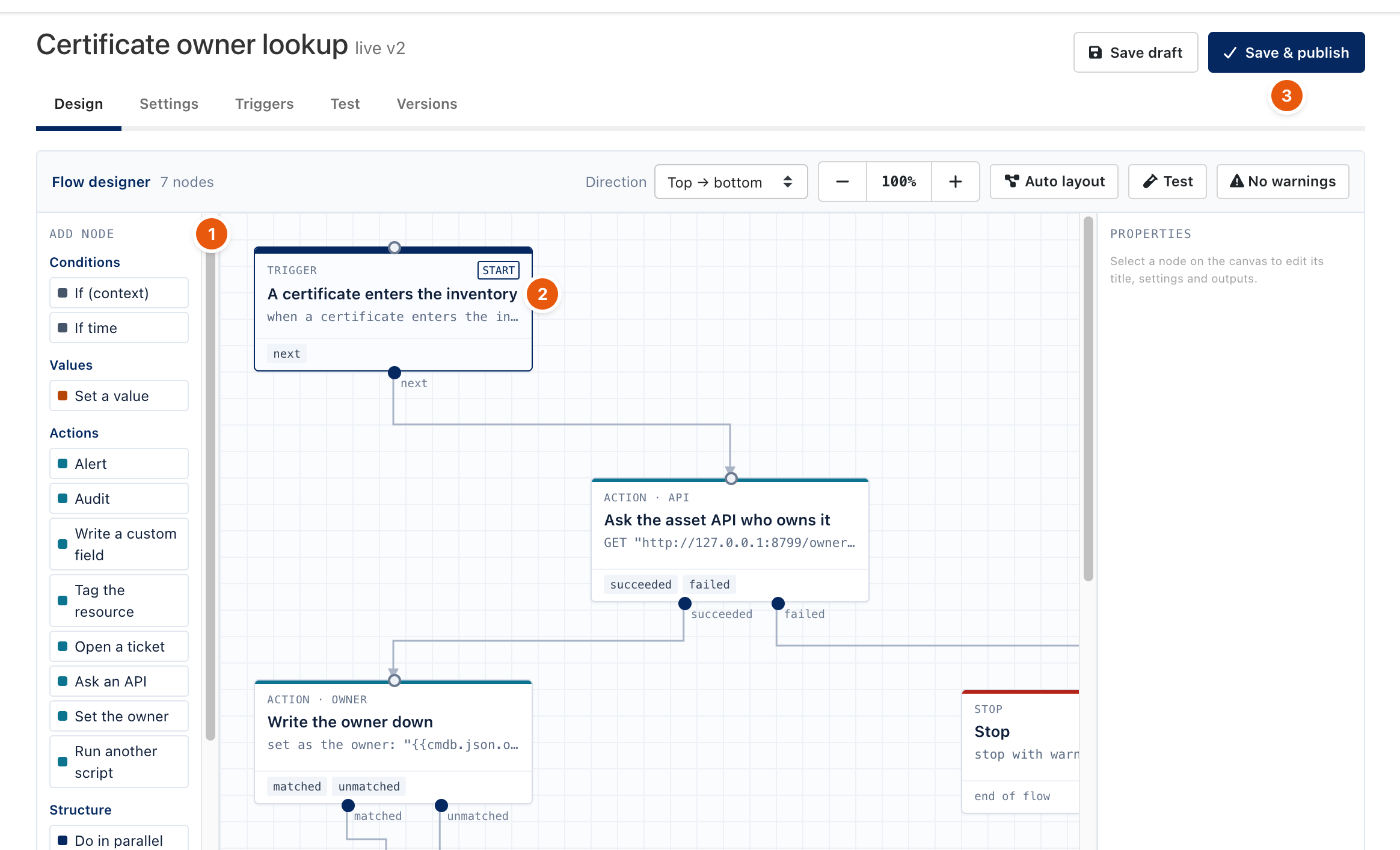
Figure 2. A flow on the designer canvas.
Open Flows (4) and click New Flow or Design on an existing one.
- The trigger (2) picks the event: a script run finishes, a password rotation finishes, a certificate nears expiry or enters the inventory, or a discovery run finishes.
- Drag steps from Add node (1): conditions (If, If time), values (Set a value), actions (Alert, Audit, Write a custom field, Tag the resource, Open a ticket, Ask an API, Set the owner, Run another script), Do in parallel and Stop with an outcome.
- Texts can use fields of the event, for example
{{resource.title}}or{{certificate.daysLeft}}. JSON output of a script is readable asoutput.json.<path>. - Test runs the flow without side effects. Save & publish (3) makes the version live; only a published version reacts to real events.
- Triggers narrows a script-run flow to one script, and to successful or failed runs. Flow Runs shows each run's path and outcome.
- Alert delivery (email, Teams, Slack, webhook, SIEM) is set once under Flows → Alerts.
Related
- Discovery Policy
- Agents
- Password rotation and reconcile