Certificate Management keeps every TLS, code-signing and device certificate in one inventory: the ones Monopam issues and manages, and the ones it discovers on networks and devices. It warns before they expire, renews managed ones and pushes them to where they are used.
Applies to | Who can do this |
|---|---|
Monopam v2026.10 | Administrators with the certificate permissions. Owners of a certificate see and renew it. |
Overview
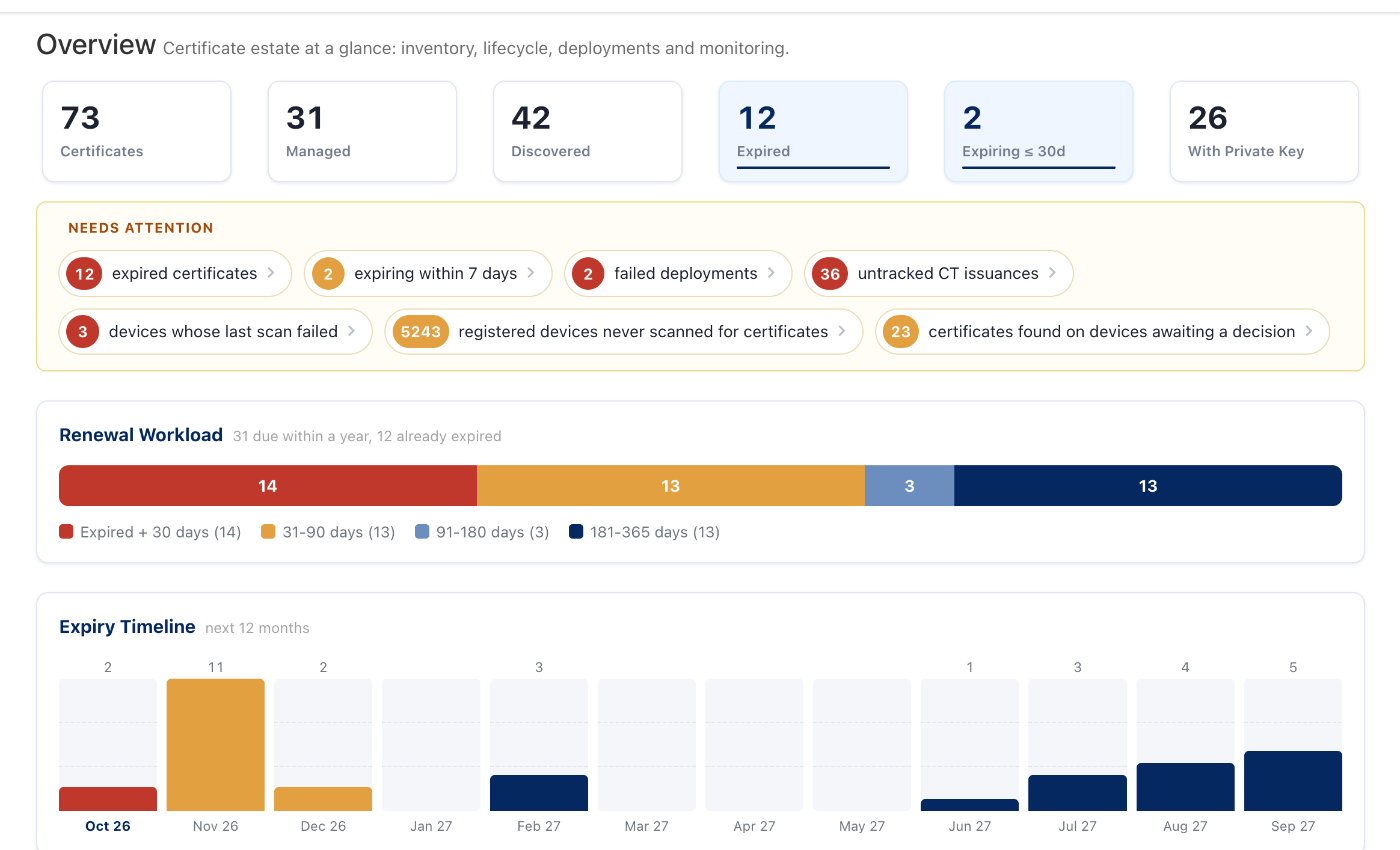
Figure 3. Certificates → Overview.
The Overview counts certificates (managed, discovered, expired, expiring), lists what Needs attention (expired certificates, failed deployments, untracked Certificate Transparency issuances, devices whose scan failed), and shows the renewal workload and the expiry timeline for the next 12 months. Each item opens the matching filtered list.
Inventory
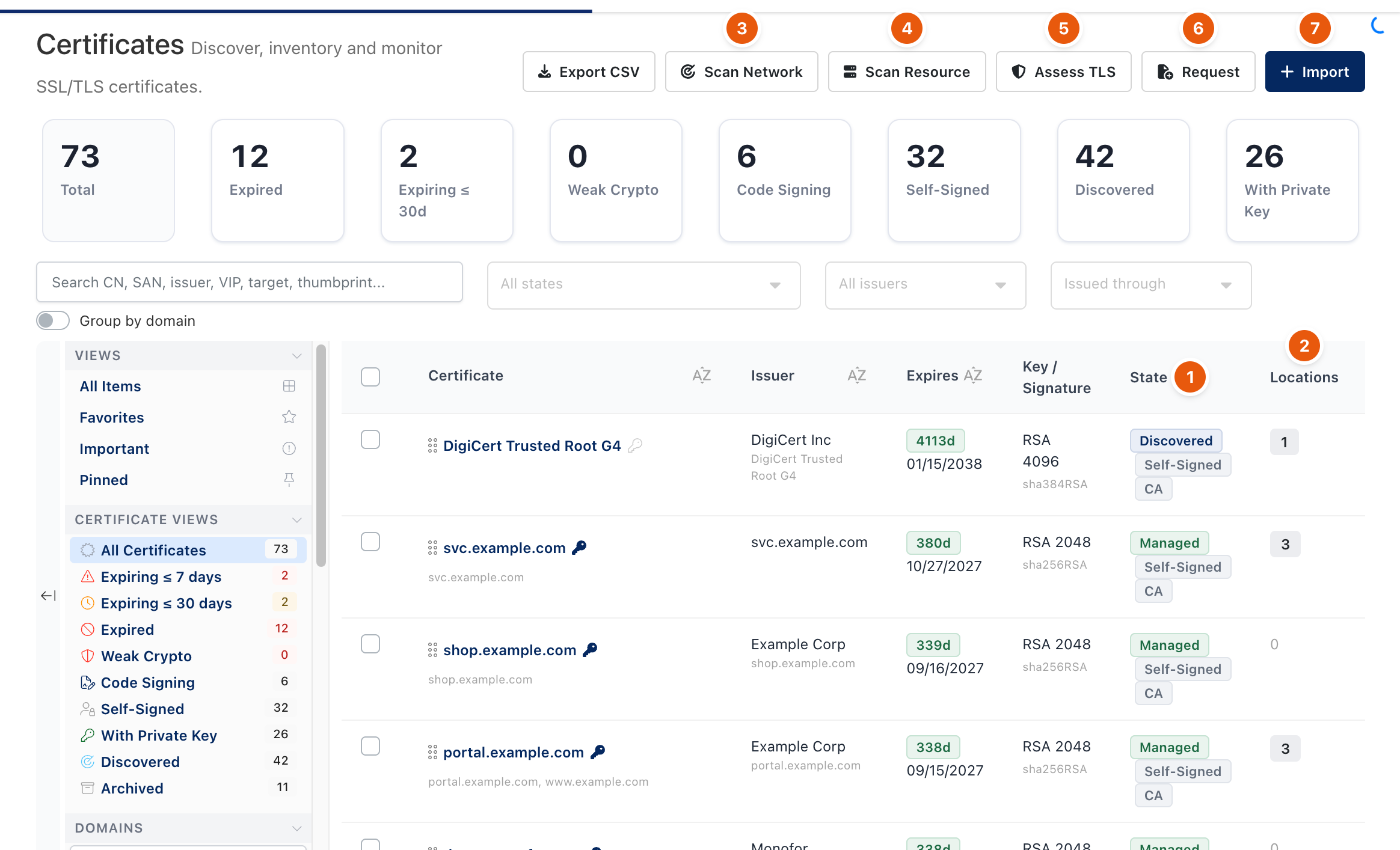
Figure 1. Certificates → Inventory.
- State (1): Managed certificates have their private key in Monopam and can be deployed and renewed; Discovered ones were found and are tracked only.
- Locations (2): where the certificate was seen (hosts, appliances, endpoints).
- Scan Network (3) probes addresses and ports for TLS certificates. Scan Resource (4) reads what a registered server or appliance holds. Assess TLS (5) grades a server's TLS configuration.
- Request (6) asks an issuer for a new certificate. Import (7) adds a certificate you already have, from a file or pasted PEM; with its private key it becomes Managed.
- The views on the left filter by expiry, weak crypto, code signing, self-signed, private key and archived; Group by domain groups the list.
A certificate
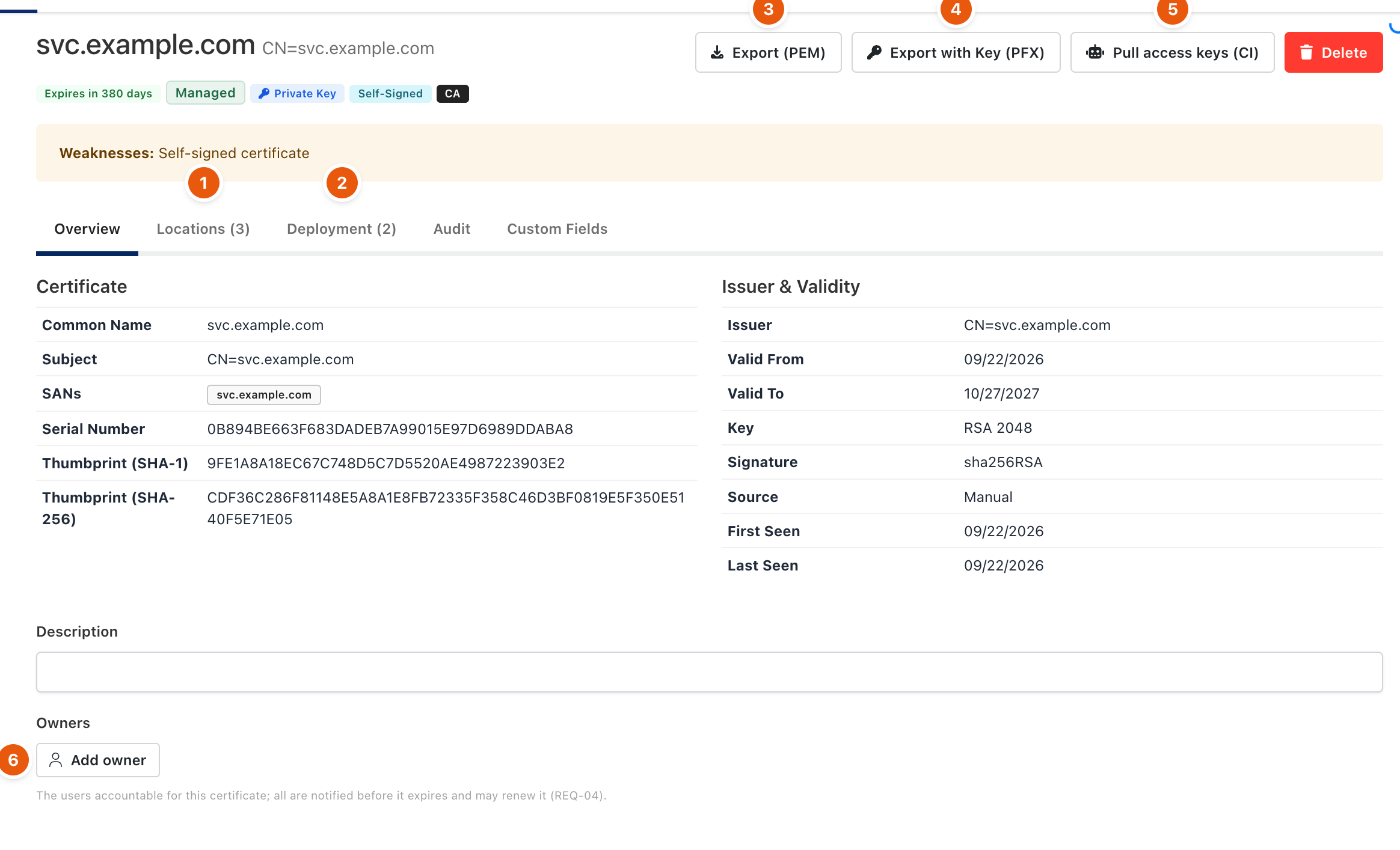
Figure 2. One certificate.
- Locations (1) and Deployment (2) show where it is found and where Monopam installs it. Audit lists every change.
- Export (PEM) (3) downloads the certificate; Export with Key (PFX) (4) includes the private key and is audited. Pull access keys (CI) (5) lets a pipeline fetch it.
- Add owner (6) names the people accountable for it. Owners are notified before it expires and may renew it.
Expiry alerts
Under Certificates → Alert Settings, set the thresholds (days left) and the channels: email, Microsoft Teams, Slack, webhook, SIEM and an ITSM ticket. Each threshold fires once per certificate, to the recipients and the certificate's owners.
Related
- Certificate issuers
- Certificate deployments
- Device enrollment (EST and SCEP)
- Certificate Approval Policy