Secrets is Monopam's store for application secrets: configuration values, API keys and connection strings that applications and pipelines read at run time. It sits next to the PAM vault but serves machines: projects hold the secrets, machine identities read them, syncs push them to cloud stores, and dynamic secrets mint short-lived credentials.
Applies to | Who can do this |
|---|---|
Monopam v2026.10 | Administrators and developers with permission to use Secrets. |
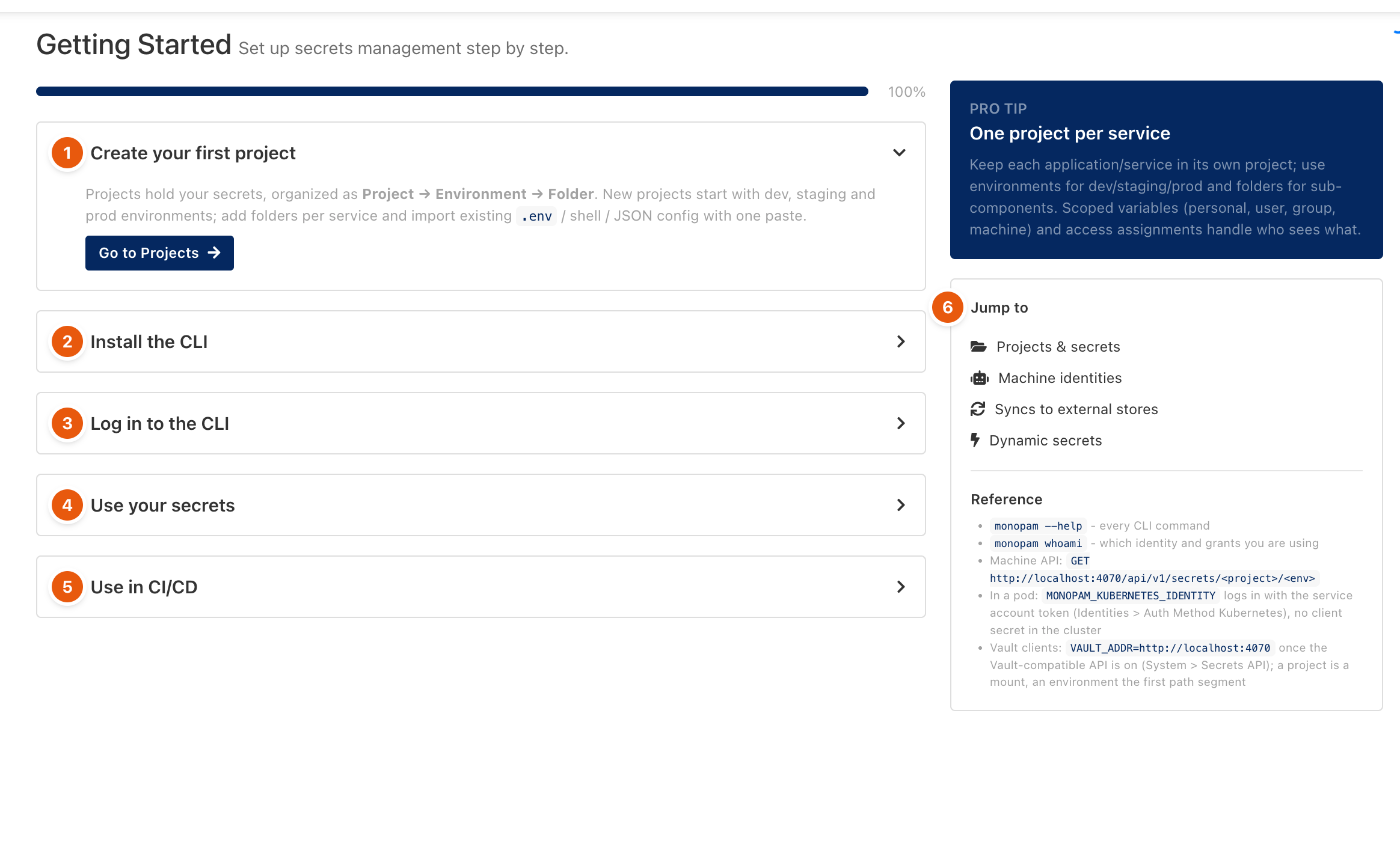
Figure 1. Secrets → Getting Started.
The five steps
Step | What you do | More |
|---|---|---|
1. Create your first project | A project holds secrets as Project → Environment → Folder. New projects start with dev, staging and prod environments. | Projects and environments |
2. Install the CLI | Install the | Identities and the CLI |
3. Log in to the CLI |
| Identities and the CLI |
4. Use your secrets |
| Identities and the CLI |
5. Use in CI/CD | Create a machine identity for the pipeline and log in with it. | Identities and the CLI |
The Jump to panel (6) opens Projects, Machine identities, Syncs and Dynamic secrets. The Reference list shows the machine API address and how to point Vault clients at Monopam.
Keep each application or service in its own project. Use environments for dev, staging and prod, and folders for sub-components.
Related
- Projects and environments
- Identities and the CLI
- Secret syncs
- Dynamic secrets
- Vault-compatible API