Spaces group resources and vault items so access can be given per team or environment. Tags label records so they can be found, filtered and matched by policy rules.
Applies to | Who can do this |
|---|---|
Monopam v2026.10 | Administrators with permission to manage spaces and tags. |
Spaces
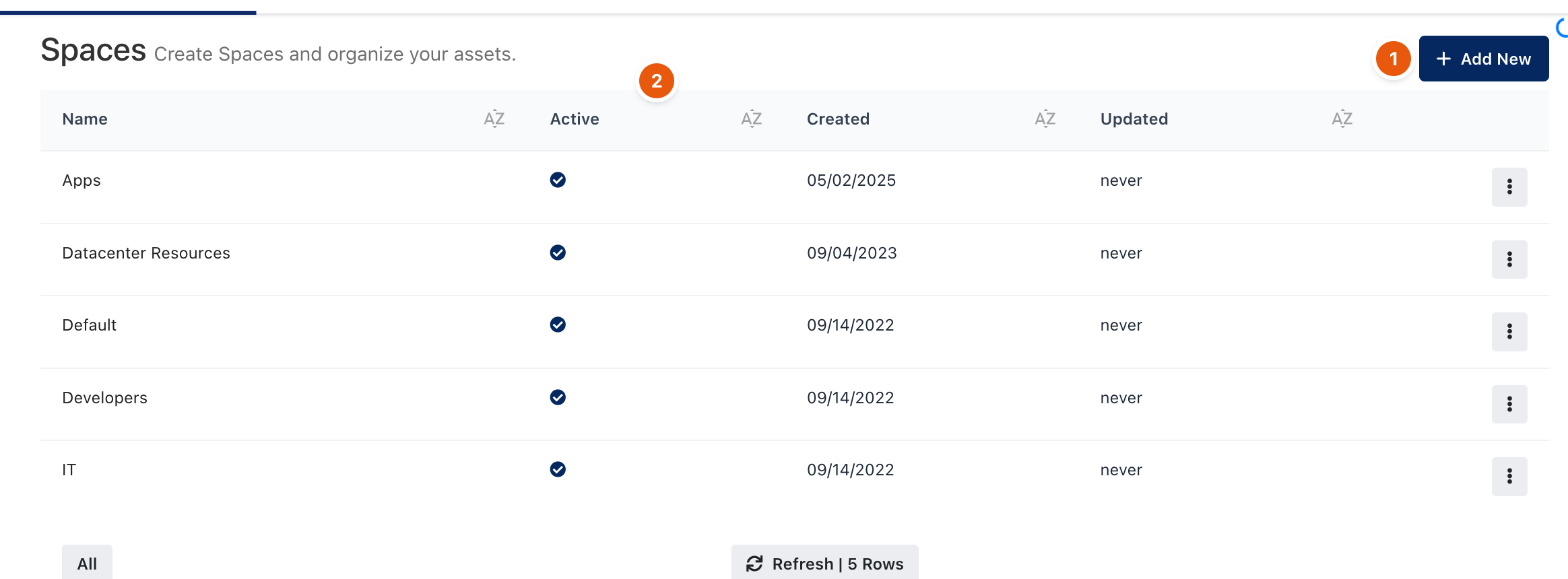
Figure 1. Spaces.
- Open Spaces and click Add New (1). Enter a name and save. Active (2) shows whether the space is in use.
- Give people the space with a Space Access Policy. Without it, they do not see the space's resources and vault items, even with a Resource Access Policy.
- Users switch between the spaces they can see with the space selector at the bottom of the menu.
Tags
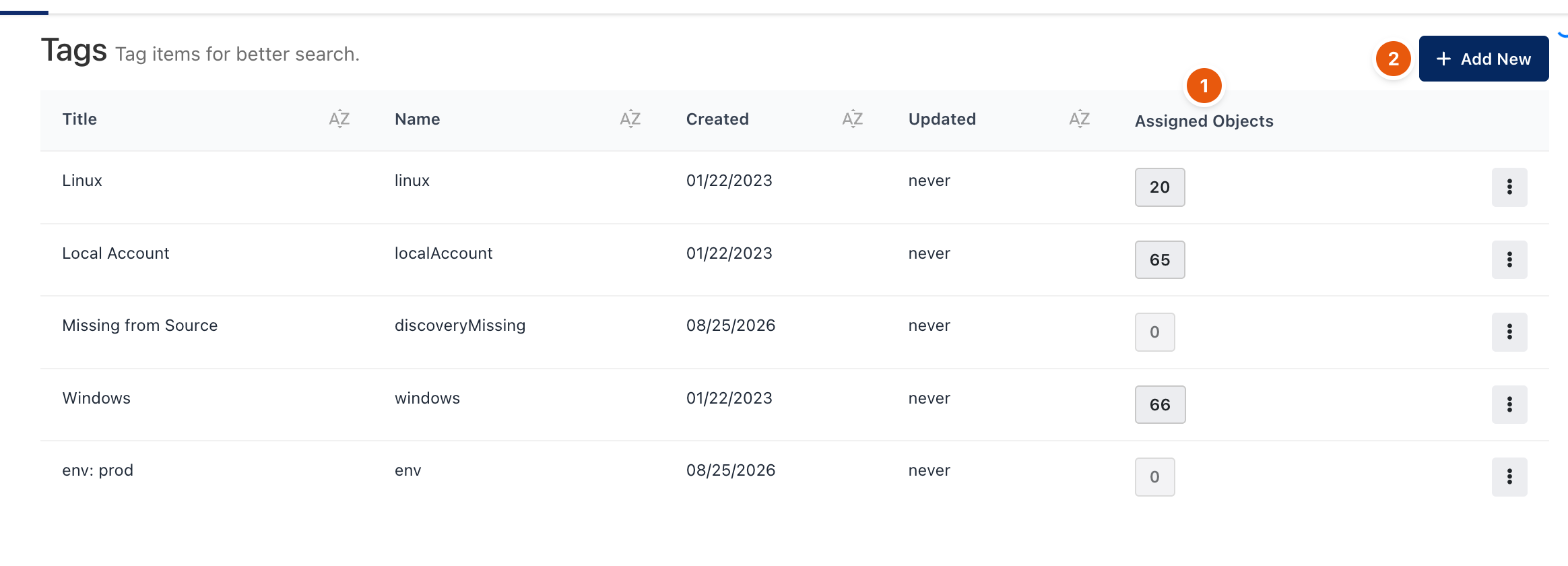
Figure 2. Tags.
Open Tags and click Add New (2) to define a tag. Each tag has a Title shown in the interface and a Name used in rules and filters. Assigned Objects (1) shows how many records carry it. Add a tag to a resource or vault item with Add Tag under its title.
Some tags are written by Monopam itself, for example Missing from Source for machines that disappeared from a cloud source, and key:value tags imported from cloud labels.
Related
- Space Access Policy
- Sources and cloud providers
- How policies work