A project holds the secrets of one application or service. Each project has environments (dev, staging, prod and any you add) and folders inside them.
Applies to | Who can do this |
|---|---|
Monopam v2026.10 | Administrators and developers with access to the project. |
Projects
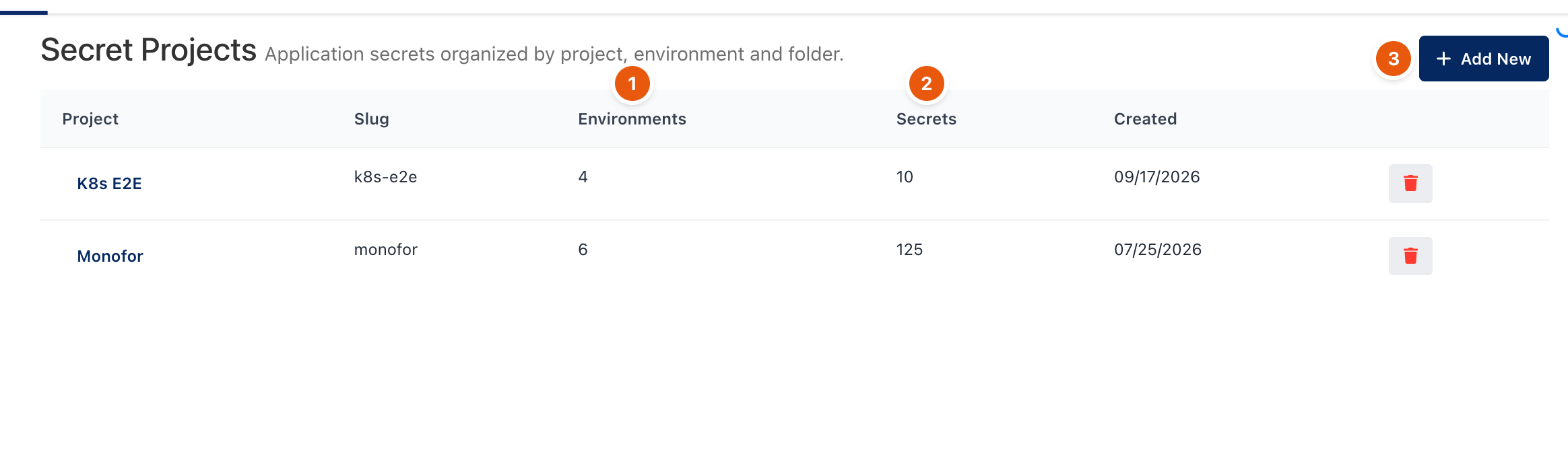
Figure 1. Secrets → Projects.
The list shows each project's number of Environments (1) and Secrets (2). Click Add New (3) to create a project; it starts with dev, staging and prod.
Inside a project
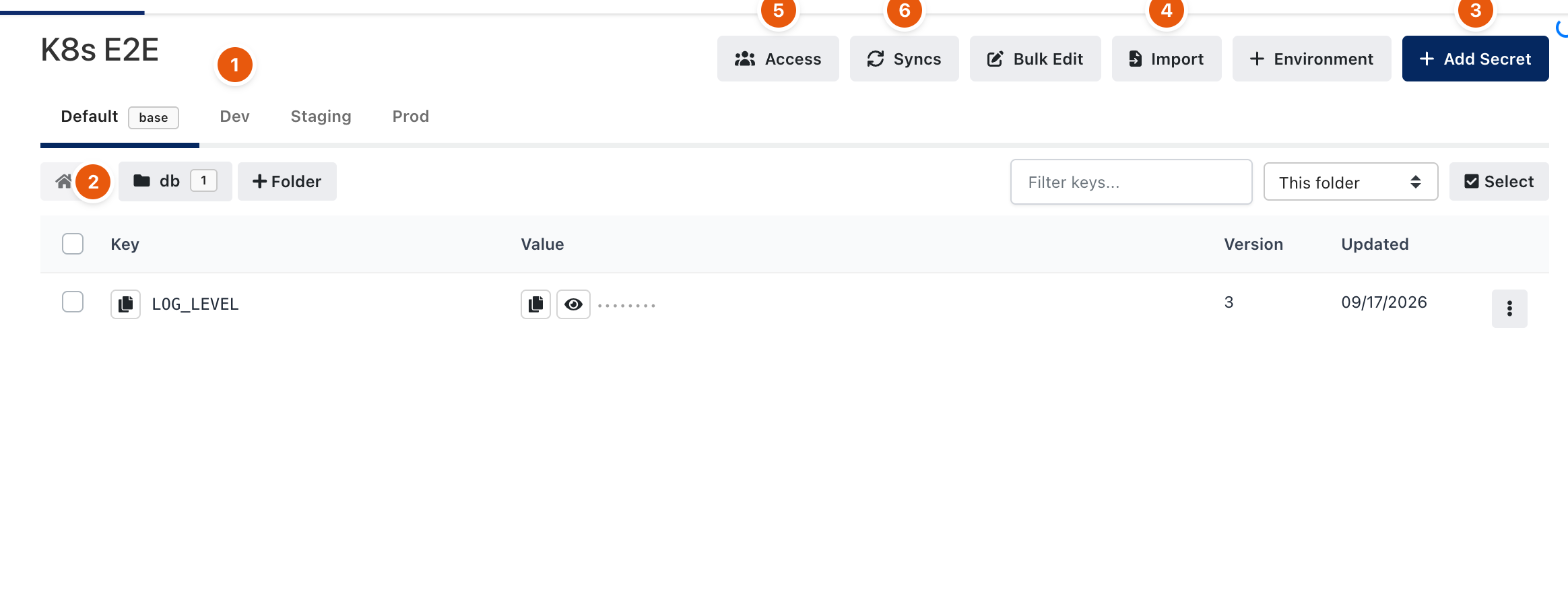
Figure 2. A project. Values stay hidden until revealed.
- The environment tabs (1) switch between environments. The Default environment is the base: other environments inherit its keys unless they define their own.
- Folders (2) group keys, for example
db. + Folder adds one. - Add Secret (3) adds a key. A value can refer to another key with
${KEY}; readers get the expanded value. - Import (4) pastes an existing
.env, shell or JSON configuration. Bulk Edit changes many keys at once. - Access (5) decides which users, groups and machine identities can read or write the project.
- Syncs (6) pushes an environment to a cloud secret store; see Secret syncs.
- Every change creates a new version. The row menu shows the history and can roll back.
Related
- Secrets: getting started
- Identities and the CLI
- Secret syncs