
The Self Service Portal is a self-service solution that allows users to perform certain account operations on their own, without contacting the IT team or an administrator. Through this portal, users can retrieve their user information, reset their passwords, and unlock their locked accounts.
-
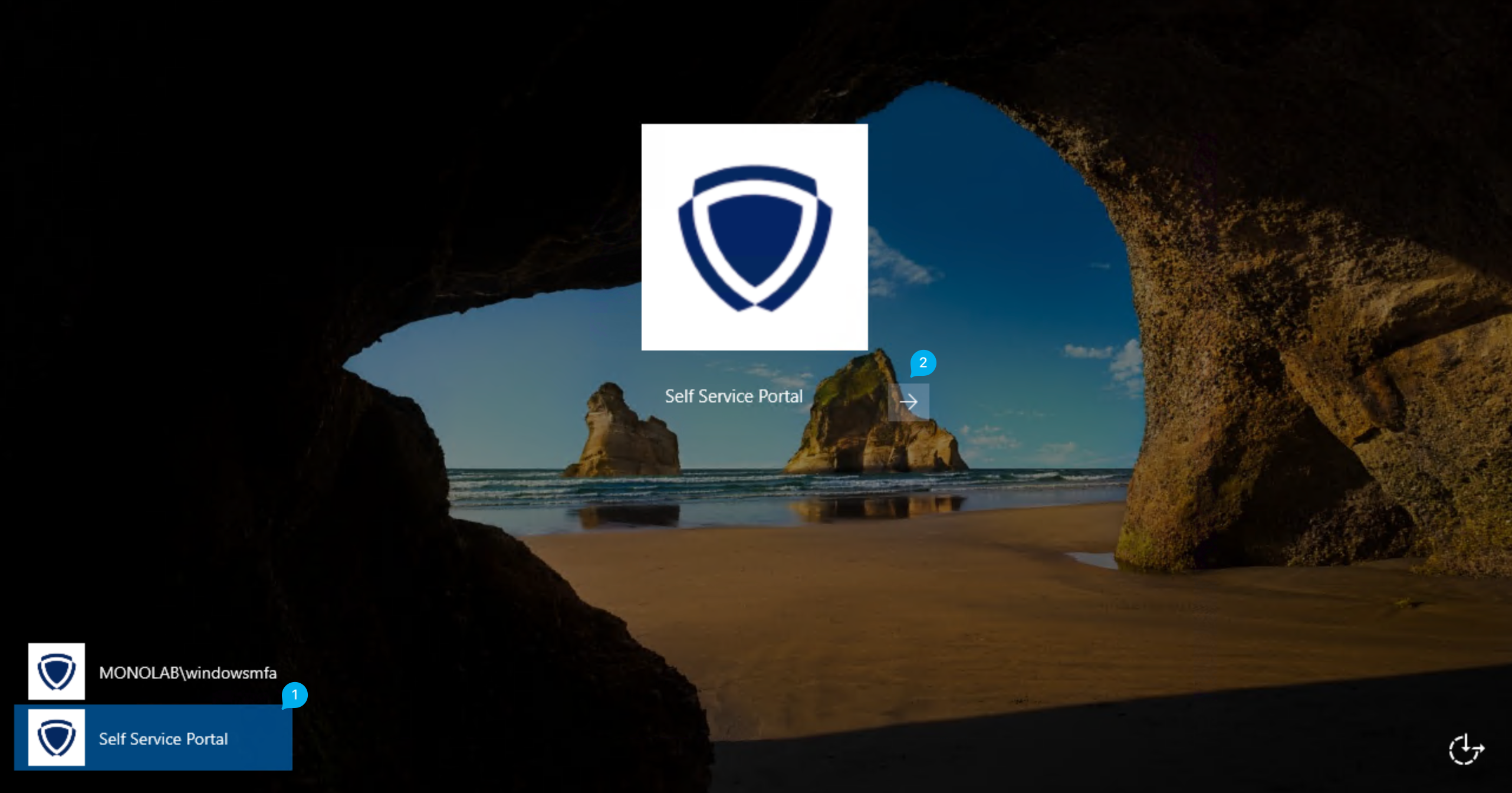
On the Windows login screen, select Self Service Portal from the account selection in the bottom-left corner.
-
Click the arrow (→) on the Self Service Portal button to open the portal.
-
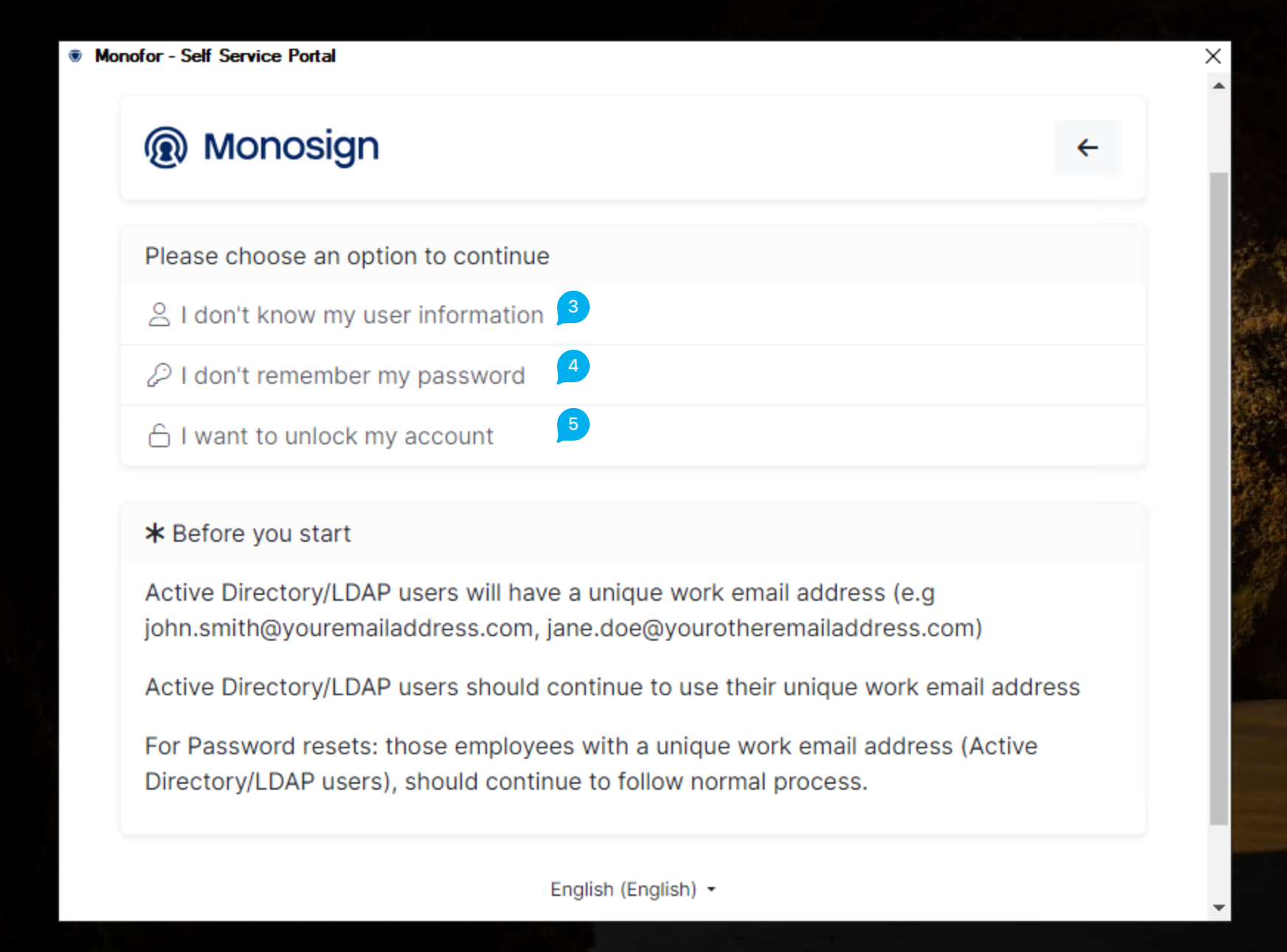
I don't know my user information – For users who do not know their user information.
-
I don't remember my password – For users who do not remember their password.
-
I want to unlock my account – For users who want to unlock their account.