Problems seen with Monofor Identity Client for macOS 2.4.19 and how to fix them. Run all commands as an administrator (they need sudo). See also macOS.
Tools
Status
Prints a summary without any secret: configuration, linked accounts, sudo hook state, cached texts and logo, audit queue size.
sudo /usr/local/bin/Identity-Daemon --status
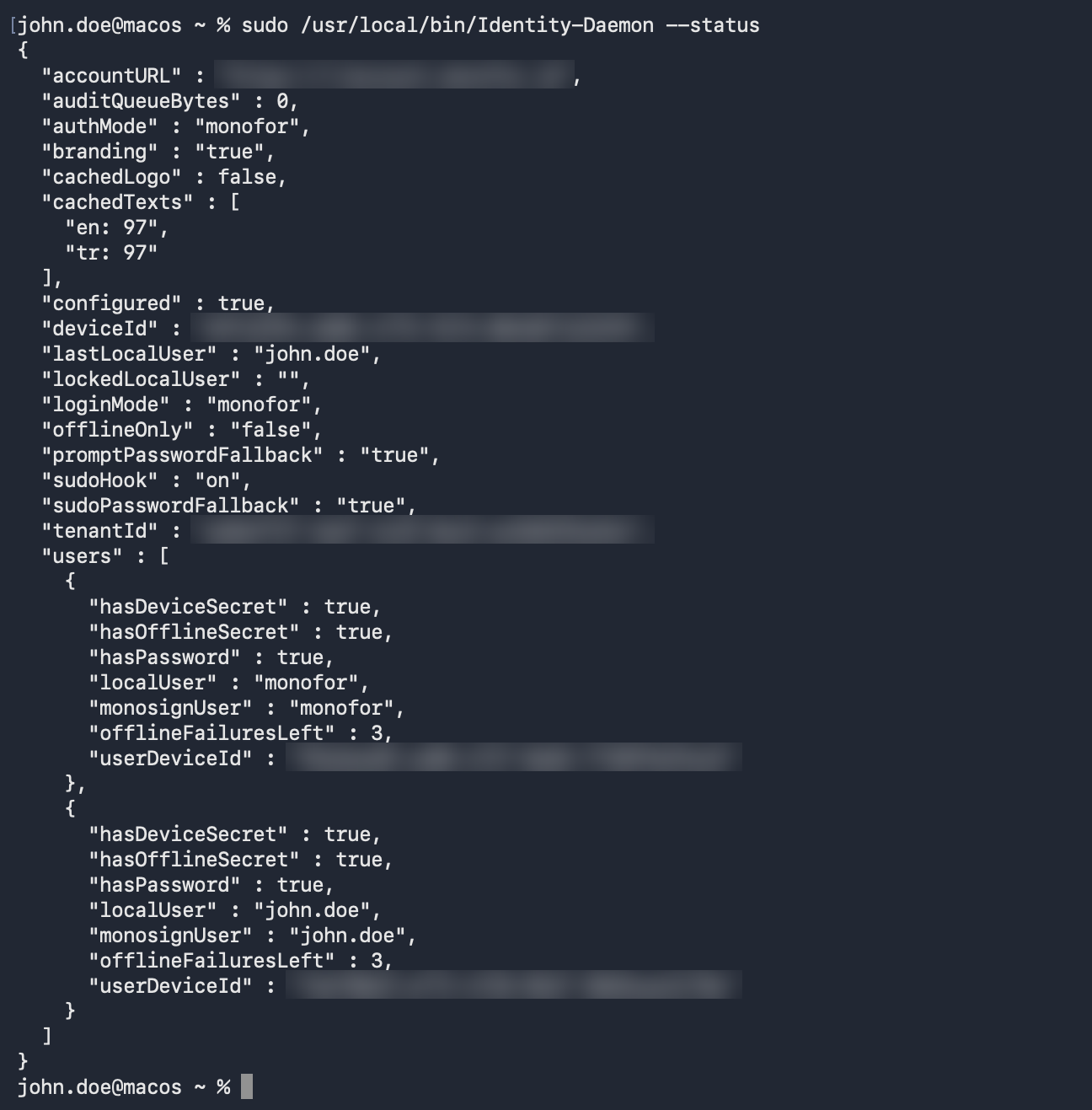
Example output of --status (identifiers hidden here)
What to look at:
Field | Healthy value |
|---|---|
configured | true |
loginMode / authMode | monofor / monofor (or default when administrator prompts use the macOS password) |
sudoHook |
|
users[] | One entry per linked account with hasPassword, hasDeviceSecret, hasOfflineSecret = true |
cachedTexts / cachedLogo | Texts counted per language, logo true when branding is on |
auditQueueBytes | 0 or small. A growing number means audit events are not accepted. |
Offline code check
Tells whether a code fits this Mac's offline secret, without using up an attempt:
sudo /usr/local/bin/Identity-Daemon --check-offline <local user> <code>
Logs
log stream --level debug --predicate 'subsystem == "com.monofor.identity"'
log show --last 30m --predicate 'subsystem == "com.monofor.identity"'
Categories: daemon, plugin, prompt, helper.
Problems
Symptom | Cause | Fix |
|---|---|---|
The lock screen shows the macOS password field instead of Monofor. | The Mac is not configured, the daemon is not running, or the session helper is old (right after an upgrade). | Check |
Configurator: Service not running. | The daemon did not start after installation. | Bootstrap it with the command above. |
Configurator: Needs Full Disk Access; sudo still asks for the macOS password. | macOS protects | Use Open Full Disk Access, add |
macosuser is not in the sudoers file | The user is a standard user. | Expected: sudo is only for administrators. Add the user to the policy's administrator group, or make the account an administrator. |
Offline code is rejected. | Code from another Mac's entry in the app, or the clock is off. | Run |
Too many failed offline attempts | Offline sign-in locked after wrong codes. | Connect to the network and sign in with the QR code; this resets the counter. |
The screen does not switch to the offline code. | The client still reaches Monosign (the check is | Wait a few seconds; if Monosign is reachable but sign-in fails, the problem is on the server side. |
No mobile authenticator is registered for this account. | The user has no Monofor Identity authenticator. | Register the mobile app for the user in Monosign. |
Wait a few seconds before sending another notification. | Push was sent less than 15 s ago for that account. | Wait for the countdown. |
A Mac account is not created on first sign-in (the user is asked for a Mac password instead). | No Identity Client policy matches this user and Mac, or the matching policy does not allow local accounts. | Enable Local Accounts (macOS) in the policy that matches the device. The daemon log says which case it was: |
The created account is not an administrator, or keeps administrator rights after removal from the group. | The user is not in the policy's administrator group, the group name differs, or the change has not been checked yet. | The group is matched by name or title, nested groups included. Changes apply within about a minute while the user is signed in, and at every sign-in. The daemon log shows |
Your account is not assigned to this application in Monosign. after scanning the QR code. | The user is not assigned to the Identity Client application. | Assign the user (or a group) to the application in Monosign, then scan the new QR code. |
This approval has expired. during account creation. | The sign-in took longer than the approval lifetime (for example the client was reinstalled meanwhile). | Start the sign-in again. |
No audit records in Monosign. | Missing permissions, or events are still in the queue. | Events arrive in batches every 30 s. Check |
Texts are not in the tenant's language. | Missing System.API.Languages.List, or not fetched yet. | Check |
No company logo. | Branding off, no QR watermark in the tenant branding, or missing System.API.Policies.View (the permission of the branding endpoint). | Enable Show the company logo in the Configurator; check |
Keychain asks for the old password after a password sync. | The login keychain keeps the previous password. | Known limitation: when macOS asks to update the keychain password, enter the previous password once. |
Sign-in is broken and nobody can log in. | From SSH or Recovery run |